
How to Download a YouTube Playlist
YouTube hosts millions of playlists across various topics, from music albums to educational series and curated collections of videos. Saving entire playlists can be useful for offline watching, for study purposes, or to keep a personal archive.
In 2025, YouTube playlists can be downloaded to desktop computers and Android devices using tools that support multiple formats and resolutions, including high-definition. One option is 4K Video Downloader Plus, available in separate versions for desktop platforms and Android.
How to Download YouTube Playlists on Desktop
1. Install the desktop app. Download 4K Video Downloader Plus and install it on your computer. It’s available for Windows, macOS, and Linux.
2. Copy the playlist link. Open the playlist on YouTube in your browser and copy its URL from the address bar.
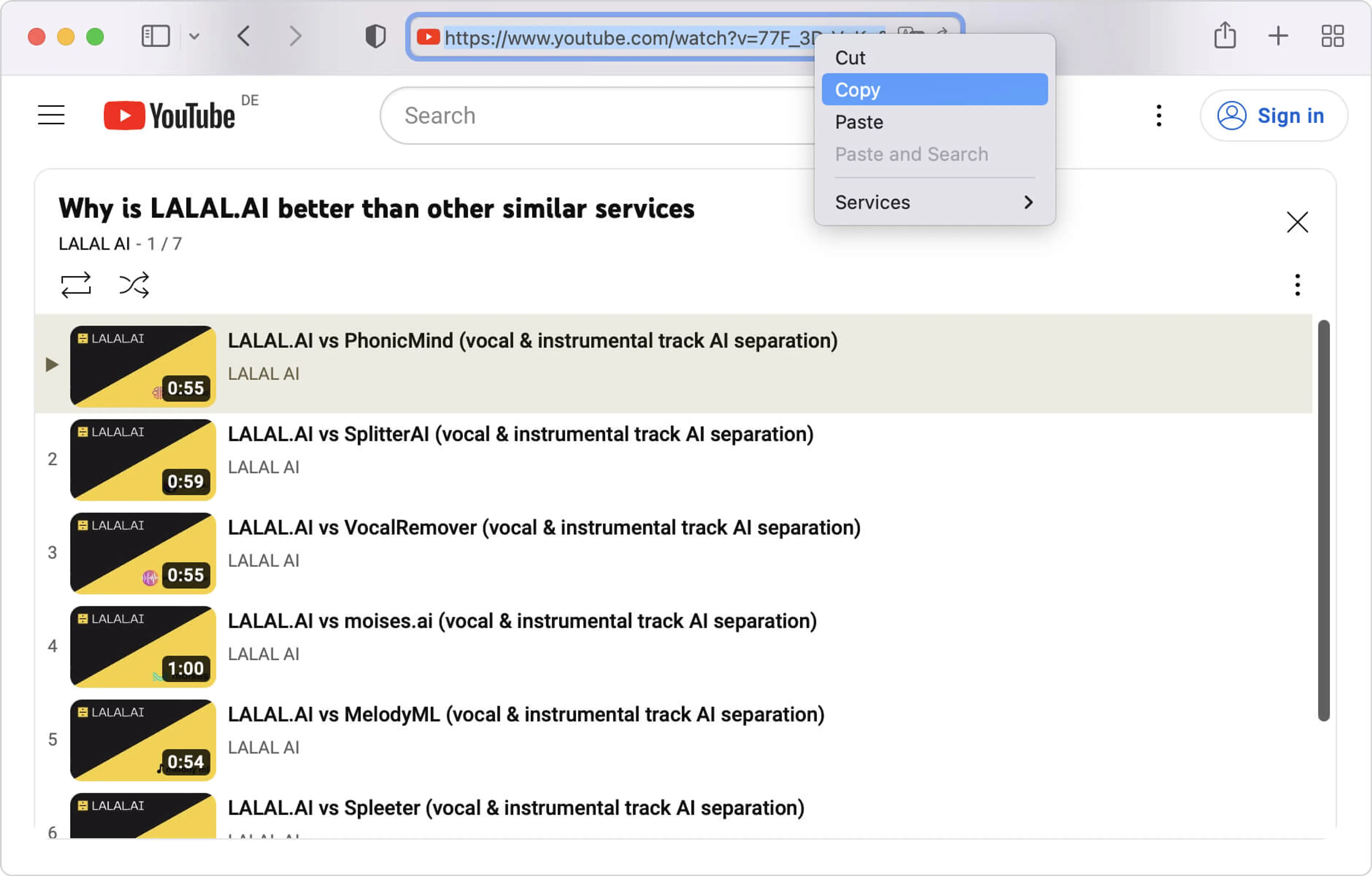
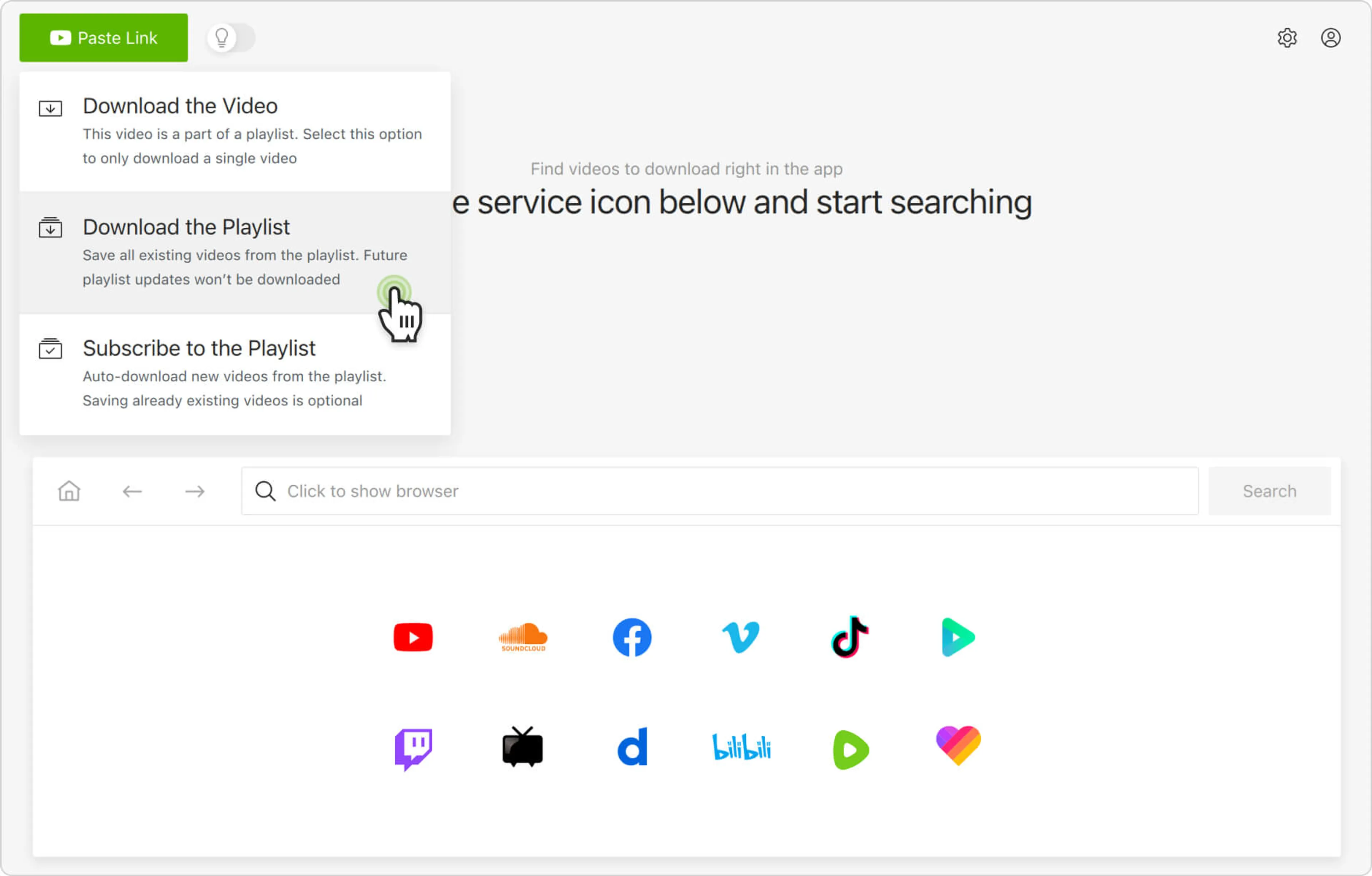
3. Paste the link into the desktop app. Launch 4K Video Downloader Plus and click the Paste Link button.
4. Select the playlist download option. From the download options menu, choose Download the Playlist.
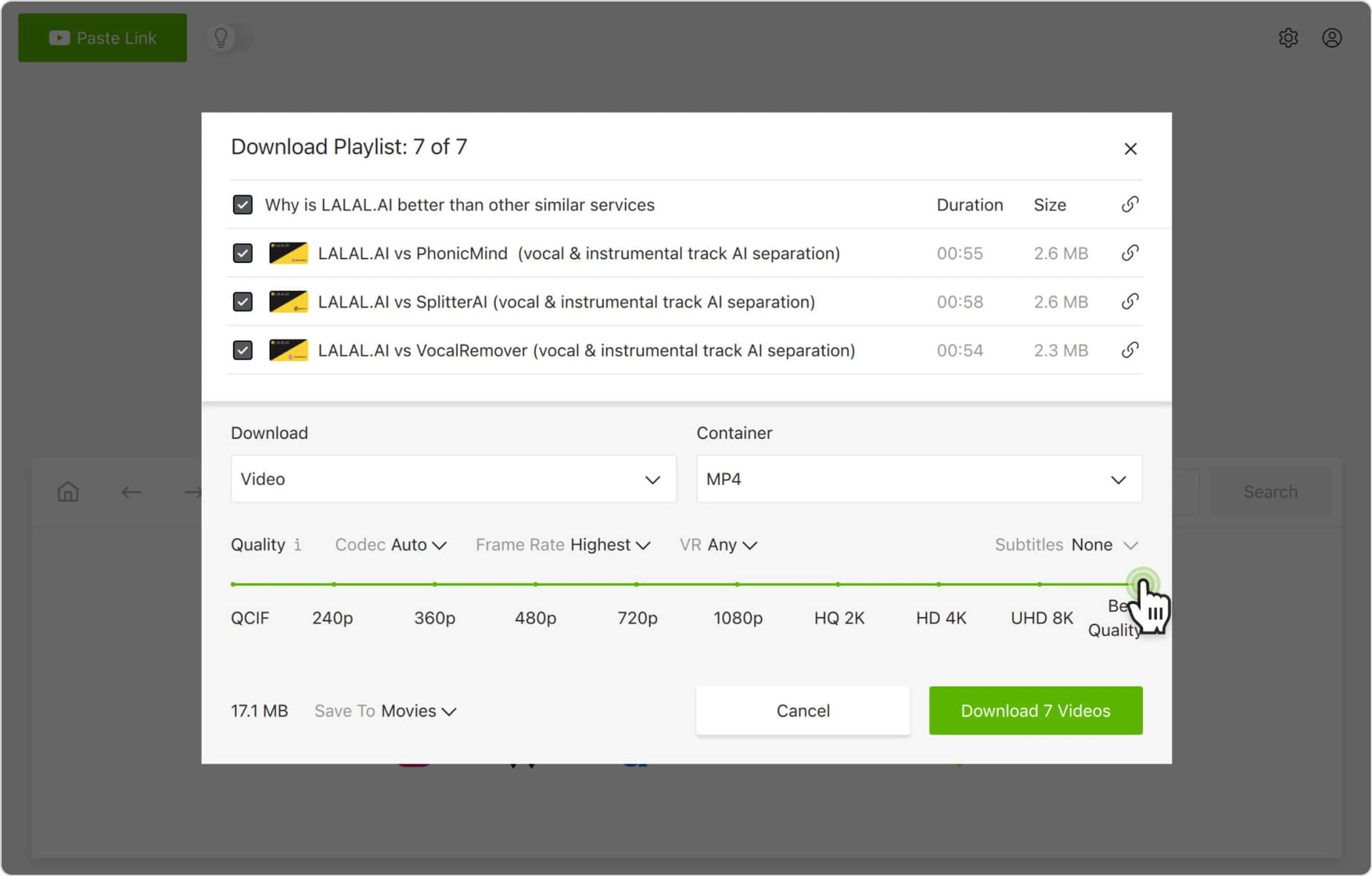
5. Select download parameters. Pick the video format, quality, and output folder for storing the files.
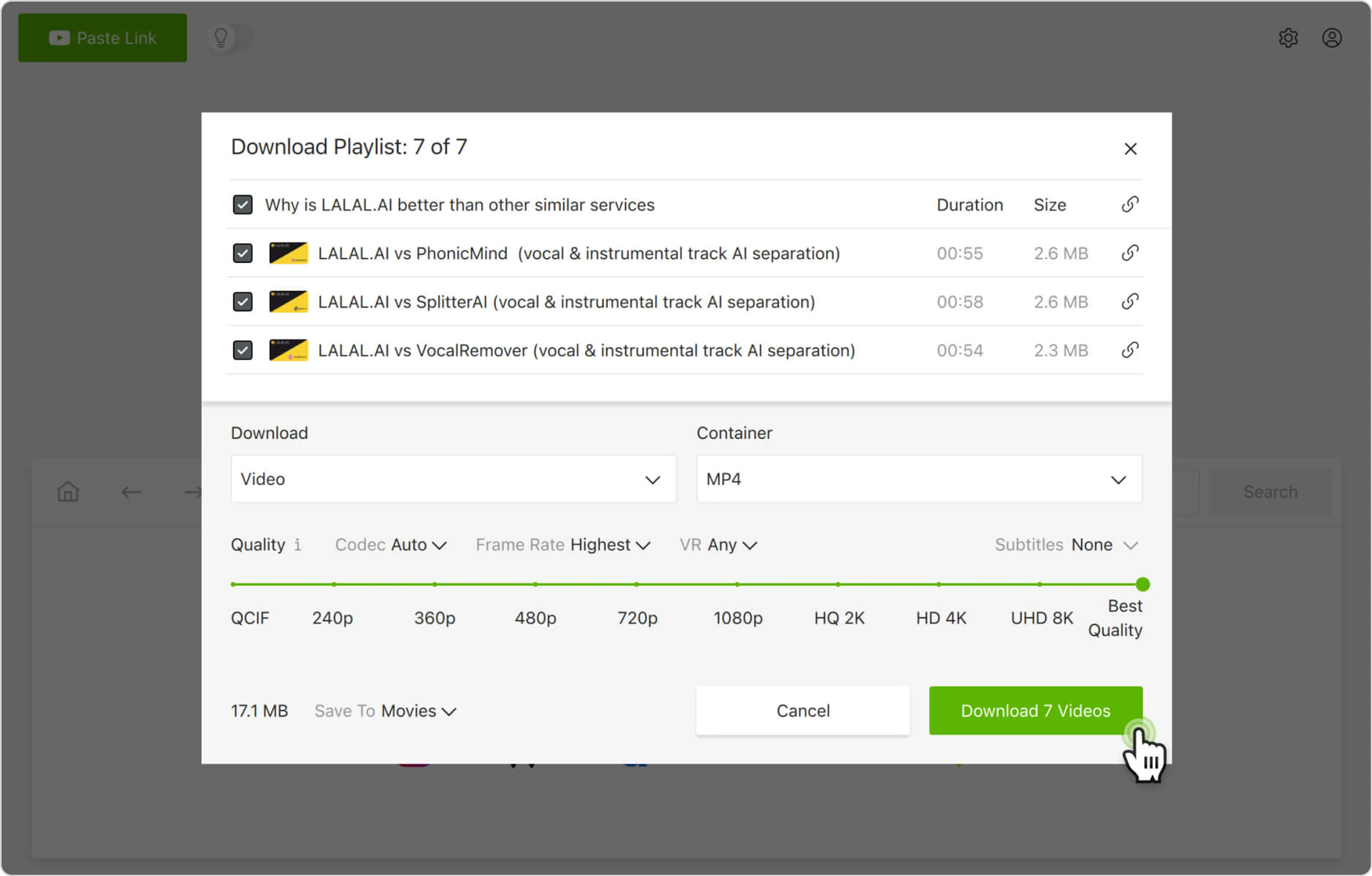
6. Start the download. Click the Download button and wait until all videos in the playlist are saved to your computer.
Alternatively, you can find and download YouTube playlists through the in-app browser. This way, you can browse YouTube without leaving the application and download content on the spot.
How to Download YouTube Playlists on Mobile (Android)
1. Install the Android app. Download and install 4K Video Downloader for Android from the official product page.
2. Select download parameters. Tap the settings icon in the toolbar and choose the format, quality, and destination folder on your Android.
3. Open the playlist link. In the YouTube app or a mobile browser, open the playlist you want to save and copy its URL.
4. Paste the playlist link in the app. Open 4K Video Downloader for Android and tap the Paste Link button. The playlist will immediately start parsing and downloading to your Android.
That’s it! Now, you know how to download YouTube playlists on your computer and mobile devices for convenient offline access anytime you want.
Looking for a way to save not just a playlist, but a whole channel? Check out our step-by-step guide on how to download a YouTube channel on Windows, macOS, Linux, and Android.