




Have you ever wondered if you could remove background noise from a podcast without needing a third-party editor? Or isolate vocals from a song downloaded from SoundCloud? Or maybe get rid of echo in a YouTube vlog?
Now you can!
We’ve just expanded the functionality of our bestselling desktop app, 4K Video Downloader Plus, by adding built-in AI processing tools that allow you to do just that. What used to be purely downloading software now includes machine learning features that let you clean up, isolate, or modify audio directly inside the app interface.
The new tools are available via the “Process with AI” button that appears next to any downloaded file. Instead of exporting audio to a separate editor, you can now apply AI-based processing in the same workspace where you manage your downloads.
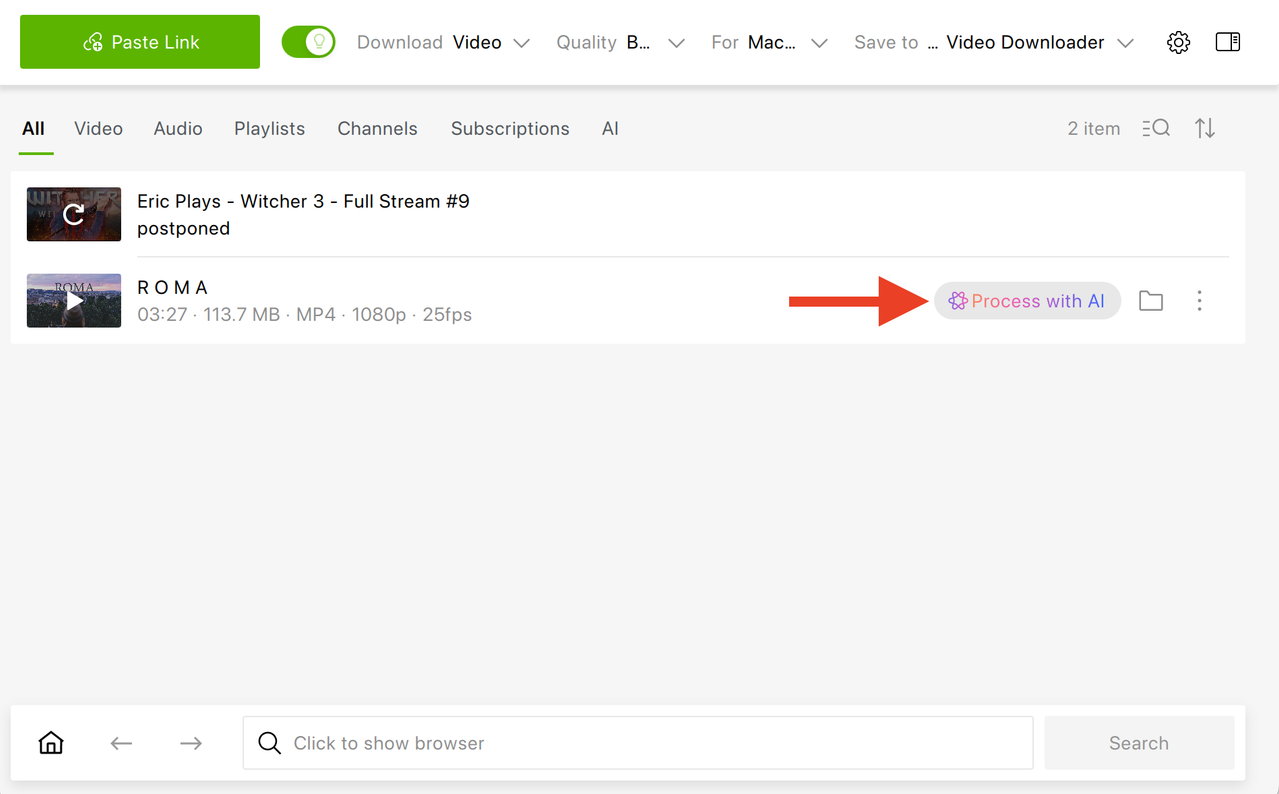
So now, 4K Video Downloader Plus is no longer just a downloader; it’s quietly moving into post-production space.
Which AI Tools Are Currently Available in 4K Video Downloader Plus?
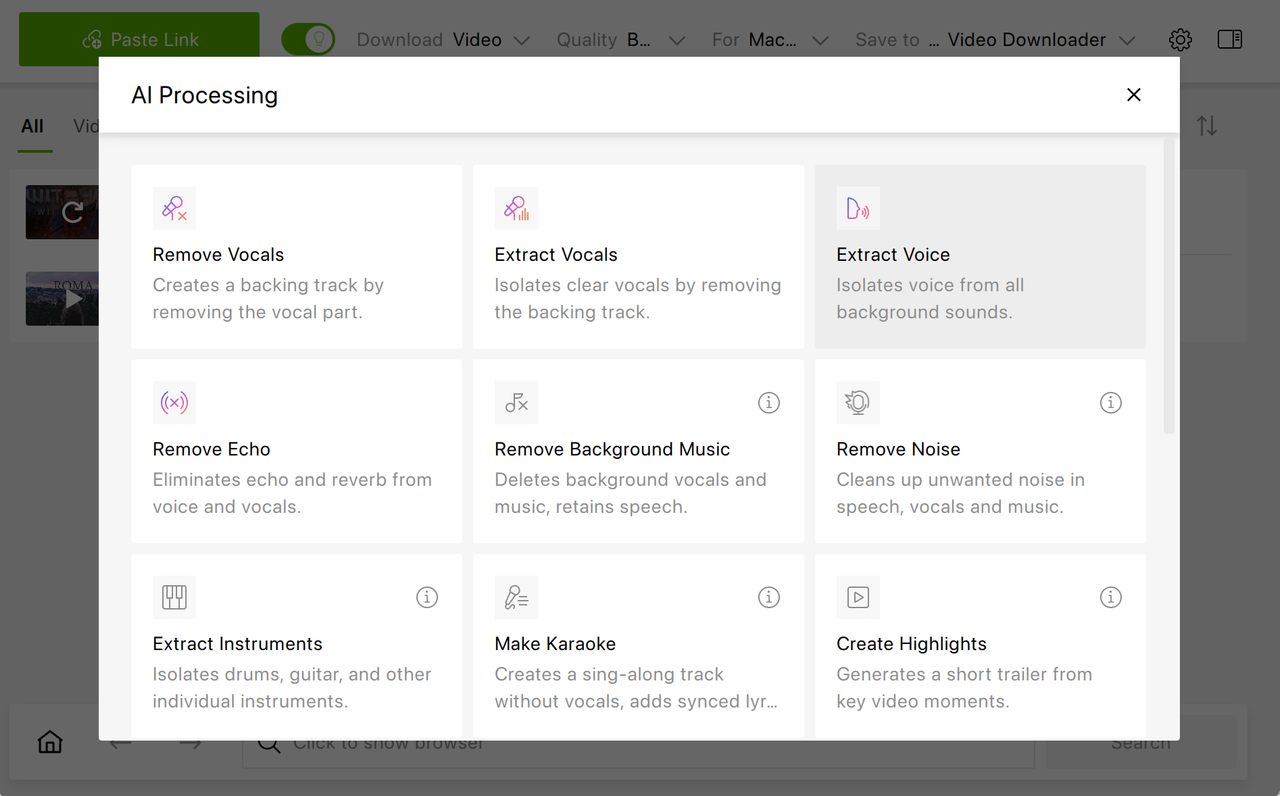
Right now, several AI-powered options are ready to use.
Remove Vocals detects and removes the vocal track from a song while preserving the instrumental backing, which can be useful for karaoke versions, remixes, or instrumental practice.
Extract Vocals does the opposite. It isolates the vocal track and removes instrumental layers from the recording, allowing you to focus exclusively on the singer’s performance.
Extract Voice separates spoken speech from background elements such as music, crowd noise, or environmental sounds, which can help podcasters, journalists, or researchers who need clearer dialogue from mixed recordings.
Remove Echo reduces room reflections and reverberation, creating a drier sound that resembles a close-mic recording while maintaining the original vocal character.
How to Process a Downloaded Audio or Video with AI in 4K Video Downloader Plus
Using the built-in AI tools takes only a few steps and doesn’t require exporting files to third-party software.
Follow these steps:
- Open 4K Video Downloader Plus on your computer; it’s available on Windows, macOS, and Ubuntu.
- If Smart Mode is on, download a video by copying its link and clicking the Paste Link button. 4K Video Downloader Plus supports YouTube, SoundCloud, Dailymotion, Twitch, Bilibili, Rumble, BitChute, Vimeo, and many other platforms.
If Smart Mode is off, you’ll need to select the required format and quality prior to downloading.
- Once the file is downloaded, find it in the list.
- Click the Process with AI button that appears next to the file.
- In the window that opens, select the AI tool you need, such as Remove Vocals, Extract Vocals, Extract Voice, or Remove Echo.
- Wait for processing to complete.
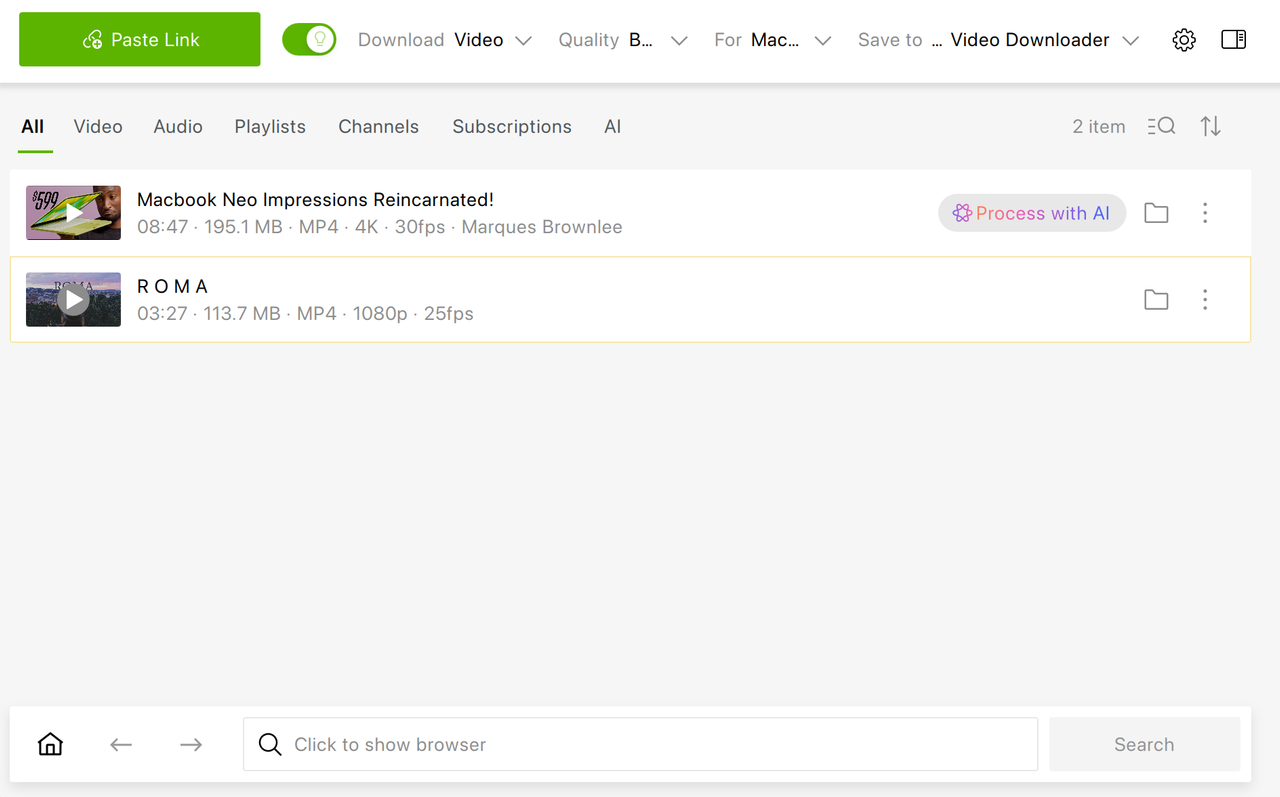
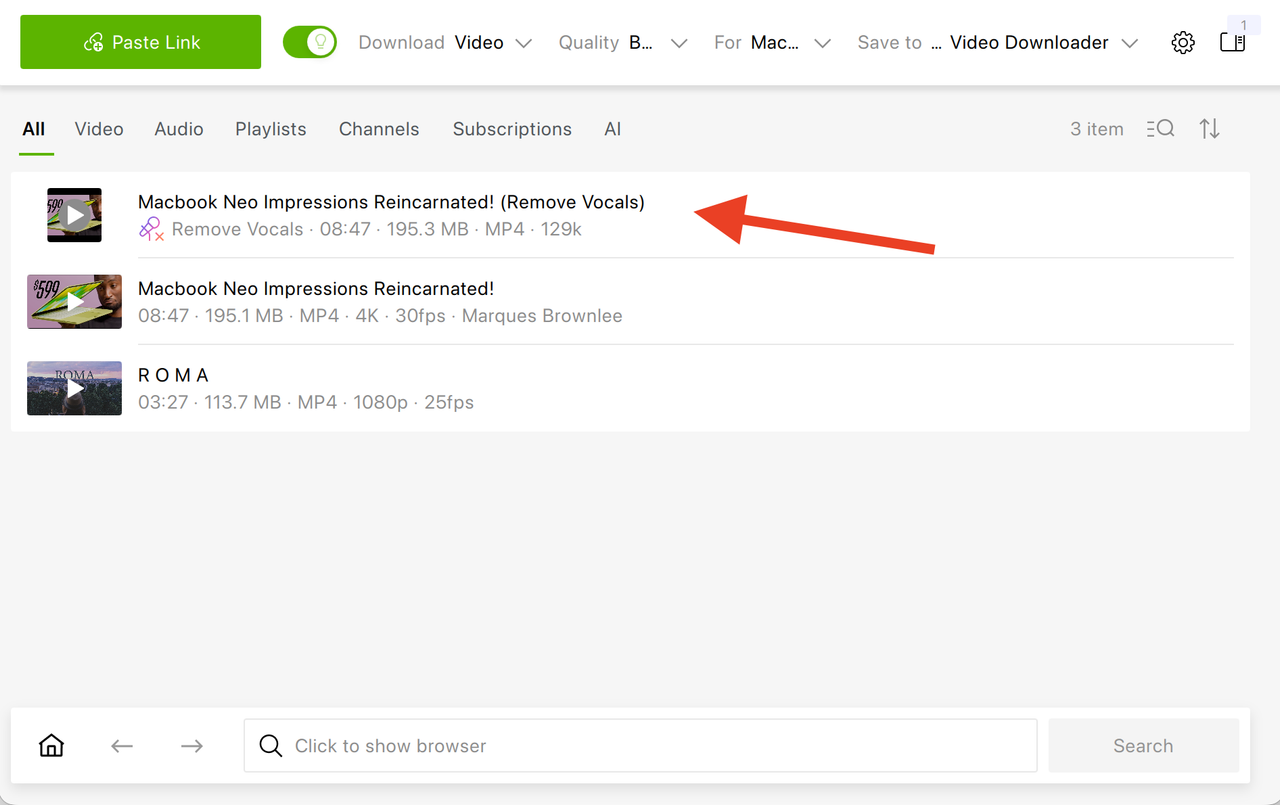
Once done, the AI-processed file will automatically appear in the main list of items, alongside your original download, and in the special AI list.
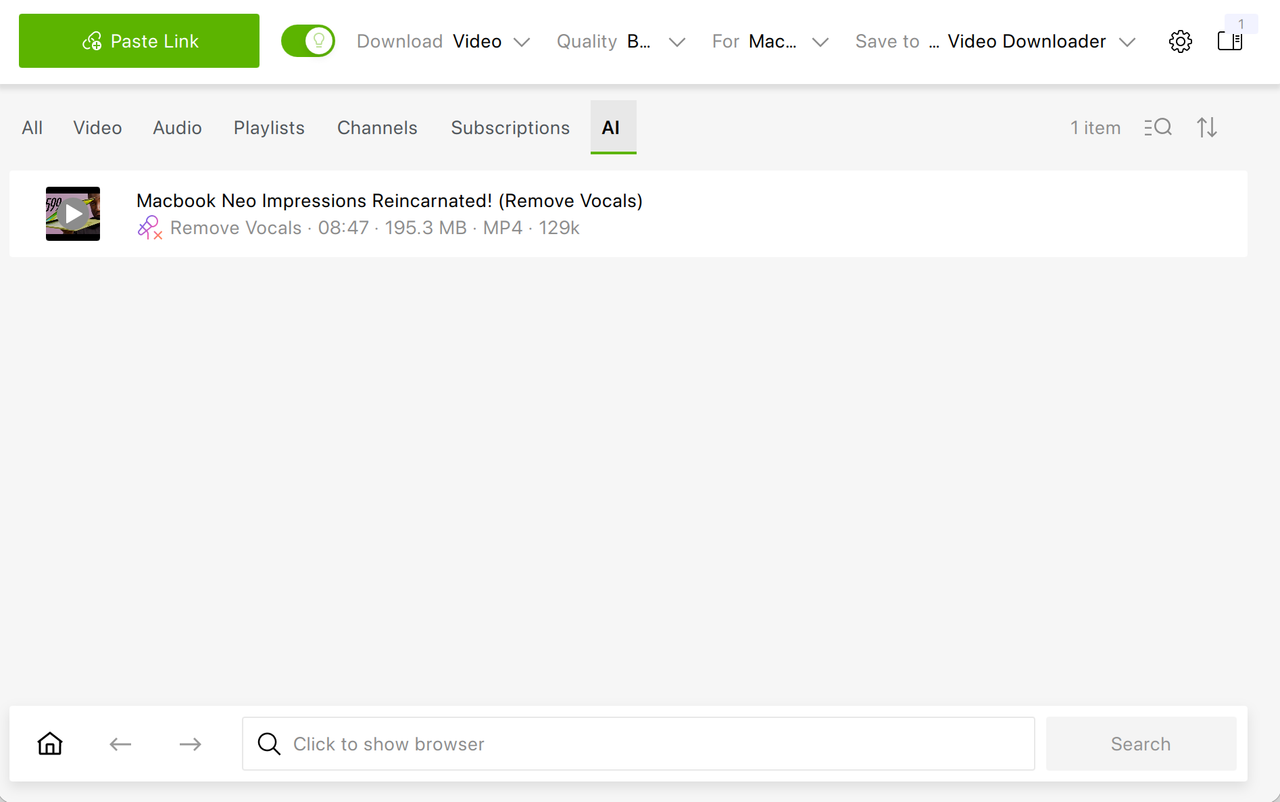
From there, you can play or locate it just like any other file in your library.
Want to See More Features? Vote for the Ones You’d Like to See Next
When using the new AI processing functionality, you’ll see that some of the features aren’t available yet. The reason is that developing machine learning tools requires substantial computational resources, so new functions are being rolled out gradually.
But the good news is that you can impact the roadmap and help the feature you need to be released sooner! When you select one of these options, a pop-up window asks whether the feature would be useful. The collected responses help us determine which tools are prioritized in upcoming updates.
What Are Hardware Requirements for AI Audio Processing Inside 4K Video Downloader Plus?
AI processing is computationally intensive, and performance depends heavily on hardware. By default, processing runs on the CPU across all supported operating systems. On systems that meet compatibility requirements, GPU acceleration activates automatically, delivering much faster results.
If you’re working on older machines or systems without a dedicated GPU, you may experience noticeably longer processing times due to the demands of AI models. For smoother performance, we recommend using modern hardware with a capable GPU, particularly NVIDIA or AMD models that support acceleration.
If processing fails despite meeting system requirements, you should generate a DxDiag report on Windows or an equivalent diagnostic report on other operating systems and send it to the support team for troubleshooting at support@4kdonwload.com.
4K Video Downloader Plus: From Downloading to Editing
With AI processing built directly into the app, it moves beyond simple content saving on a hard drive into lightweight audio editing.
You don’t need to be a video editor or sound engineer to remove echo from a podcast you’ve just downloaded, isolate vocals to create karaoke from a YouTube video, make vocal-only track from a SoundCloud song, or clean up speech by extracting the voice from background sounds—all of these can now be done with just a click of a button inside your favorite downloader.
Make sure you install the latest versions of 4K Video Downloader Plus and enjoy the new AI-powered feature set!
 SHARE ON TWITTER


Thanks for feedback
Your comments will appear here shortly. Please spread the word about us in social networks.