



One of our users asked on Reddit, “I’ve paid for a subscription to a YT channel that gives me access to ‘members only’ vids - I can play the vids, but 4k tells me it can't parse the link. Any workarounds to this?”
Members-only videos are visible only to people who pay a monthly membership fee to a specific YouTube channel, a YouTube Premium subscription doesn’t unlock them. Once you’ve joined a channel's membership program, you can watch its exclusive content directly on YouTube, and if you want to keep a copy for offline viewing, 4K Video Downloader Plus lets you download it after you log in to your YouTube account inside the app.
Quick Facts: YouTube Channel Memberships
| Detail | Value |
|---|---|
| Minimum subscribers to offer memberships | 500 (via the expanded YouTube Partner Program) |
| Price range for members | $0.99–$99.99 per month, set by the creator |
| Number of tiers a creator can offer | Up to 5–6, each including perks from lower tiers |
| YouTube's cut of membership revenue | 30% (creator keeps 70%) |
| Cancel anytime? | Yes, from youtube.com/paid_memberships |
| Included with YouTube Premium? | No, separate, per-channel purchase |
We believe this topic might be of interest to many of you, so here we are, covering how to watch and download members-only YouTube videos with 4K Video Downloader Plus.
And for those of you who don’t know what members-only YouTube videos are, here’s a brief explainer.
What Are Members-Only Videos on YouTube?

Members-only YouTube videos are uploads exclusively available to viewers who have subscribed to a channel’s membership program. These videos are typically behind a paywall barrier, meaning that only members who have paid a monthly fee or subscribed to a particular tier of membership can access them. They sit behind a “Join” button next to the Subscribe button, not behind YouTube Premium, and not behind a regular free subscription. A small padlock or “Members only” label typically appears on the thumbnail.
Content creators often offer members-only videos as a way to provide exclusive content, special perks, or additional value to their most dedicated and supportive fans. These videos may include behind-the-scenes footage, exclusive interviews, early access to new content, or other exclusive content that regular viewers cannot access.
YouTubers hide some videos behind the members-only program to generate additional revenue through membership fees while also building a community and exclusivity among their most loyal supporters. To turn memberships on, a channel needs at least 500 subscribers, three public uploads in the past 90 days, and either 3,000 watch hours in the last year or the equivalent in Shorts views, along with standard Partner Program approval. Channels marked “Made for Kids” aren't eligible at all.
Does YouTube Premium Unlock Members-Only Videos?
No, and this is the most common mix-up on the topic. YouTube Premium is a separate, platform-wide subscription that removes ads, enables background play, and adds offline downloads and YouTube Music but it has nothing to do with any individual creator’s membership program. A channel membership is a separate purchase you make on that specific channel’s page, and the two subscriptions don’t overlap in either direction.
| YouTube Premium | Channel Membership | |
|---|---|---|
| Tied to one creator | No, works across all of YouTube | Yes, one channel at a time |
| Unlocks members-only videos | No | Yes |
| Removes ads | Yes, sitewide | No |
| Includes YouTube Music | Yes | No |
| Typical cost | Single flat monthly fee | Set per channel, $0.99–$99.99 |
How to Watch Members-Only Videos on YouTube
There’s only one reliable route: join the channel's membership. Once you’re a paying member, members-only videos play normally in the YouTube app or browser, the same as any public upload.
A few things worth knowing beyond that:
- Membership is per channel. Joining one creator's membership doesn't give you access to another creator's exclusive videos, even at the same price tier.
- Higher tiers include lower-tier perks. If a creator offers several levels, picking the top one gives you everything from the cheaper tiers too, including any members-only videos gated at a lower level.
- Creators sometimes share clips elsewhere. Short excerpts or teasers from members-only videos occasionally surface on a creator's social media, but full videos rarely do.
- You can cancel anytime. Membership access ends at the close of your current billing cycle, with no long-term commitment.
How to Download Members-Only YouTube Videos with 4K Video Downloader Plus
You need an active membership to the channel first as the app can only download what your YouTube account already has permission to view. Once that's in place:
Then, make sure you have the latest app version. And follow these steps:
- Launch 4K Video Downloader Plus. It's available for macOS, Windows, and Linux, make sure you're on the latest version before you start.
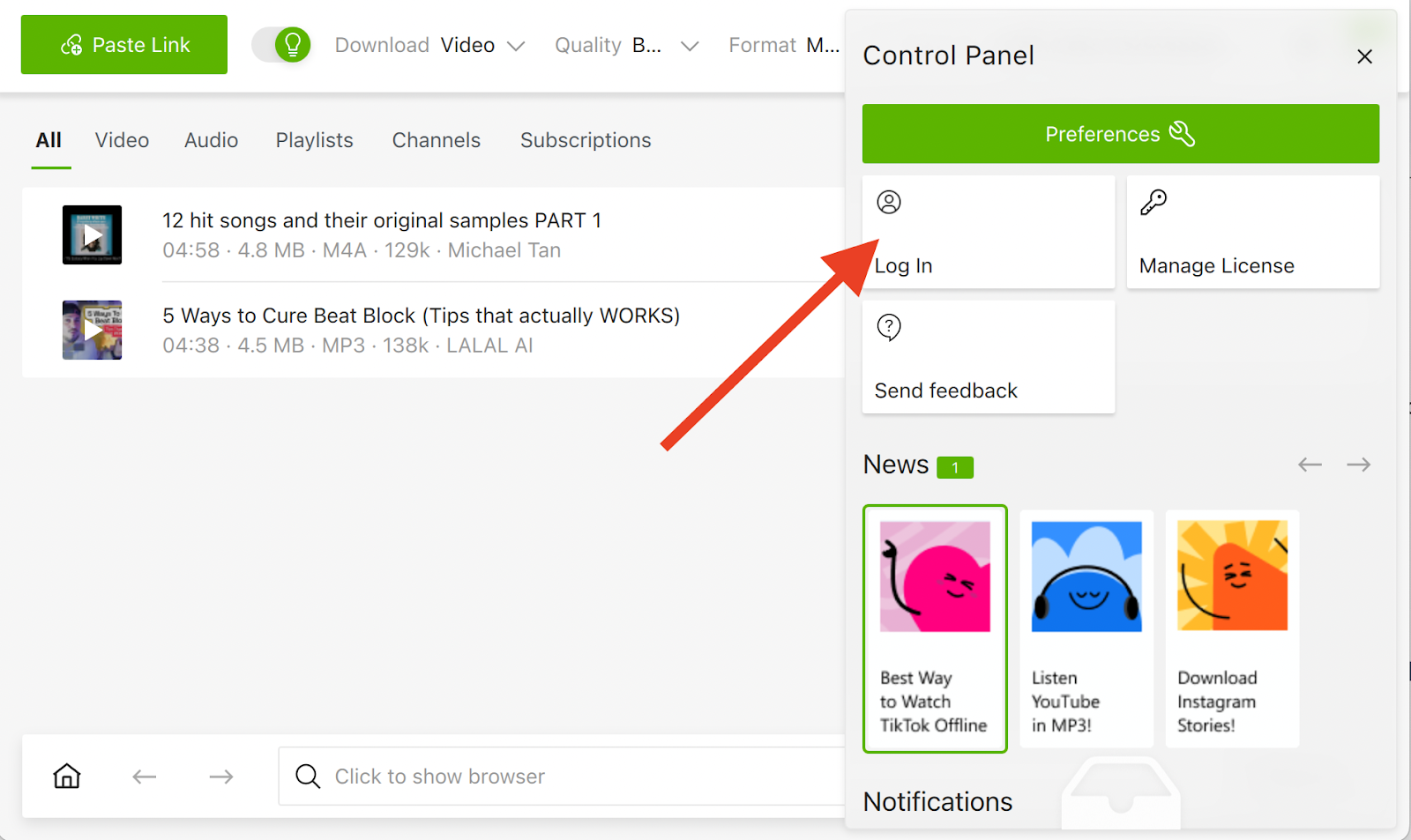
- Log in to your YouTube account inside the app, from Control Panel → Log In. This step is what fixes the "can't parse the link" error: without it, the app has no way to confirm you have access to the video.
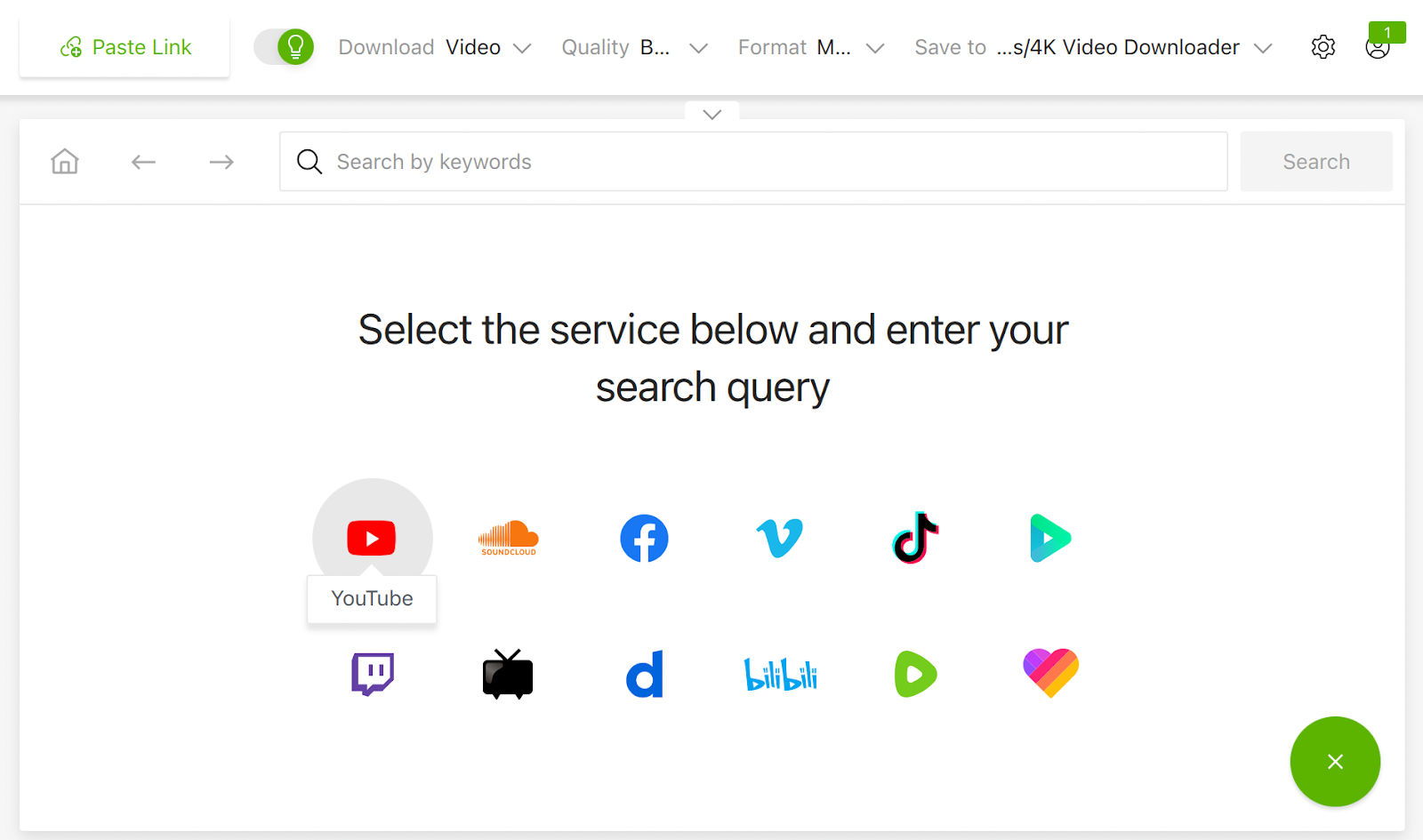
- Copy the link to a members-only video, or open it through the in-app browser.
- Paste the link with the green Paste Link button, or click Download at the bottom of the video if you're using the in-app browser.
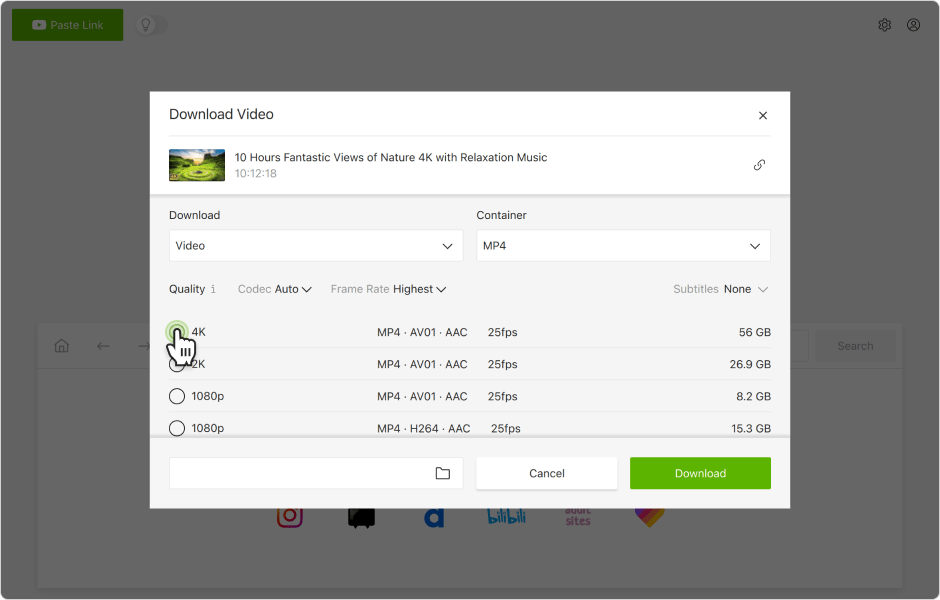
- Choose format, quality, and an output folder.
- Click Download.
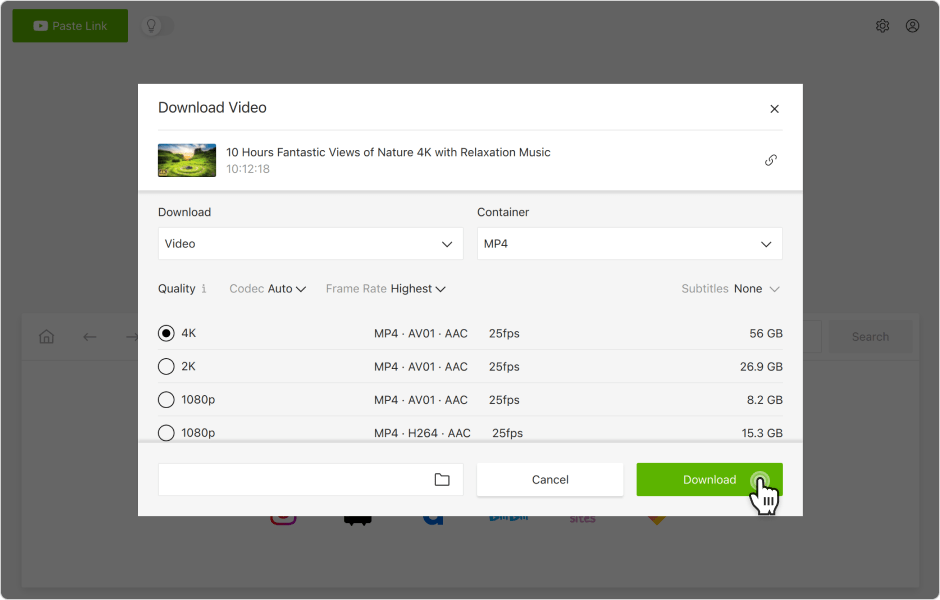
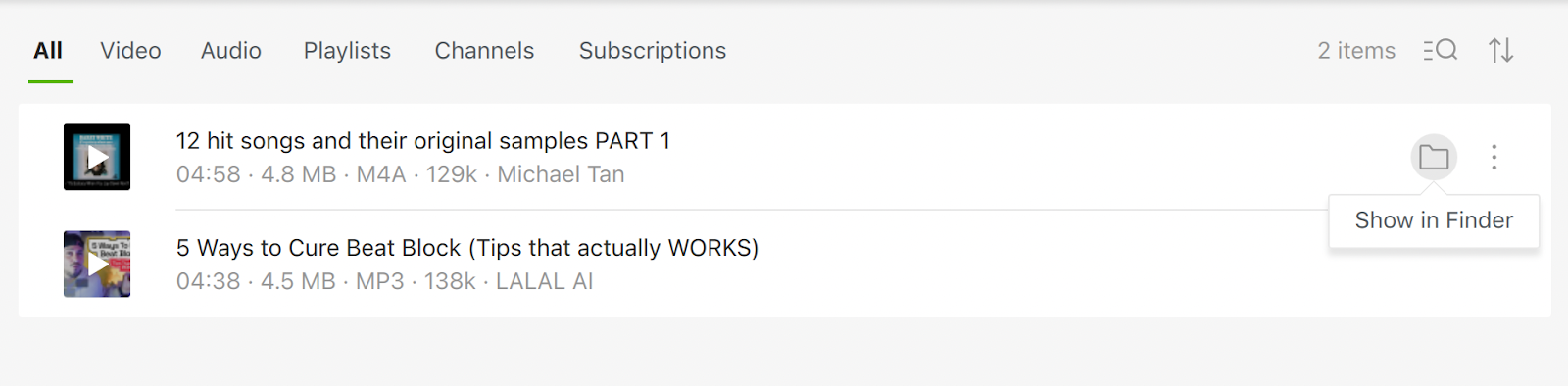
The video saves to a folder 4K Video Downloader Plus creates automatically. Click the folder icon next to it to find the file, or click the video itself to play it straight from the app.
A quick note on scope: downloading is meant for personal, offline viewing of content you already have paid access to. Re-uploading or redistributing a creator’s members-only videos falls outside both YouTube’s Terms of Service and most creators’ own membership terms.
FAQ
What does "members-only" mean on YouTube?
It marks a video that only paying channel members can watch. The creator sets the price and decides which perks, including which videos, come with each membership tier.
Can I watch members-only videos without joining the channel?
Not the full video. Occasionally a creator posts a short clip or teaser publicly, but the members-only upload itself stays locked to paying members.
Does YouTube Premium give me access to members-only videos?
No. YouTube Premium and channel memberships are unrelated products. Premium removes ads and adds offline playback and YouTube Music across the whole platform; it doesn't unlock any creator's paid membership content.
How much does a YouTube channel membership cost?
Creators set their own prices, from $0.99 to $99.99 a month, across up to five or six tiers. Higher tiers include everything offered in the tiers below them.
Can I download members-only YouTube videos for offline viewing?
Yes, with 4K Video Downloader Plus, as long as you're a paying member of that channel. Log in to your YouTube account inside the app first, then paste the video link.
Do all members-only videos come with the same perks?
No. Each creator sets their own tiers and perks, badges, emojis, community posts, early access, or exclusive videos vary by channel, and sometimes by tier within the same channel.
Ready to keep your channel memberships offline? Download members-only videos with 4K Video Downloader Plus today.
Get 4K Video Downloader PlusPublished Feb. 22, 2024
 SHARE ON TWITTER


Thanks for feedback
Your comments will appear here shortly. Please spread the word about us in social networks.