




Version 26.3.1 of 4K Video Downloader Plus is out, and while it doesn't headline a single flashy feature, it quietly resolves a wide range of friction points that add up to a noticeably smoother experience. This release leans heavily on stability, YouTube reliability, and everyday usability; the kind of work that rarely makes a splashy announcement but makes a real difference every time you open the app.
Smoother, Smarter Everyday Use
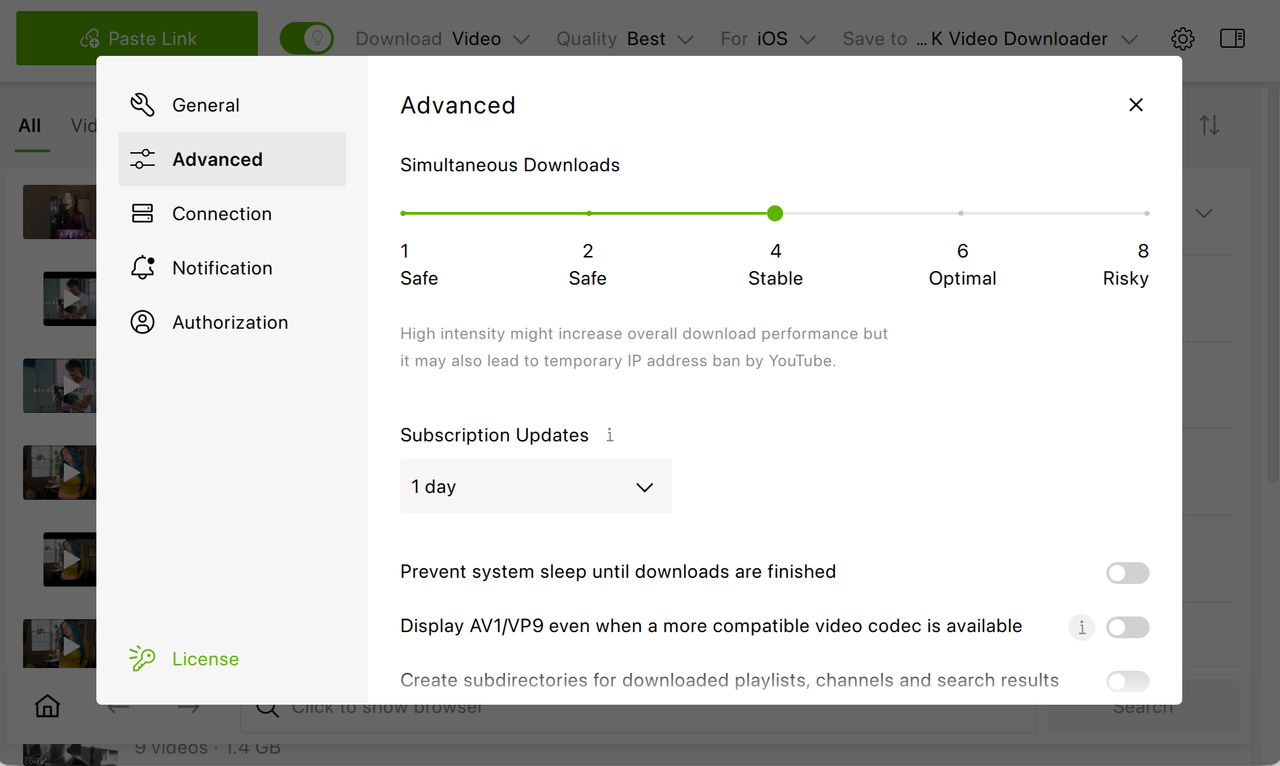
Subscription checks now run with five times less delay between them, so if you follow several channels or playlists, updates land considerably sooner. You can select the update period in the Settings: head over to Advanced, scroll down to find Subscription Updates and set the required update period. Subscriptions waiting in the queue also display their video count, giving you a clearer sense of what's ahead before processing even starts.
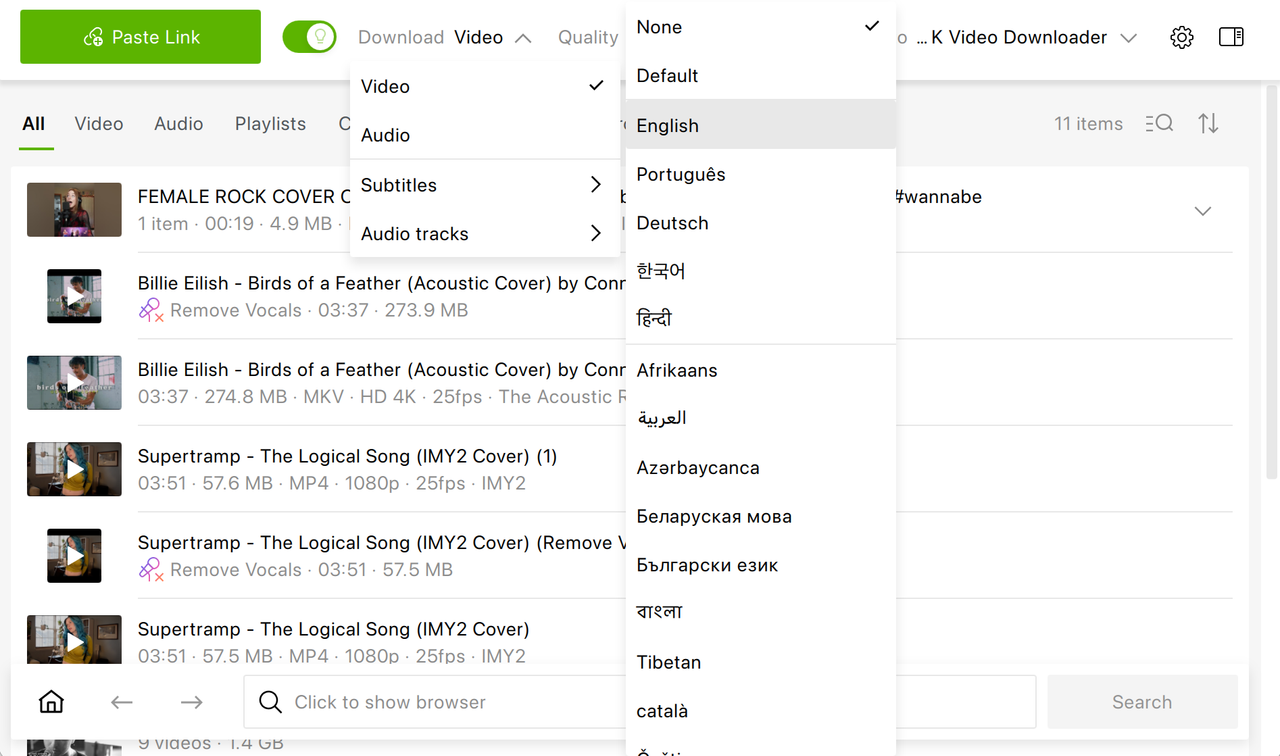
Smart Mode got a thoughtful tweak as well: subtitle languages you use often now rise to the top of the list instead of getting buried among dozens of options you rarely touch. It's a small change, but one that saves real time for anyone who downloads subtitles regularly.
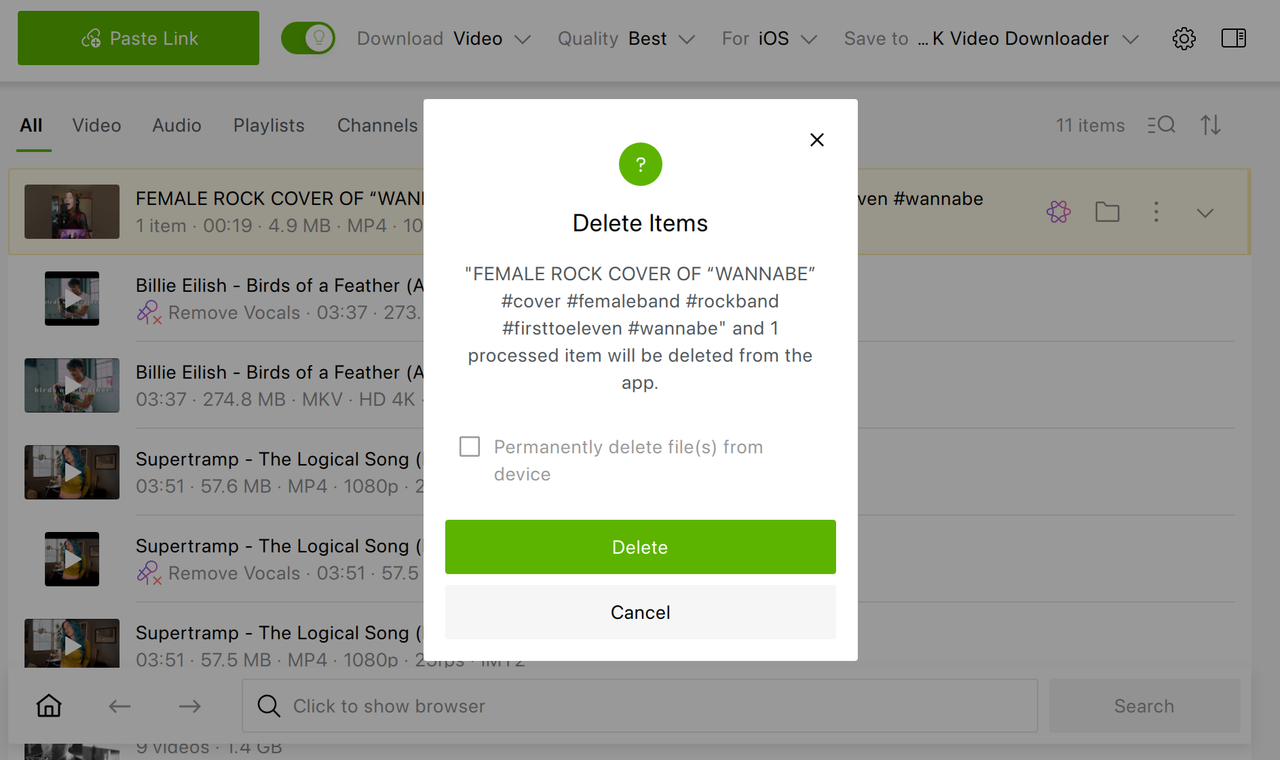
Another welcome clarification concerns the delete dialog. Previously it wasn't always obvious whether you were simply removing an entry from the app's list or permanently erasing the underlying files. The updated dialog spells this out plainly, removing any guesswork before you confirm a deletion you can't undo.
More Dependable YouTube Downloads
A good portion of this update focuses on YouTube specifically, where several longstanding annoyances have been addressed. Users who aren't logged in to their YouTube account should now run into "failed to download" errors far less often. Formats that had gone missing recently, including 4K and 8K resolutions, 360-degree video, additional audio tracks, and subtitles, are all back and working as intended.
Behind the scenes, the app now sends fewer requests to YouTube while parsing channels and playlists, which lowers the odds of hitting a temporary block during large batch operations. Channel thumbnails display in higher quality and, notably, no longer vanish after restarting the app, a bug that had been quietly annoying long-time subscribers.
The update also improves how the app handles trickier edge cases: live streams that YouTube hasn't finished processing yet, and private videos you don't have permission to view, are now managed more accurately rather than causing confusing failures.
Better Support Across Ubuntu & macOS
Linux users running Ubuntu 26.04 will be glad to see a specific .deb packaging issue resolved, one that was preventing the app from launching at all on that version. Video playback with sound inside the built-in browser has also been restored on Ubuntu, fixing a regression that had crept in previously.
On the Mac side, the familiar drag-to-Applications arrow is back in the installer.
Interface Behaving the Way It Should
Several fixes target moments where the app simply wasn't doing what users expected. Smart Mode now correctly respects whichever codec you've selected, and the wording around the AV1/VP9 setting and the quality list has been clarified to reduce confusion.
Files with non-Latin characters in their names now process correctly, and the context menu for individually processed files works as it should again. If you've ever had a lengthy download folder path push other toolbar controls out of view, that layout issue has been fixed too. Keyboard navigation also got some polish: drop-down lists now respond properly to the arrow keys, and the Clear All button no longer overlaps and hides the most recent notification.
Fewer Crashes, More Consistency
Stability improvements round out this release. The "Search audio tags" toggle, which had gone missing and was tied to crashes, is back and functioning normally. A crash that occurred on exit when the manual download window was left open has also been resolved.
TikTok downloads received particular attention: videos from the platform no longer crash the app, fail outright, or download without their audio track, addressing a cluster of related complaints in one pass.
The Bottom Line
None of these changes alone would justify a headline, but together they represent the kind of maintenance release that makes 4K Video Downloader Plus feel more trustworthy day to day. Faster subscription checks, sturdier YouTube handling, restored formats, and a long tail of interface and stability fixes all point in the same direction: fewer interruptions and less second-guessing every time you hit download.
As always, the update is free for users of 4K Video Downloader Plus. Make sure you update your current version to 26.3.1 on our website or inside 4K Video Downloader Plus.
Published Aug. 20, 2026
 SHARE ON TWITTER


Thanks for feedback
Your comments will appear here shortly. Please spread the word about us in social networks.