




The latest update of 4K Video Downloader Plus (version 26.1.0) is now available to install! This release focuses on making everyday tasks simpler, whether you're downloading videos, working with brand-new AI tools, or managing subscriptions, while also improving stability across the app.
Here's what's new we have in the 26.1 release.
AI Processing, Now Built Into Your Workflow
AI features in 4K Video Downloader Plus have been significantly expanded, and they now go beyond simple add-ons. The app is no longer just a downloader; it's starting to step into lightweight post-production.
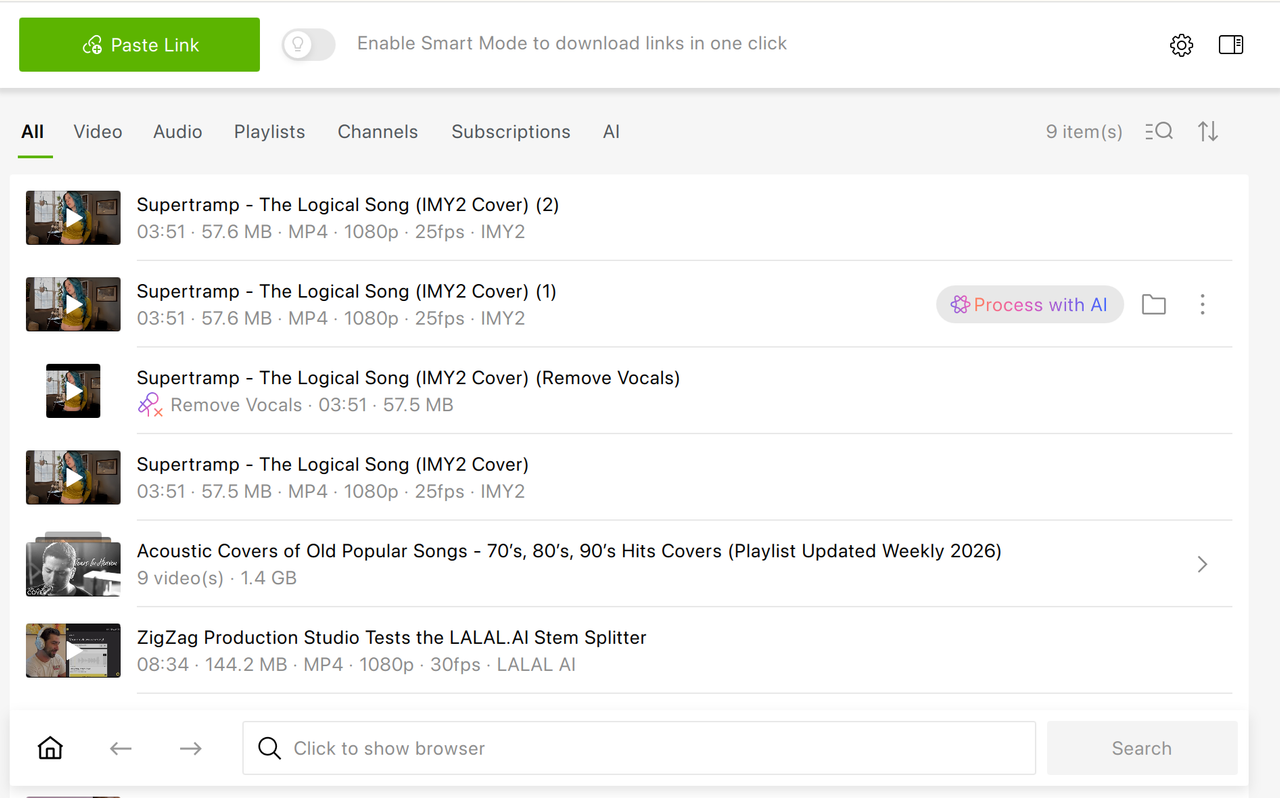
You can now process audio and video directly inside the app using the "Process with AI" button available next to any downloaded file. There's no need to export files to external editors: everything happens in the same workspace where you manage your downloads.
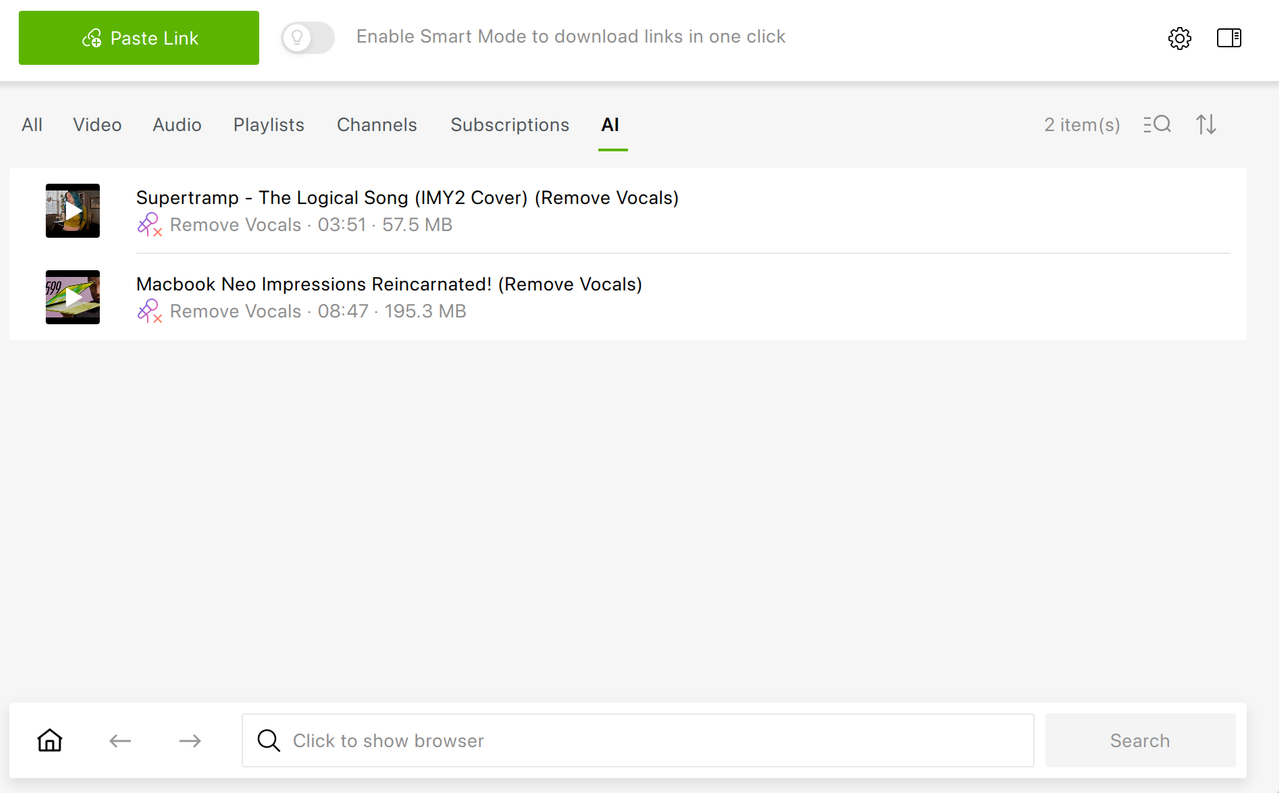
Once processing is complete, the result appears right in your library alongside the original file, ready to play or open in one click. A short onboarding step also helps new users get started quickly, and clearer error messages make troubleshooting easier if something goes wrong.
Available AI Audio Processing Tools
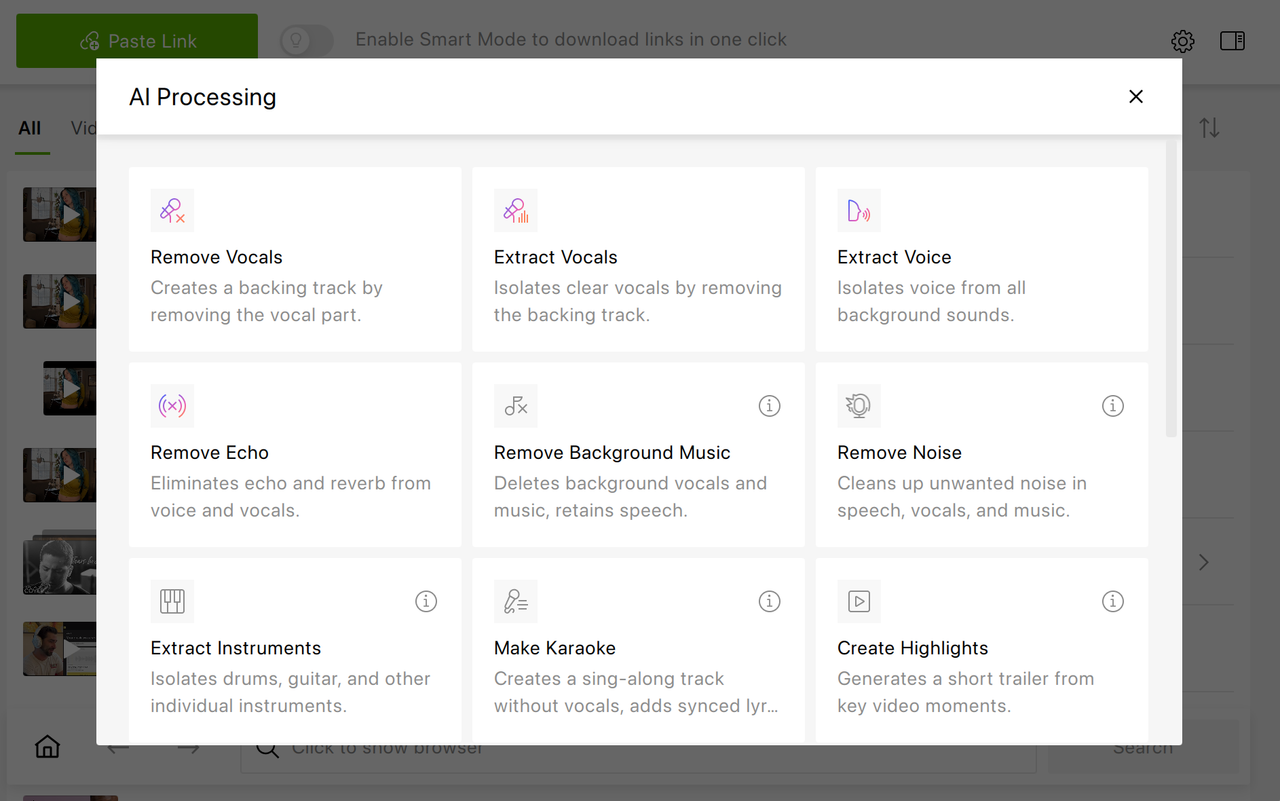
Several AI-powered tools are already inside the app:
- Remove Vocals — removes vocals while keeping the instrumental (great for karaoke or remixes)
- Extract Vocals — isolates vocals by removing instrumental layers
- Extract Voice — separates speech from background noise like music or crowd sounds
- Remove Echo — reduces reverb and room reflections for a cleaner, closer sound
These tools make it easy to clean up audio, isolate elements, or prepare content for reuse, which is a handy add-on if you're working with music, podcasts, interviews, or video soundtracks.
Smaller App, Smarter Downloads
The app has just become lighter. AI tools are downloaded only when you use them for the first time, which reduces the initial app size and keeps updates faster.
This change is especially helpful if you don't use every AI feature right away but only download what you actually need.
More Control Over Subscriptions
You now decide how often the app checks subscriptions for new content. This setting is available in Preferences → Advanced → Auto Update Period and helps reduce the risk of YouTube rate limiting your account.
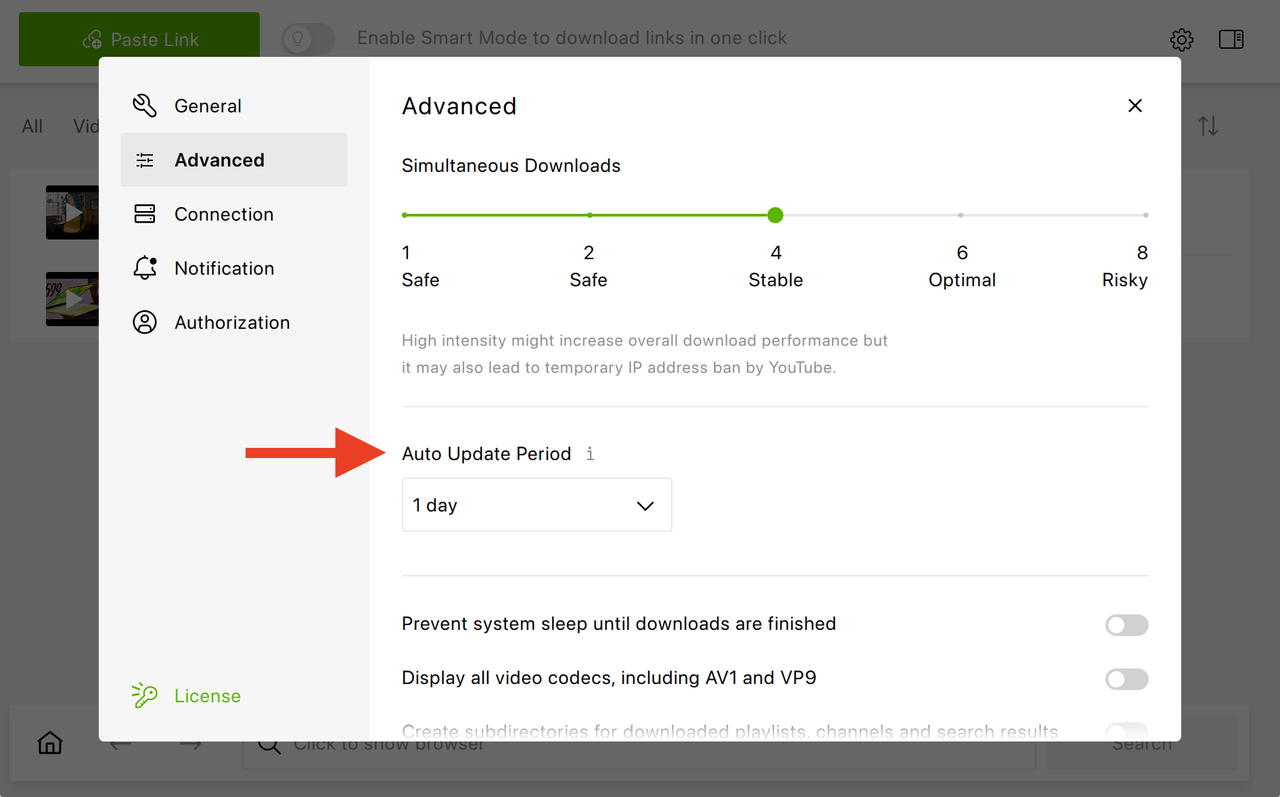
It's a small change, but it gives you more control over how the app interacts with your subscriptions behind the scenes.

Cleaner, More Transparent Interface
Several UI updates make the app easier to navigate:
- The removal dialog now lets you choose exactly where to delete an item from: subscriptions only or your disk as well
- The Log In button is more visible
- The app notifies you if you've been logged out of YouTube
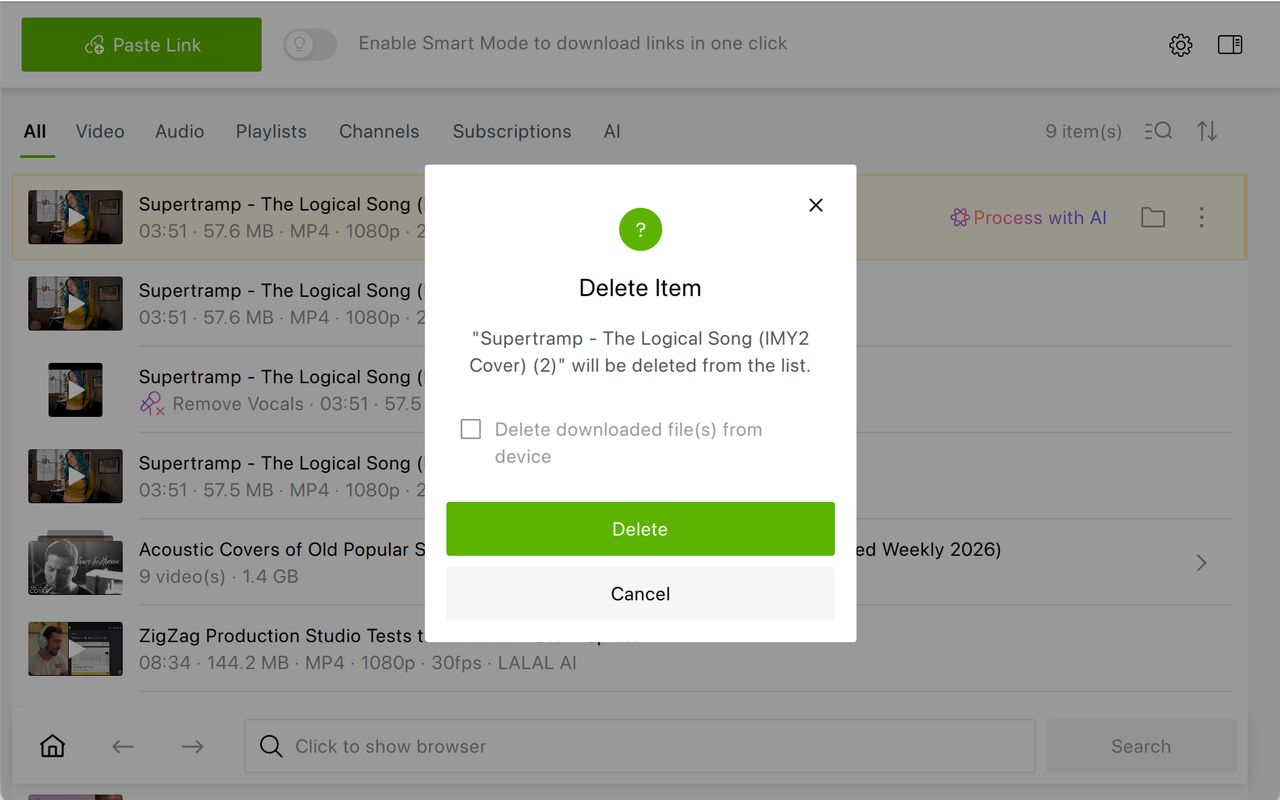
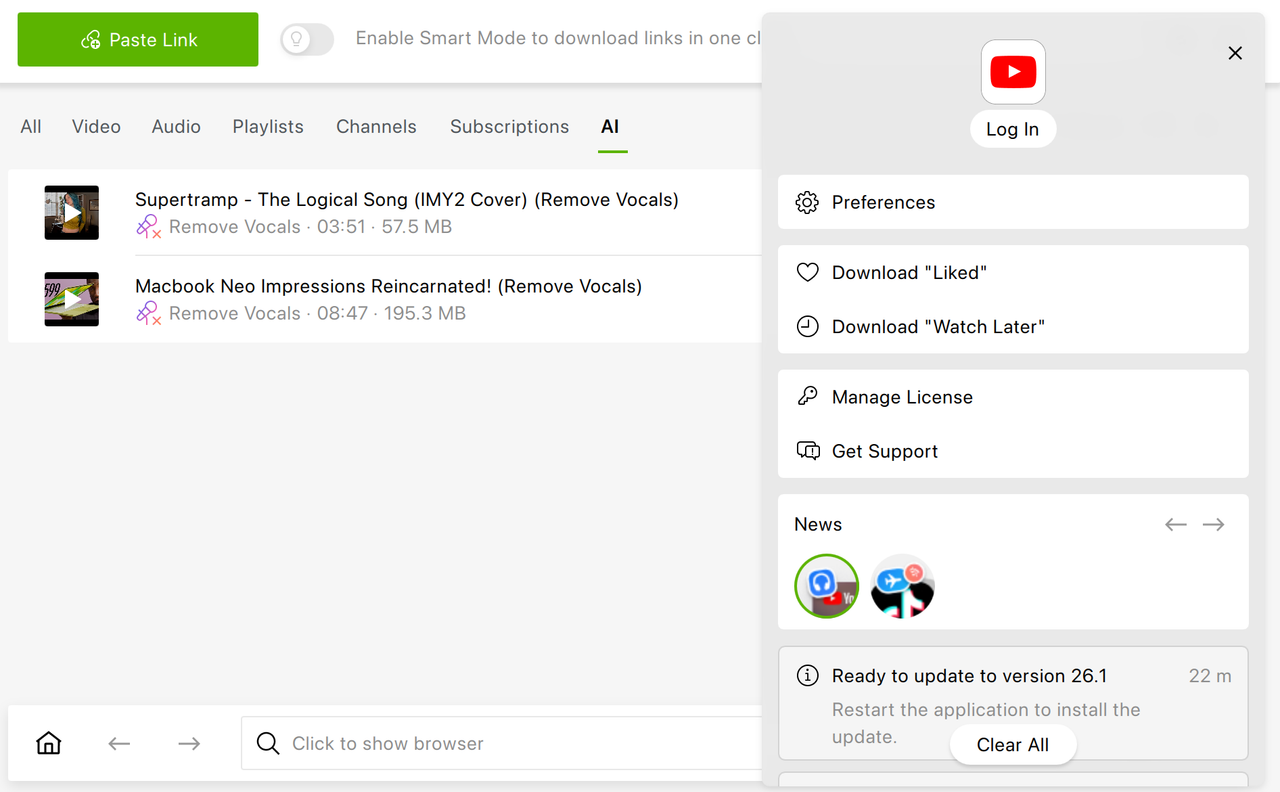
These changes aim to make actions clearer and reduce accidental clicks or confusion.
Fixes That Make Things Work the Way They Should
This version addresses a number of issues reported by users:
- Fixed macOS settings reset and license loss after update
- Fixed disabled View menu on macOS 26.1
- Improved handling of long filenames and emoji
- Fixed keyboard navigation and main menu behavior around the parsing window
- Fixed subtitle error indicator
More Reliable Parsing and Downloads
Under the hood, parsing and downloading have been strengthened to help keep downloads working smoothly even as platforms evolve. The app now has better resilience to YouTube changes, including consent policies, thumbnail and duration extraction have been improved, and reliability with certain hosts is increased.
Stability Improvements
In this release, we've fixed a rare crash when closing the parsing window and made sure the app now starts even if some optional libraries are missing.
Update Now Update to the latest version of 4K Video Downloader Plus to try the improvements and keep your downloads running smoothly.
Download UpdatePublished April 13, 2026
 SHARE ON TWITTER


Thanks for feedback
Your comments will appear here shortly. Please spread the word about us in social networks.