




We're thrilled to share that the new version of 4K YouTube to MP3 (26.1.0) is now out. This update brings a mix of practical improvements and a notable shift in functionality: the app is no longer just about downloading; it now includes built-in AI tools for processing audio and video right after download!
Here's what's new and what it means in practice.
AI Audio Processing Is Now Built In
The biggest change in this release is the addition of AI-powered processing tools directly inside 4K YouTube to MP3. What used to be a simple downloader now lets you clean up, isolate, and modify audio without leaving the app. There's no need to export files into separate editors, everything happens in one place.
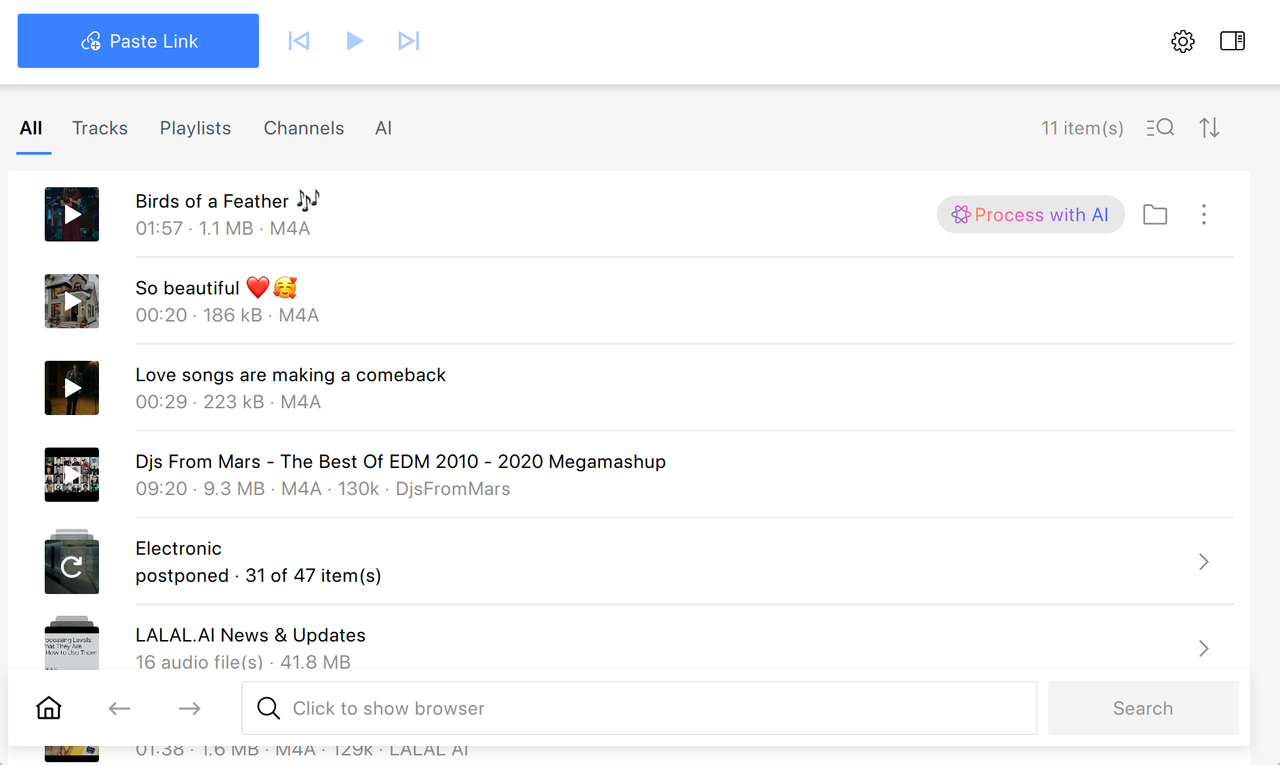
Right after you download a file with 4K YouTube to MP3, you'll find the new "Process with AI" option next to a filename.
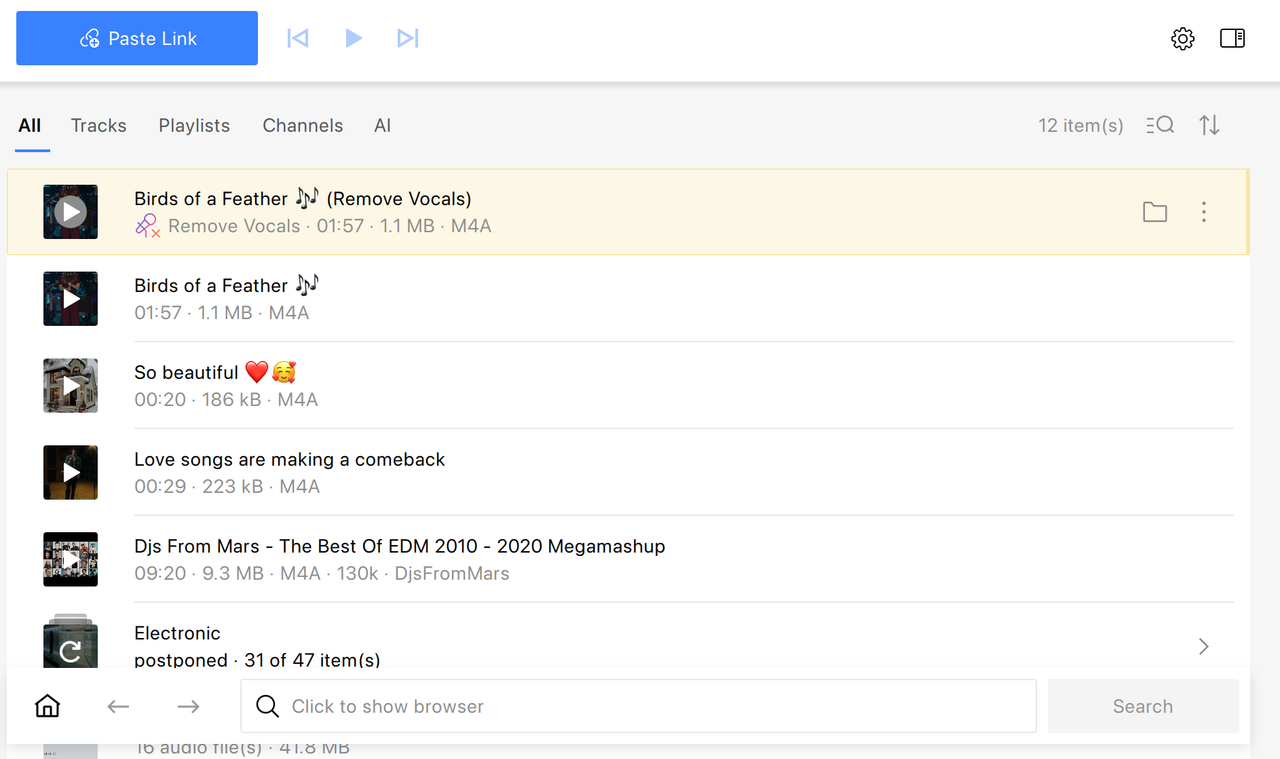
The result appears right above your original file and can be opened in one click once processing is complete. An onboarding step has also been added to help new users get started with AI features quickly.
What AI Tools Are Available
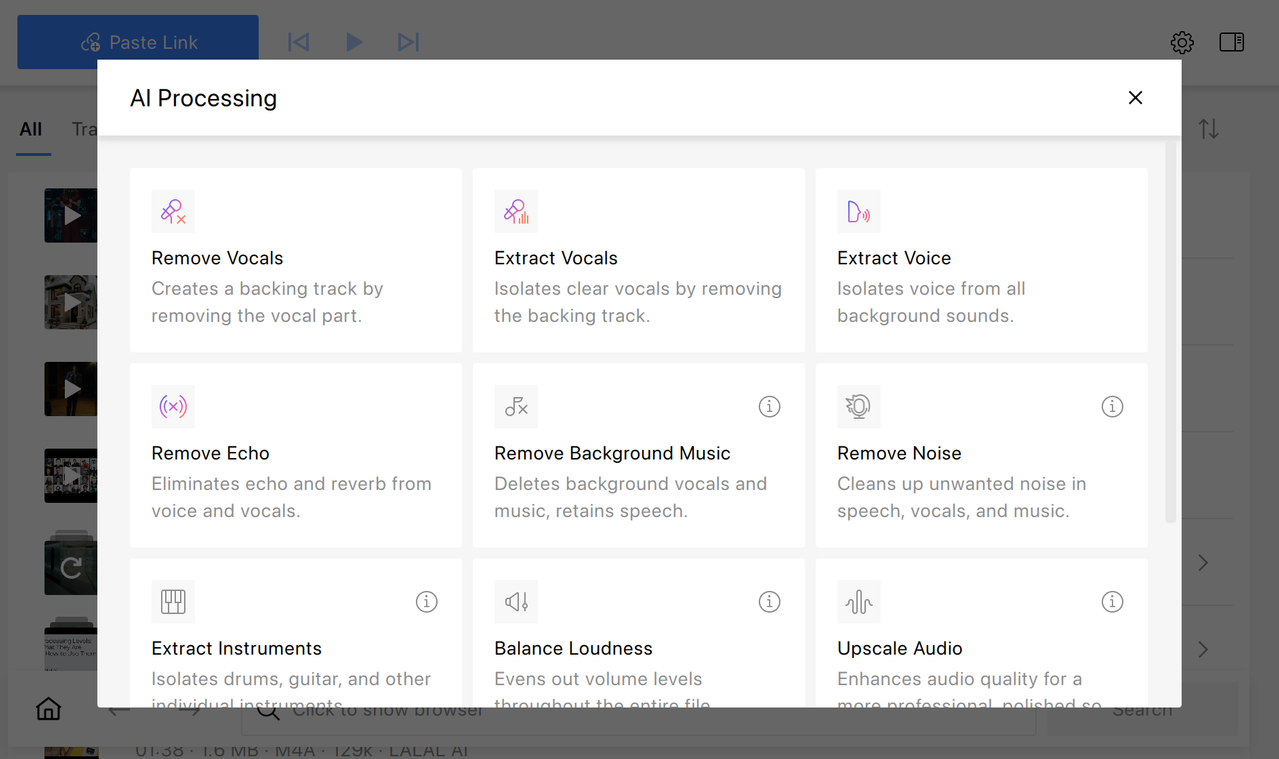
At the moment, several AI-powered tools are included:
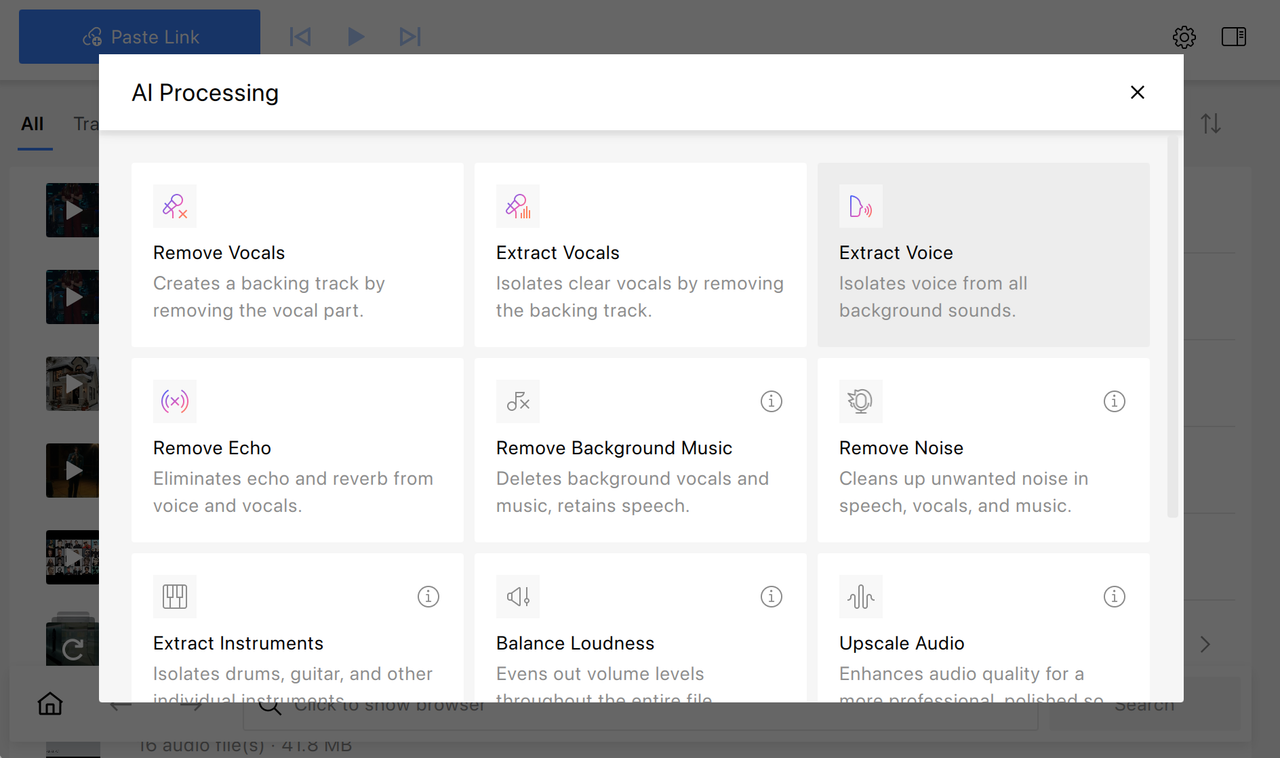
- Remove Vocals — removes vocals while preserving the instrumental track (useful for karaoke or remixes)
- Extract Vocals — isolates vocals and removes background instrumentation
- Extract Voice — separates spoken voice from music, noise, or environmental sounds
- Remove Echo — reduces reverberation and room reflections for a cleaner sound
These tools make it possible to move from downloading to light post-production without switching software.
How to Use AI Processing Tools in 4K YouTube to MP3
Using AI tools in 4K YouTube to MP3 is straightforward:
-
Open the app Available on Windows, macOS, and Ubuntu.
-
Download audio or video as usual Use the Paste Link button or the built-in browser.
-
Find the file in your downloads list Locate the downloaded item in the main list.
-
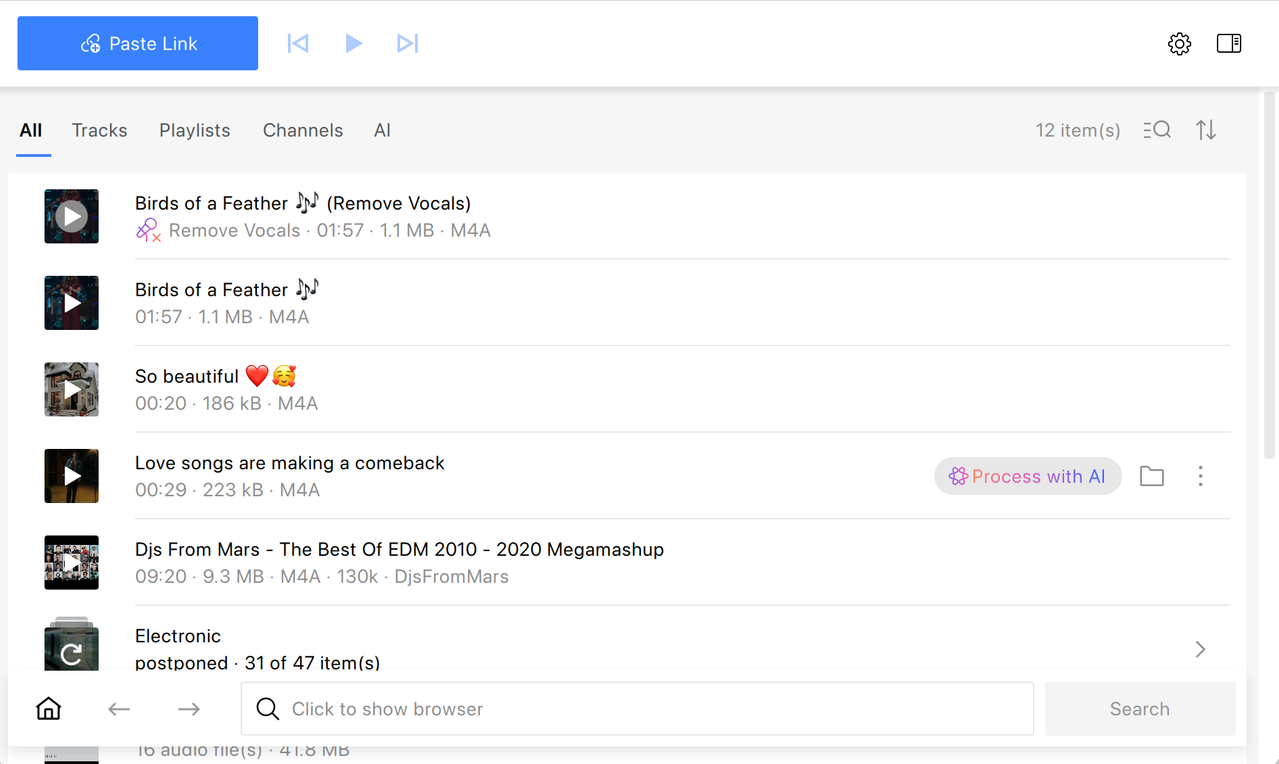
Click on Process with AI Hover over a file to reveal this button next to a filename.
-
Choose the tool you need Pick from Remove Vocals, Extract Vocals, Extract Voice, or Remove Echo.
-
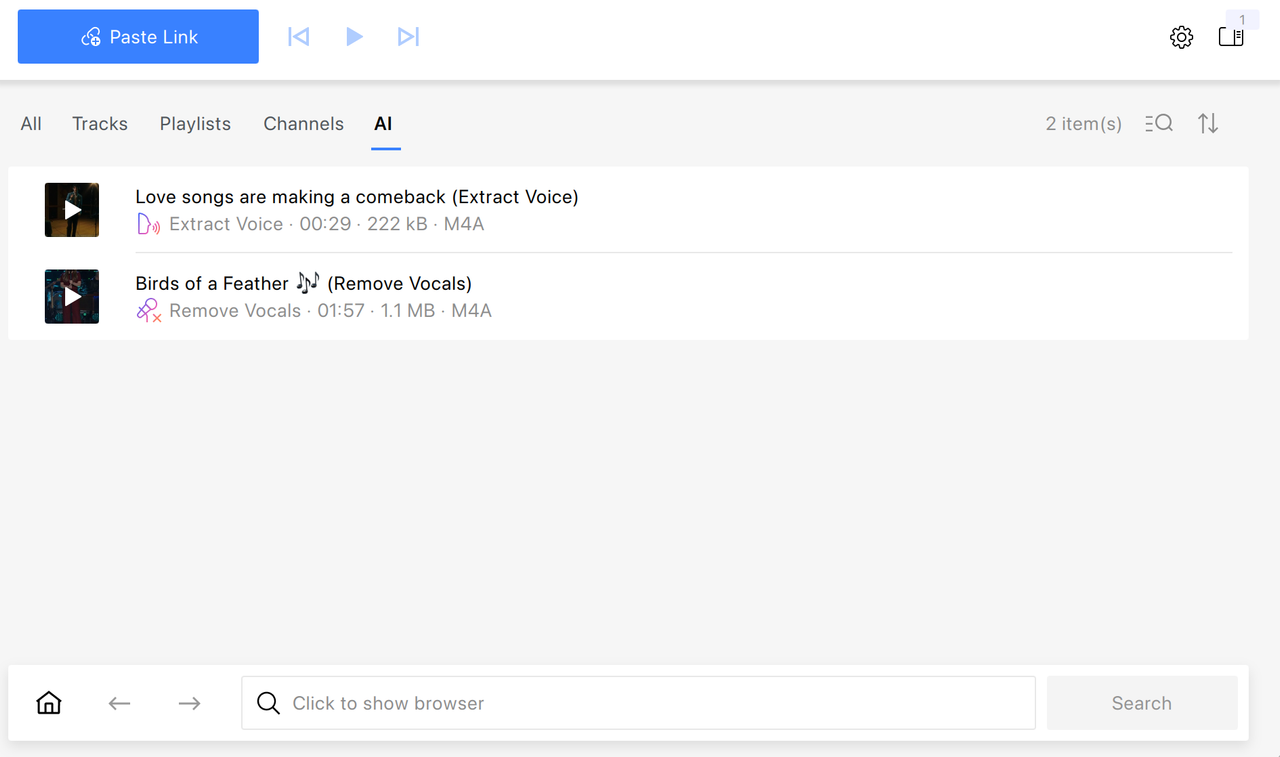
Wait for processing to finish Once done, the processed file will appear next to the original one and in a dedicated AI list. From there, you can play or locate it like any other file.
Hardware Requirements for AI Processing
Since AI processing is resource-intensive, performance depends on your hardware.
- By default, processing runs on the CPU
- On supported systems, GPU acceleration (NVIDIA or AMD) is enabled automatically
- Older machines or systems without a GPU may experience slower processing times
The App Has Become Smaller
The app is now lighter and faster to install. AI tools are downloaded only when you use them for the first time, which reduces the initial app size and keeps updates smaller.
Clearer UI and Better Feedback
Several interface improvements make the app easier to use:
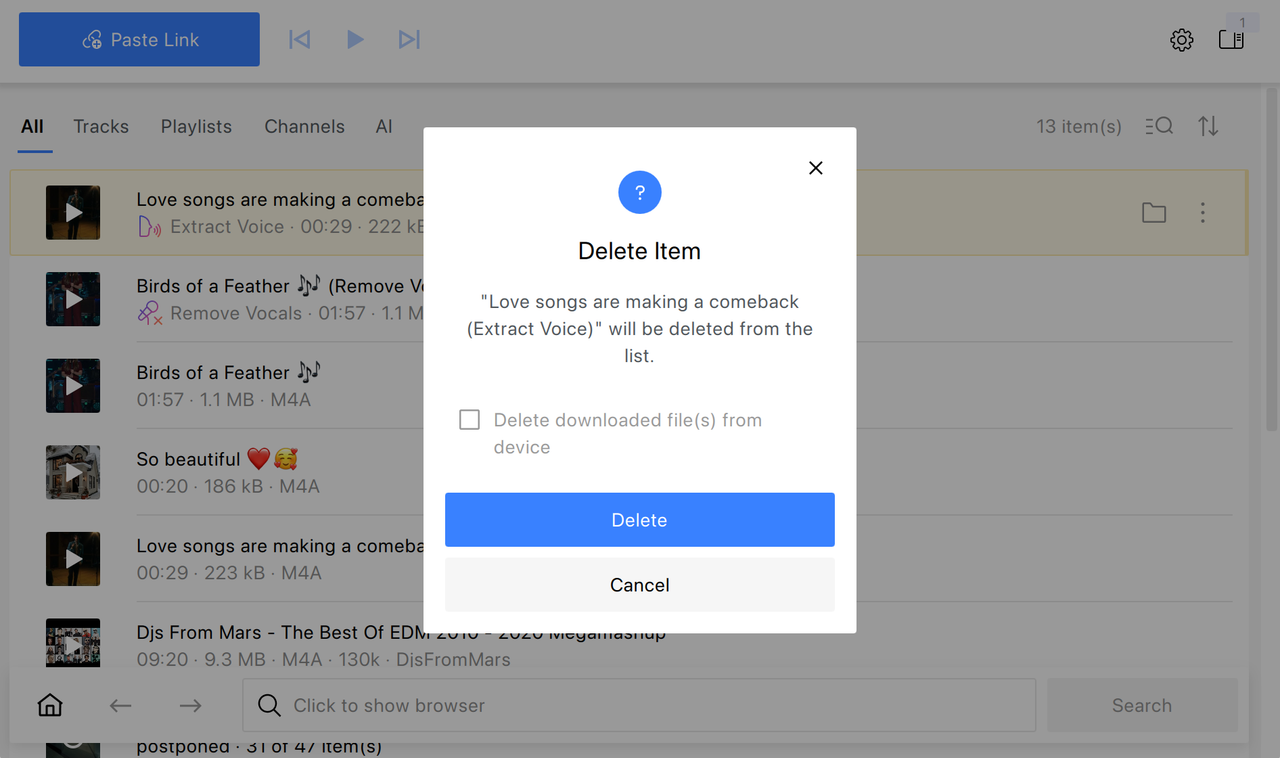
- More control in the removal dialog, which allows you to delete an item both from your disk and subscriptions
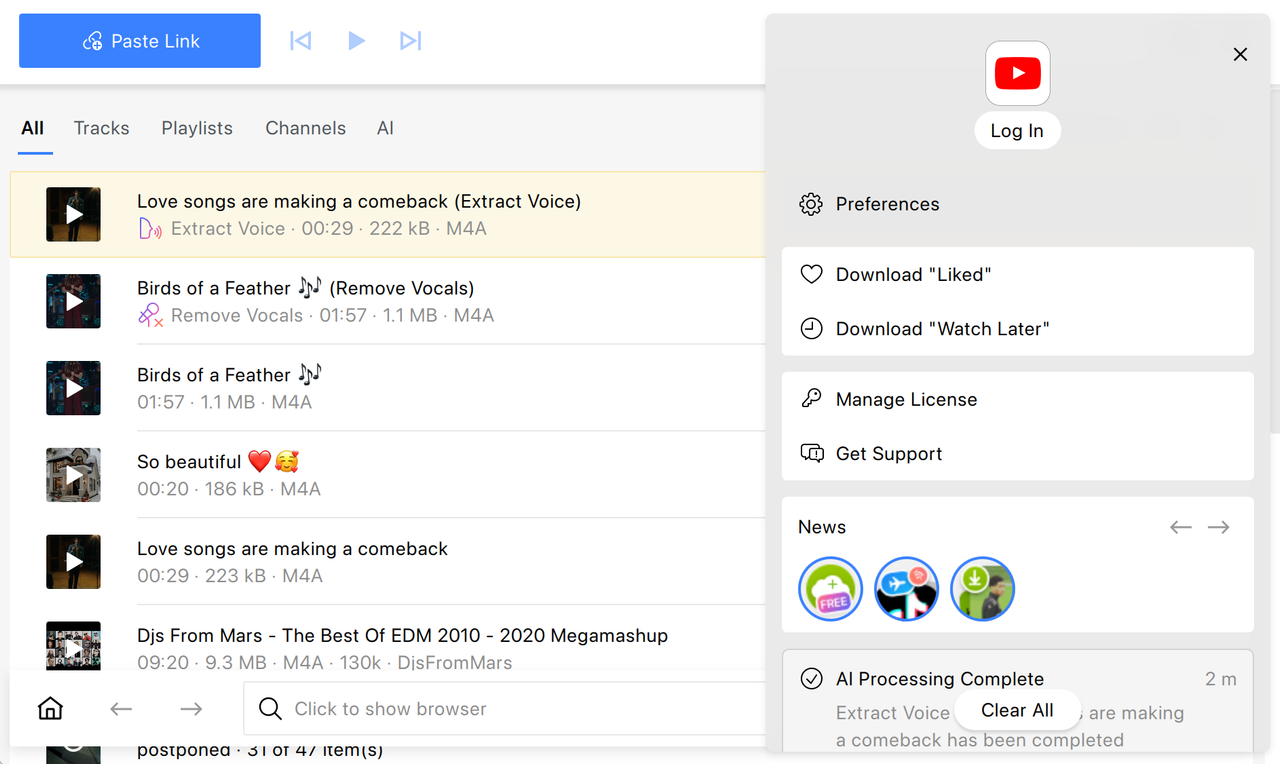
- A more visible Log In button
- Notifications when you've been logged out of YouTube
More Reliable Downloads, Parsing & Overall Stability
In this update, we've improved how the app handles content from YouTube and other platforms:
- Better resilience to YouTube changes, including consent policies
- More accurate error messages for age-restricted YouTube videos
- Improved thumbnail and duration extraction
- Increased reliability with certain hosts
Beyond that, we've addressed a number of issues to make the app more stable:
- Fixed settings reset and license loss after updates on macOS
- Fixed disabled View menu on macOS 26.1
- Improved handling of long filenames and emoji
- Fixed startup issues caused by missing optional libraries
Try the New Version With built-in AI tools, improved stability, and a smaller footprint, 4K YouTube to MP3 26.1.0 expands beyond downloading into basic audio processing. Update now to try the new features and see how they fit into your workflow!
Download UpdatePublished April 13, 2026
 SHARE ON TWITTER


Thanks for feedback
Your comments will appear here shortly. Please spread the word about us in social networks.