




We've just shipped a new update for 4K Video Downloader Plus, and it's a big one for anyone who relies on subscriptions or AI audio processing. Here's everything that's new in version 26.2.0.
AI-Processed Files Are Now Better Organized
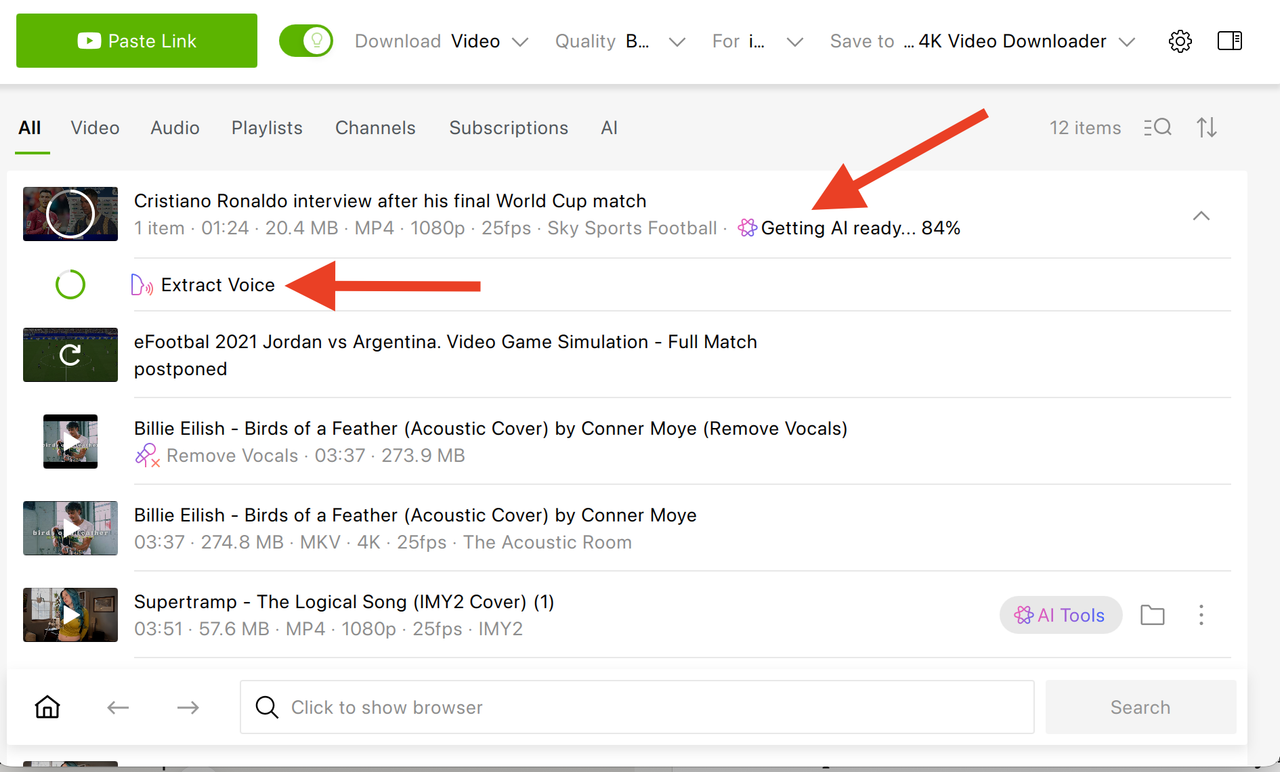
If you've processed your downloads with our new media tools, you'll notice a welcome change: processed files are no longer dumped into one long general list. They're now attached directly to the source item they came from and clearly labeled, so you always know what belongs to what.
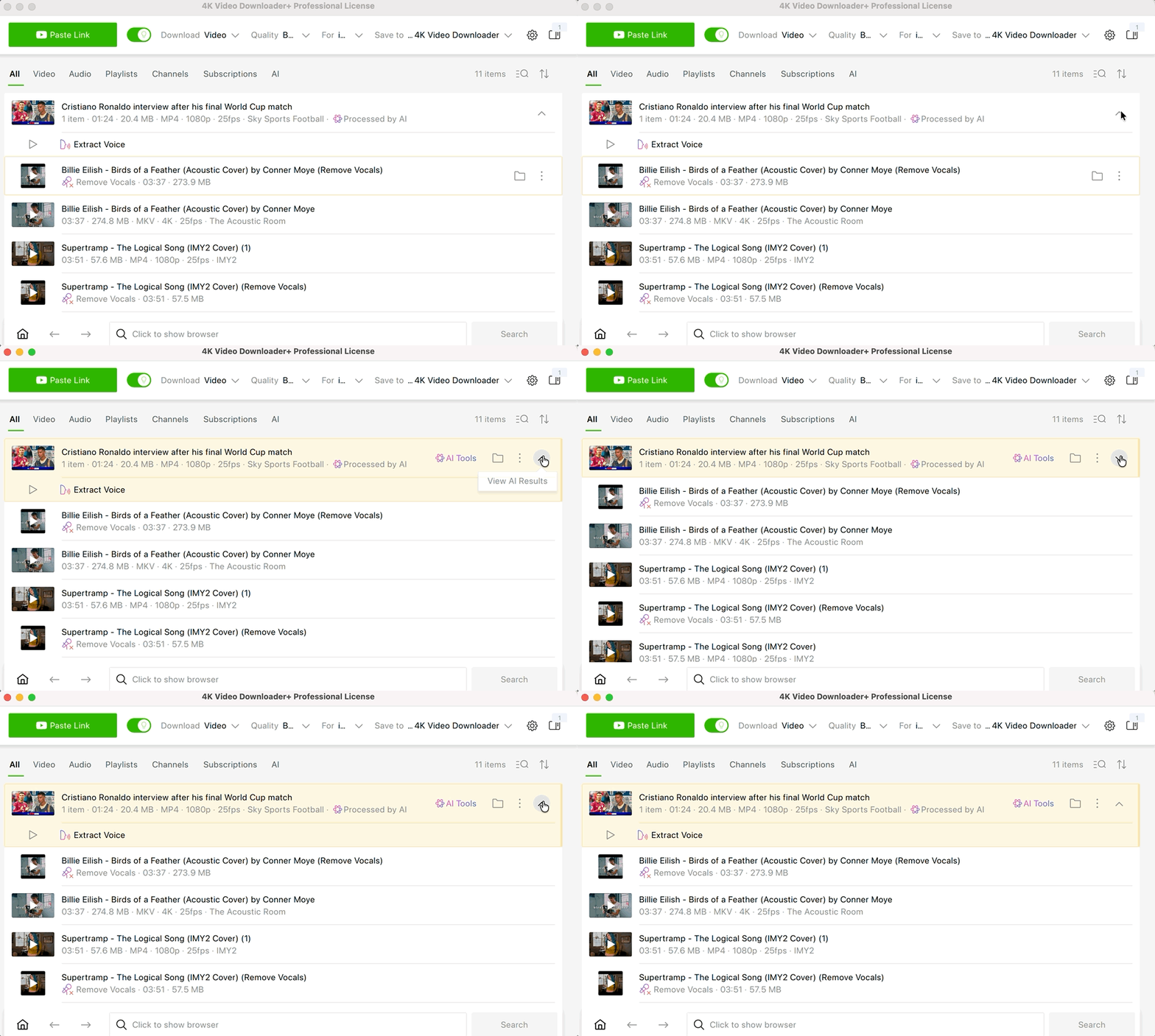
Just expand the source item to see its processed versions. And if you delete the source file, its processed versions are cleaned up automatically too, so no orphaned files left behind. On top of that, preparation status is easier to read, and completion notifications now take you straight to the finished file instead of leaving you to hunt for it.
Subscriptions Get Smarter
Subscription updates have been reworked from the ground up. The reason for this update stems from frequent reports from users who were temporarily blocked by YouTube. You may have encountered this yourself through recurring errors such as "Try again later" or "Sign in to confirm you're not a bot."
Subscription updates generate a significant number of requests to YouTube so that new videos can be detected and delivered to you as quickly as possible. To reduce the likelihood of these temporary blocks, we have adjusted the subscription update schedule and added a short delay between update checks. This helps minimize the risk of your IP address being temporarily restricted by YouTube. Now, they no longer refresh every single time you open the app. Instead, they update once per set period, with built-in pauses designed to help you avoid "try again later" or "sign in to confirm you're not a bot" messages.
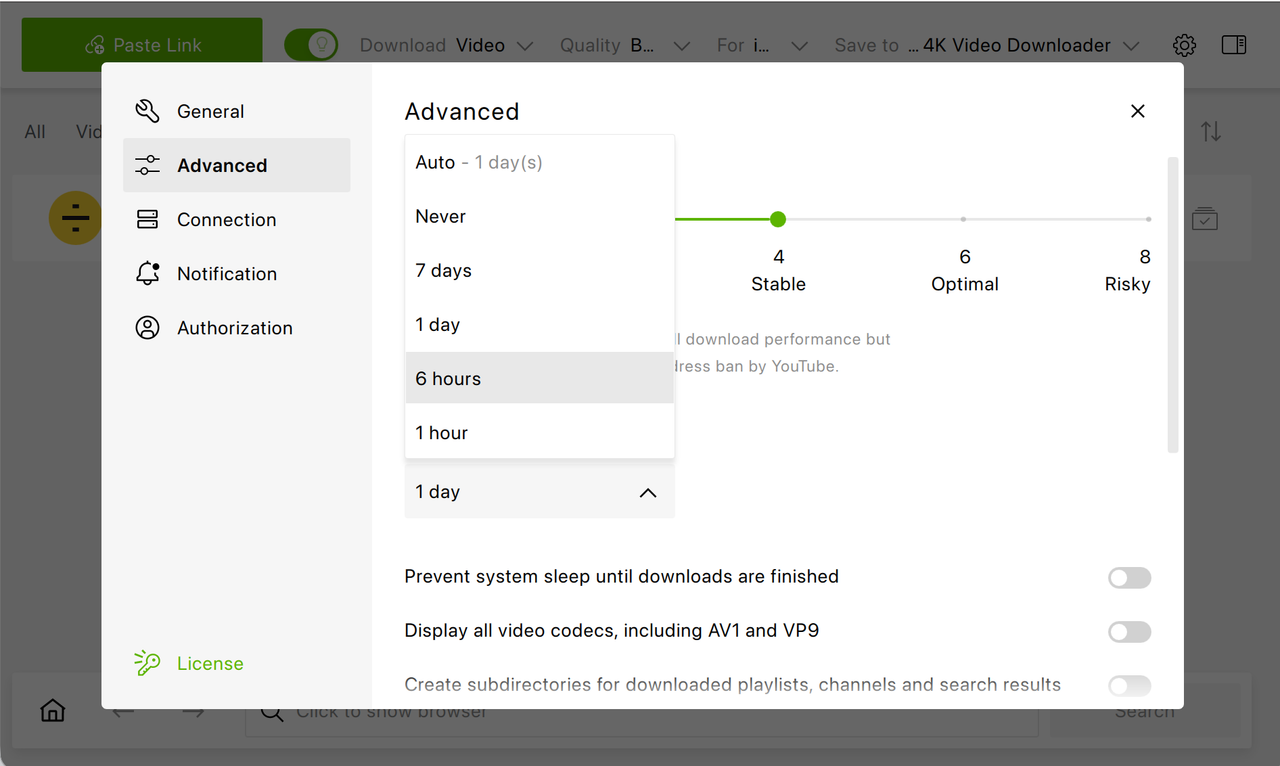
You can select the update period in the Settings: head over to Advanced, scroll down to find Subscription Updates and set the required update period.
Besides, starting with the 26.2.0 version, each subscription now clearly shows its status (such as waiting in the queue or counting down to its next update), along with the last time it was updated.
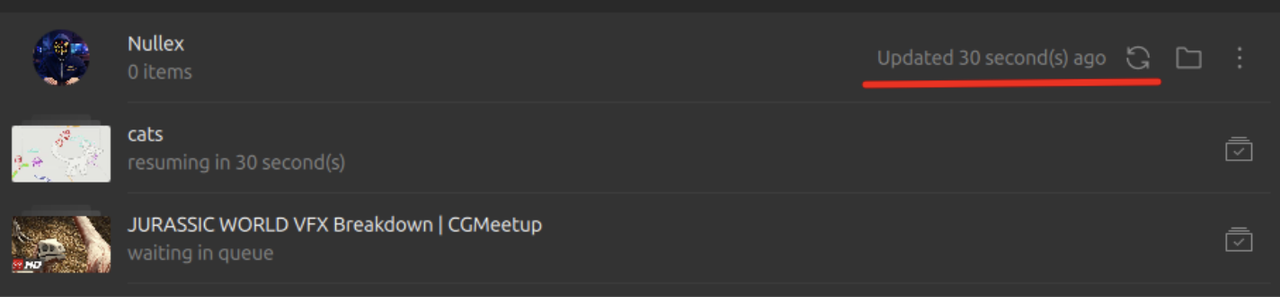
And if you want to refresh a subscription, there's a new Update button that lets you do that on demand, whenever you want.
More Reliable Subscriptions, Fewer Headaches
We also squashed several bugs that were causing real frustration:
- Fixed a crash that could happen when a subscription was deleted or the app was closed mid-download.
- A single failing video no longer stops the entire subscription from updating, the rest of your downloads keep going.
- The delete dialog for subscriptions is now clearer, so you know exactly what you're removing.
- Re-subscribing to a channel after restarting the app no longer creates a duplicate subscription.
- Trying to subscribe to an empty or non-existent channel or playlist now shows a proper error message.
A Clearer, Cleaner Interface
UI has been enhanced too in this major release. Keyboard shortcuts are now visible in all menus, so the app is easier to navigate. Besides, if a pasted link starts parsing outside your visible list, a notification will now take you straight to it. Another novelty is that pasting is now disabled while the manual download window is open, to avoid accidental mix-ups.
A few additional improvements include:
- Download error messages now clearly separate the title from the details, so it's easier to understand what went wrong.
- Settings and tooltips have been refreshed throughout the app.
macOS Users, This One's for You
We've improved compatibility with recent macOS versions. As such, launch-at-login and notifications now use up-to-date system frameworks, and the launch-at-login setting stays properly in sync with System Settings.
Additionally, the menu bar now reliably hides items that no longer apply.
More Reliable Parsing
In this release of 4K Video Downloader Plus, we didn't leave parsing unattended. We've fixed channels that could appear empty, loop endlessly, or crash the app during parsing or subscribing and made sure members-only videos now show a proper error message instead of failing unexpectedly. Besides, failed playlist or channel items now automatically re-parse right after you sign in.
Small Fixes That Make a Big Difference
Quality & Codec settings in Smart Mode now persist across restarts and only show valid options. Plus, we've fixed the keyboard navigation and the Delete option when working with multi-select as well as the Windows notifications that were missing the app icon.
File handling has also become clearer in 4K Video Downloader Plus 26.2.0. Duplicate-name checks now take the file extension into account and batch items with identical names are currently numbered properly instead of overwriting each other. Some other improvements here:
- Exported files on Linux now get the correct file extension.
- Subtitle (.srt) files are now removed together with their video when you delete it.
- A new dialog warns you when a long download folder path would end up shortening your file names.
Better Translations
We've improved the Simplified Chinese and Russian translations throughout the app. Also, if you try to install an older version on Windows, you'll now see a clearer error message.
As always, thank you for your feedback as it directly shapes updates like this one. Update to 26.2.0 today to enjoy a smoother, more organized, and more reliable 4K Video Downloader Plus.
Published July 7, 2026
 SHARE ON TWITTER


Thanks for feedback
Your comments will appear here shortly. Please spread the word about us in social networks.