



The latest update to 4K YouTube to MP3 is less about flashy new features and more about polish; the kind of update that makes the app feel more predictable to use day to day. Version 26.2.0 focuses on three things: keeping your library organized, ironing out interface quirks, and fixing the kind of small bugs that quietly get on your nerves.
A More Organized Library
If you use AI processing on your downloads, you'll notice the biggest change right away. Previously, processed files landed in one long general list, separate from the tracks they came from, which made it easy to lose track of what belonged where. Now, every processed result is attached directly to its source item and clearly labeled underneath it. You simply expand the source track to see everything derived from it, and if you delete that source, its processed versions disappear with it instead of lingering as orphaned files.
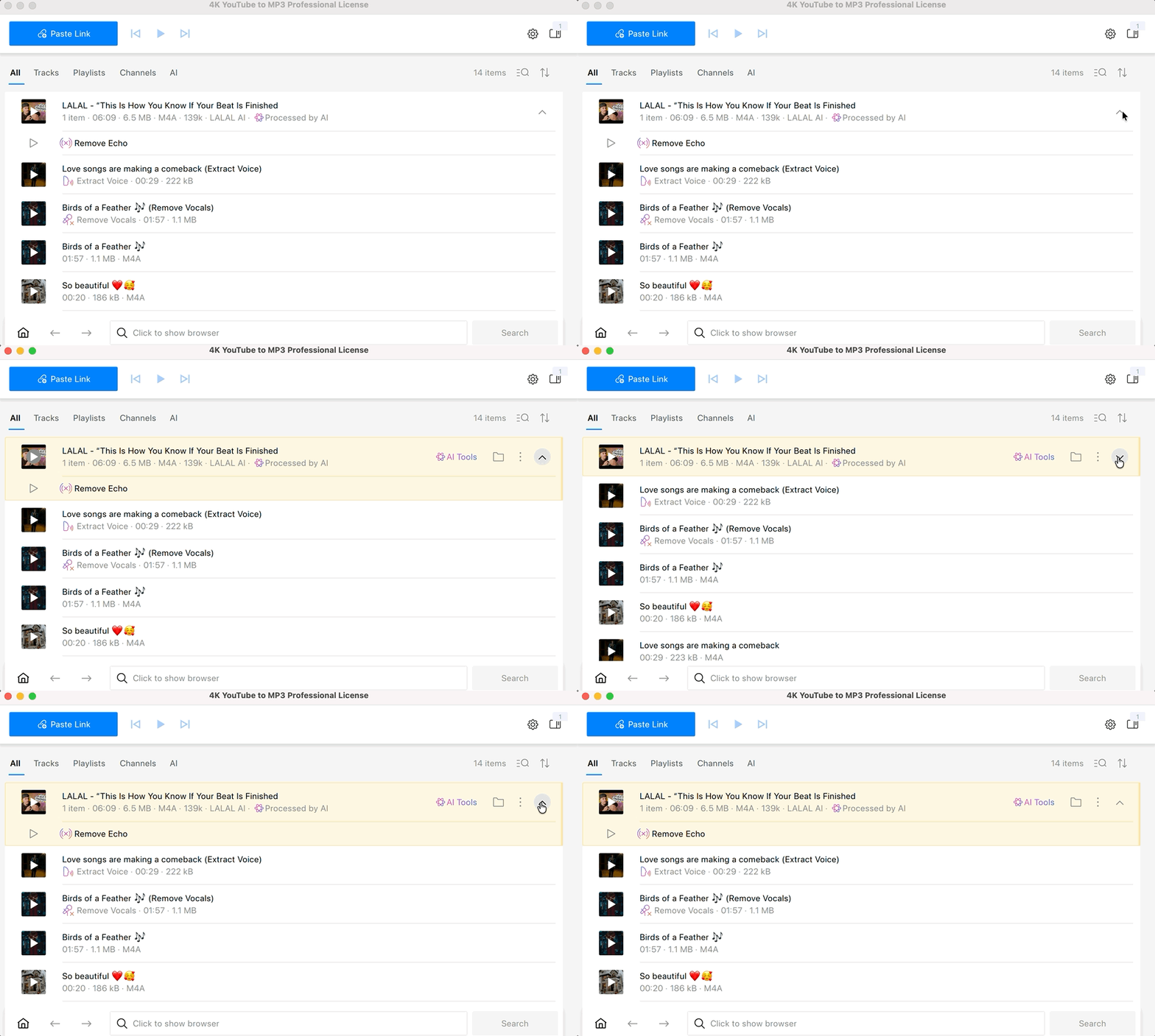
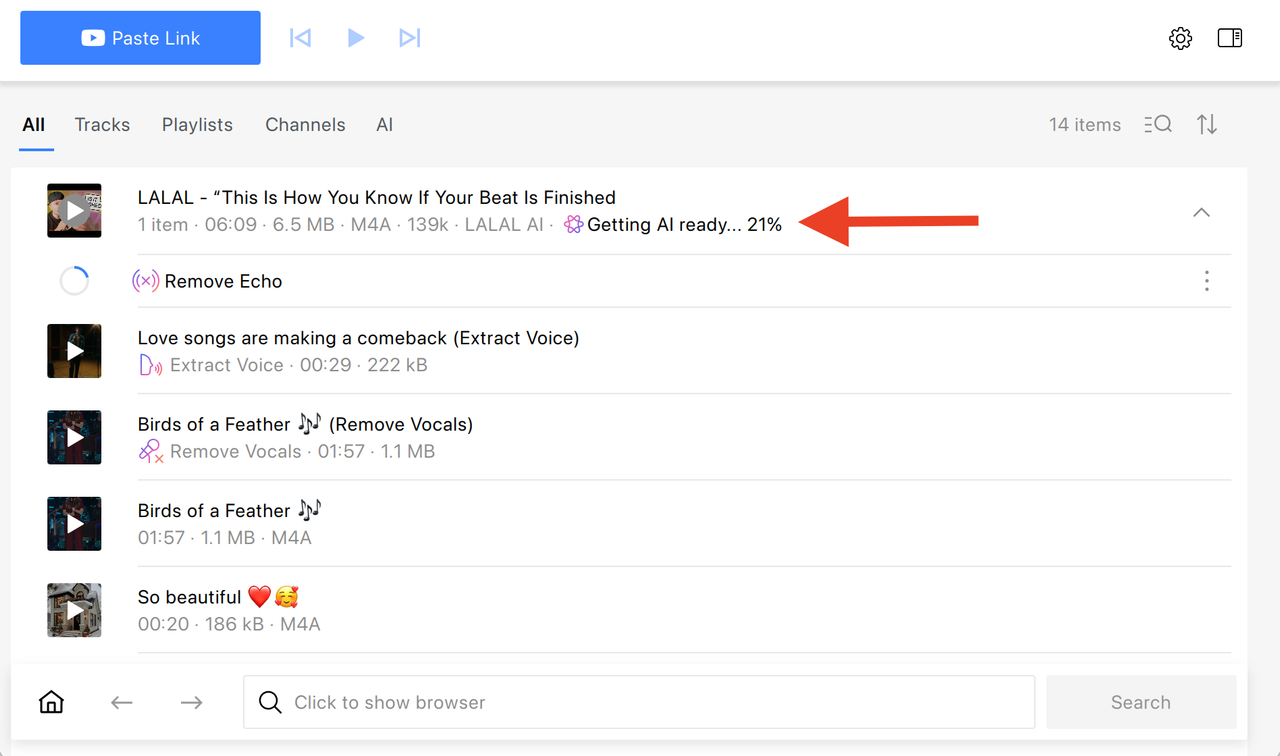
The app is also clearer about what's still being prepared, and when processing finishes, the notification takes you straight to the finished file rather than leaving you to search for it in a crowded list.
Interface Is Now Cleaner
A handful of interface changes make the app easier to navigate without much thought. Keyboard shortcuts are now displayed in every menu, so you no longer have to remember them or dig through settings to find out what's available. If you paste a link and it starts parsing somewhere outside your current view, a notification will point you to it instead of leaving you wondering where it went. Error messages have also been cleaned up: the title of the problem is now visually separated from the details, so it's easier to scan and understand what actually went wrong. Alongside this, settings and tooltips throughout the app have been refreshed for clarity.
Improved Compatibility with macOS
Mac users should notice smoother behavior on recent macOS versions. Launch-at-login and notifications now rely on up-to-date system frameworks, which means fewer inconsistencies with how macOS itself handles these features. The launch-at-login settings now stay properly in sync with what's set in System Settings, so the two won't drift out of agreement. The menu bar has also been fixed to reliably hide items that no longer apply.
Fixing the Small Stuff
Several long-standing annoyances have been addressed as well. In Smart Mode, Quality and Codec settings now only ever show valid, working options, cutting down on trial and error. Keyboard navigation has been fixed for multi-select actions, along with the Delete option, which wasn't behaving consistently before. On Windows, notifications were sometimes missing the app icon; that's fixed too.
File handling has also been tightened up. Duplicate-name checks now take the file extension into account, so files with different formats but identical names are no longer treated as conflicts. When downloading in batches, items with identical names now get numbered properly instead of silently overwriting one another. On Linux, exported files now get the correct extension every time. And if your download folder path is long enough that it would end up shortening your file names, the app now warns you before that happens.
More Reliable Parsing
Parsing channels is more dependable in this release. Channels that used to show up empty, get stuck in an endless loop, or crash the app while parsing or subscribing have been fixed. Members-only videos now return a proper, clear error instead of failing in a confusing way, so you know exactly why a download didn't go through.
Translations and Small Corrections
Simplified Chinese and Russian translations have been improved throughout the app, making the interface read more naturally in both languages. On Windows, trying to install an older version now shows a clearer error message instead of a confusing failure.
None of these changes are loud, but together they make 4K YouTube to MP3 feel noticeably steadier to use. Update to 26.2.0 to get the improvements, and let us know if you run into anything unexpected, as your feedback is what shapes the next release.
Published July 7, 2026
 SHARE ON TWITTER


Thanks for feedback
Your comments will appear here shortly. Please spread the word about us in social networks.