



SoundCloud is blocked or restricted for millions of listeners not because of a single glitch, but for at least three separate reasons that rarely get untangled: rights holders limiting where a track can legally stream, national governments blocking the platform outright, and, occasionally, a technical incident on SoundCloud's own infrastructure that looks like a regional ban but isn't one at all. Knowing which situation you're actually in changes what will fix it. A VPN solves a government-level block instantly but it does nothing for a track that's licensed only in certain countries, and it briefly stopped working entirely during a well-documented incident in December 2025. This guide walks through each cause, the fixes that match it, and a more permanent workaround: downloading the audio once so the block never matters again.
Why SoundCloud Says "Not Available in Your Country"
Reason #1: Licensing
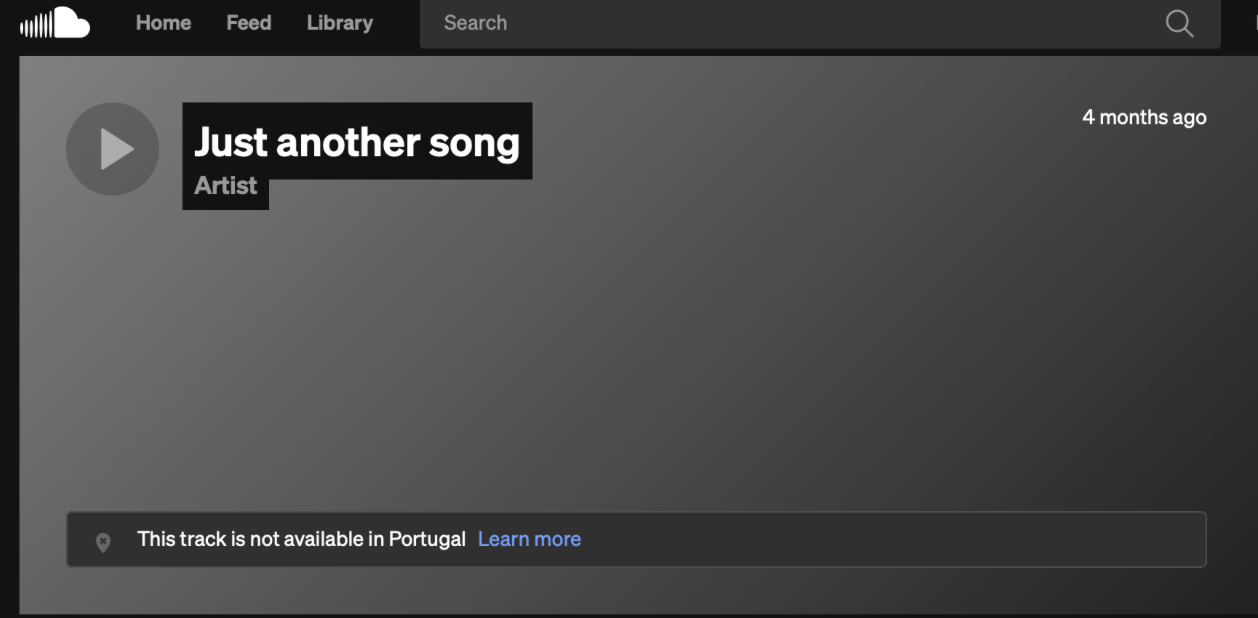
The most common trigger is licensing, not censorship. According to SoundCloud's own Help Center, when an artist or label doesn't hold the rights to distribute a track worldwide, the platform can only make that track available in the territories the rights cover. That's why a song can play perfectly in one country and throw an error two borders over, even though nothing about your account or connection has changed.
Reason #2: National Blocks
A second and unrelated cause is government-level blocking. SoundCloud has been officially inaccessible in mainland China since 2014, largely because of its open, lightly moderated catalog of user-uploaded content. Russia added the platform to its own blocklist in 2022. Turkey enforces a separate restriction, and access is limited in a handful of other countries including Venezuela and Kazakhstan. None of this has anything to do with music licensing; it's imposed at the network level by local authorities, which is why it typically affects the entire platform rather than individual tracks.
Reason #3: ISP or Corporate Filters
A third cause sits somewhere in between: workplace, school, or ISP-level filtering that blocks streaming and social platforms as a category rather than targeting SoundCloud specifically. This is usually the easiest to diagnose because other music or social sites tend to be affected at the same time.
How to Diagnose Which Block You're Dealing With
Before reaching for a fix, it helps to narrow down the cause. If only specific tracks or playlists refuse to play while the rest of the site loads normally, licensing is almost certainly the culprit. If the entire domain fails to load, or you're redirected to a government notice page, you're looking at a national-level block. If SoundCloud works on mobile data but not on your office or school Wi-Fi, the restriction is local to that network. And if the issue appeared suddenly for many users at once and cleared up within a few days, it may simply have been a temporary technical incident rather than anything targeting your location. To confirm the latter, tools like Downdetector are a good way to start diagnostics.
| What you notice | Likely cause |
|---|---|
| Some tracks play, others show an error | Licensing restriction on those specific tracks |
| The entire site won't load, anywhere you go | Government or ISP-level block |
| Works on mobile data, fails on office or school Wi-Fi | Local network filtering |
| Sudden error for many users, resolved within days | Temporary platform-side technical incident |
How to Fix the “SoundCloud Blocked in Your Region” Error: Methods That Actually Work
Once you know the cause, the right tool becomes obvious.
For government-level or ISP-level blocks, a reputable VPN remains the most direct solution. Connecting to a server in a country where SoundCloud is fully available reroutes your traffic and typically restores access within minutes. Browser-based proxy extensions offer a lighter alternative for quick, single-session fixes when installing a full VPN client isn't practical. Neither approach helps with licensing restrictions, since the block in that case is applied by SoundCloud itself based on your detected region, not by a government or network operator.
For licensing-restricted tracks specifically, changing your apparent location through a VPN can sometimes work, though results vary by track and aren't guaranteed since the restriction is intentional on the rights holder's part.
For a fix that doesn't depend on staying connected to a VPN every time you want to listen, downloading the audio directly is worth considering. That's where a desktop tool like 4K YouTube to MP3 comes in.
Download Once, Listen Anywhere: Use 4K YouTube to MP3 to Bypass SoundCloud Blocks
4K YouTube to MP3 saves SoundCloud tracks, playlists, and full artist pages to your computer as MP3, M4A, or OGG files, either at a fixed quality tier up to 256 kbps or matched to the original source quality. Once a track is saved locally, regional blocks become irrelevant because you're listening to a file on your own device, not streaming from a server that might reject your location tomorrow.
The process is simple:
- Install the app for Windows, macOS, or Linux. 4K YouTube to MP3 is available for macOS (12 or newer), Windows 11, and Ubuntu (22.04 64-bit or newer (GNOME only).
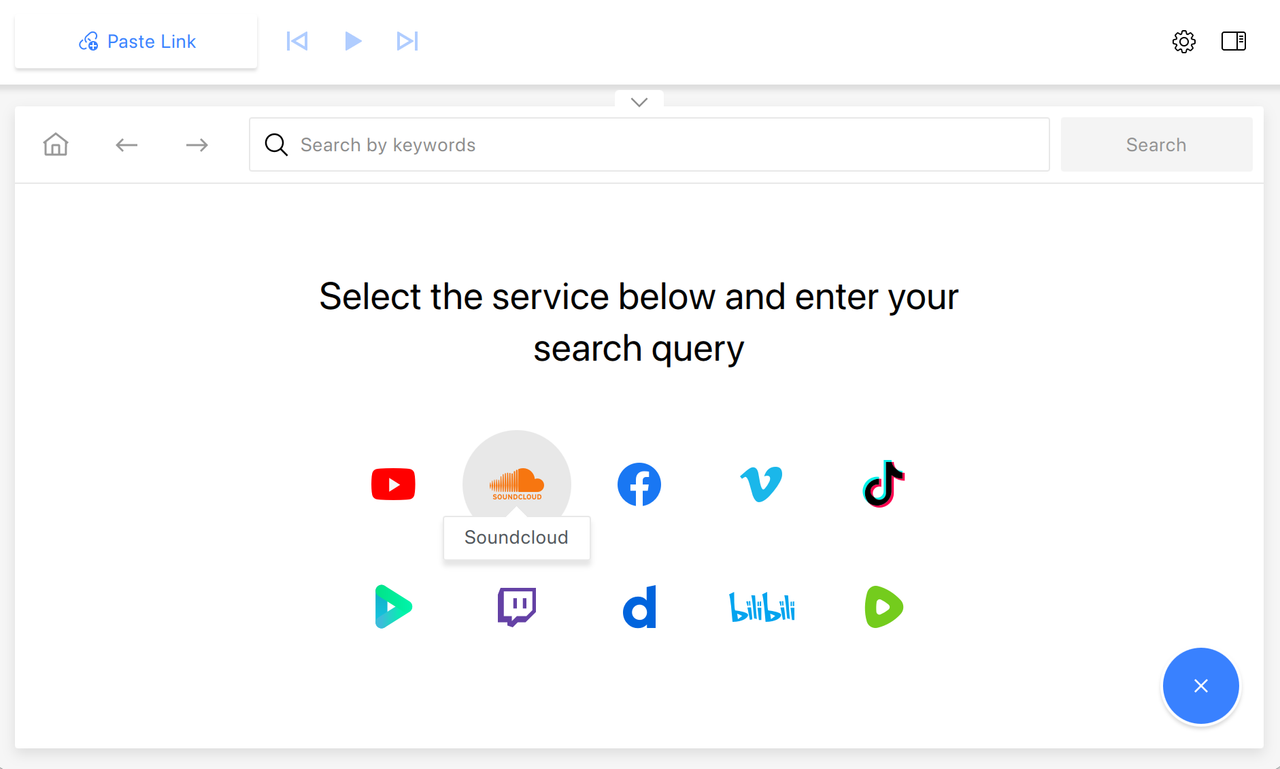
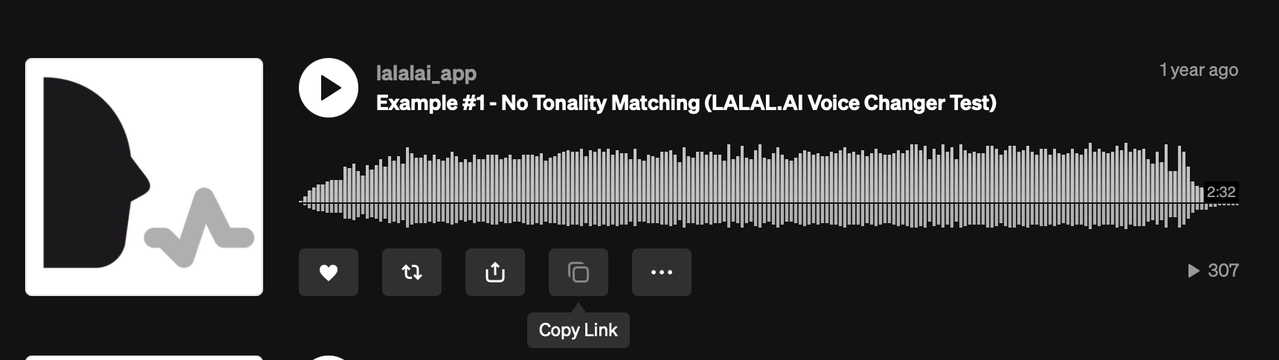
- Copy the song’s URL by clicking the Copy button. Alternatively, you can open the in-app browser in 4K YouTube to MP3, click on the YouTube icon and find the content you want to save without leaving the app.
- Hit ‘Paste Link’ to let 4K YouTube to MP3 process the link.
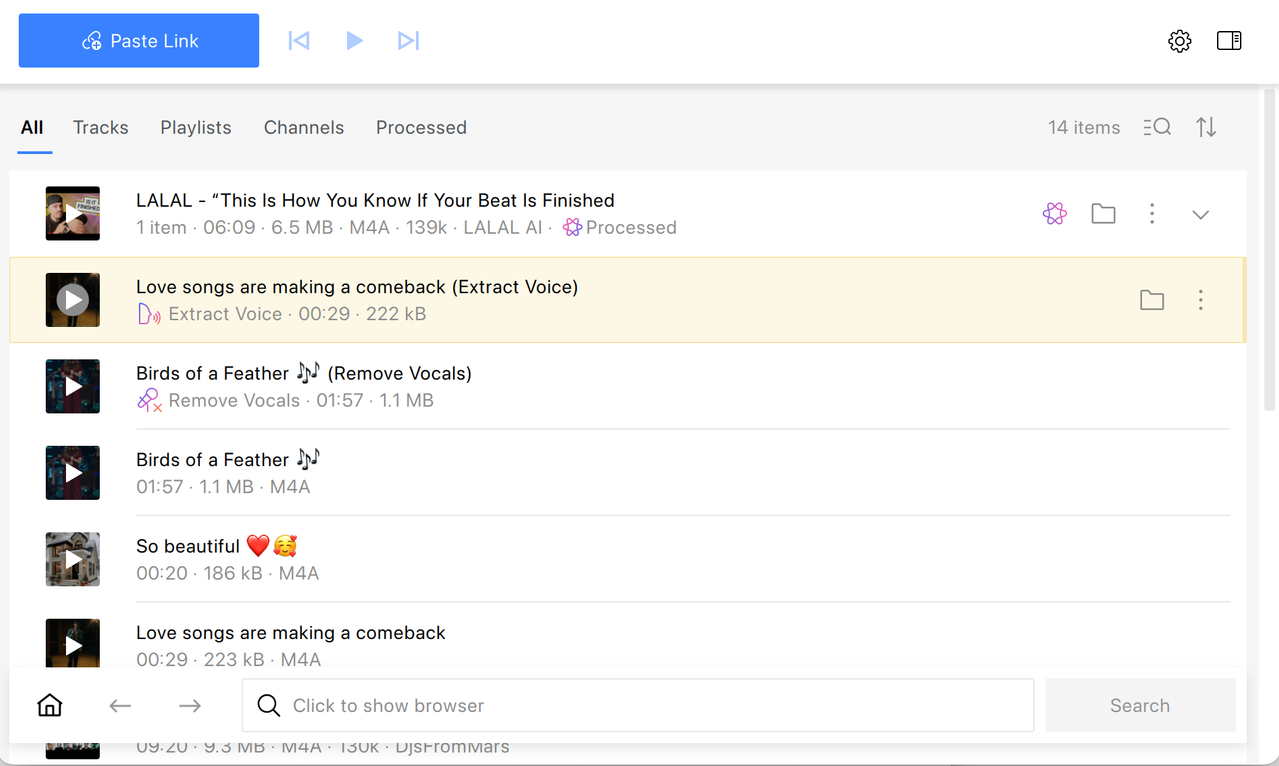
The download starts automatically and the file lands in your chosen output folder, ready for offline listening on any device.
Turn Downloaded Tracks into Karaoke or Instrumentals with Built-in Media Tools
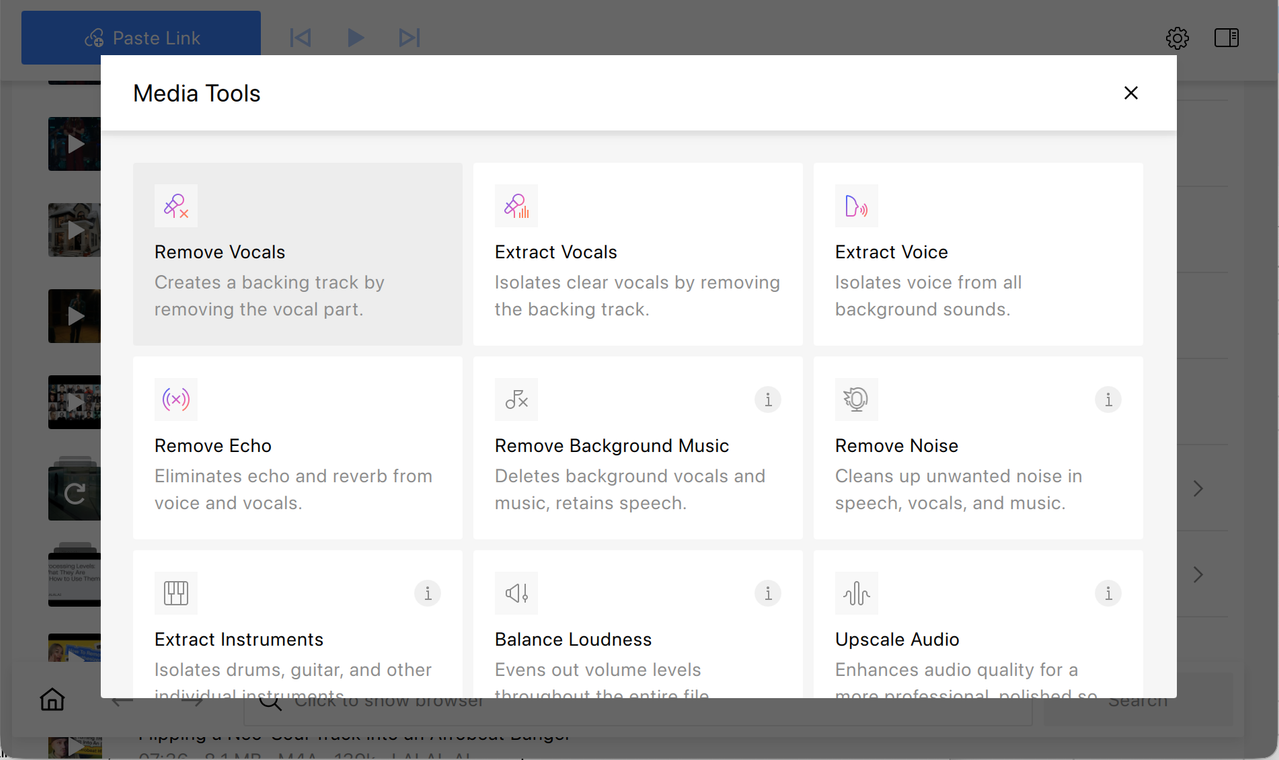
Once a track is saved, 4K YouTube to MP3 offers audio tools that go beyond simple downloading. The app can isolate or remove vocals, strip out background music to leave just the spoken or sung part, and clean up noise or echo from a recording. In practice, this means a downloaded SoundCloud track can be turned into a karaoke-ready instrumental, or a vocal can be extracted on its own for remixing, practice, or sampling, all inside the same application you used to save the file.
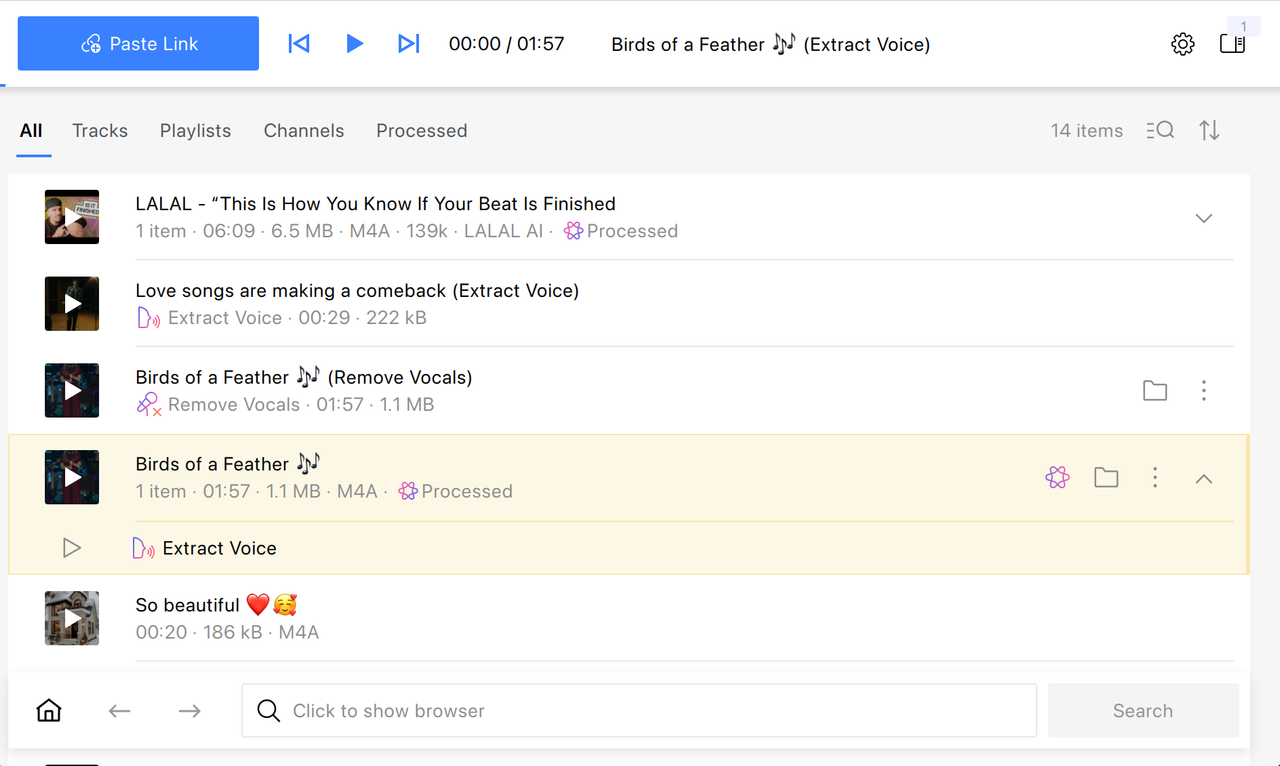
Simply find the track you want to turn into a vocal-only or an instrumental backtrack and click on the Media Tools icon next to it.
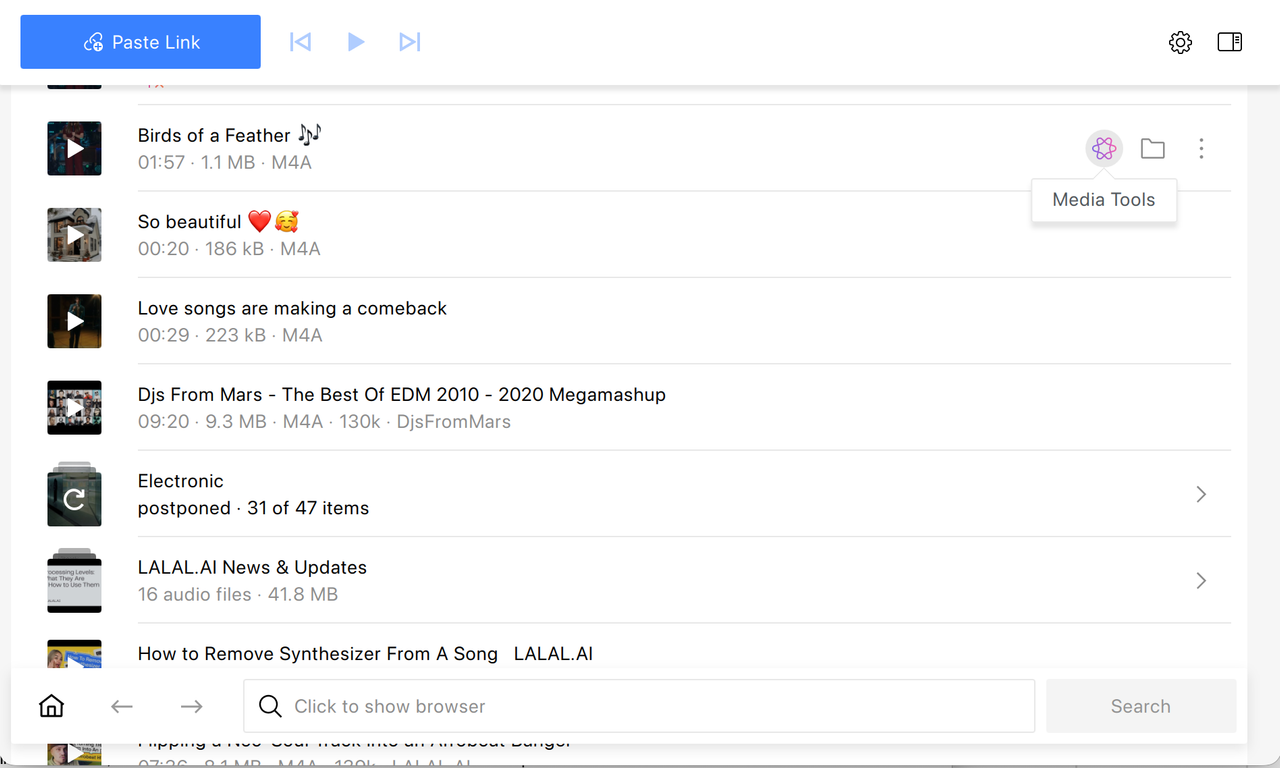
Then, select the desired option from the Media Tools list. Select Remove Vocals if you need to create karaoke track out of the SoundCloud song or Extract Vocals for creating a capella recordings. The processed track will appear right under the original one.
Legal Note
Using a VPN or a proxy to reach content that's geo-restricted for personal listening generally doesn't violate SoundCloud's terms of service on its own. Downloading tracks for a private, offline collection sits in the same category. What crosses the line is redistributing or re-uploading downloaded material, which can trigger copyright claims or account action regardless of how it was obtained. Treat any workaround, whether it's a VPN session or a local MP3 file, as a way to listen privately rather than a way to publish or share someone else's work.
Frequently Asked Questions
Why is SoundCloud blocked in my country?
Most often because the artist or label only holds streaming rights in specific territories. Separately, some governments, including China and Russia, block the platform entirely at the network level for reasons unrelated to licensing.
Will a VPN always fix SoundCloud regional blocks?
A VPN reliably bypasses government and network-level blocks. It's less consistent against per-track licensing restrictions, since those are enforced by SoundCloud based on detected location rather than by a national firewall.
Was SoundCloud blocking VPN users on purpose in December 2025?
No. SoundCloud confirmed the December 2025 disruption was tied to a security incident and the configuration changes made in response, not an intentional policy against VPN traffic, and access was restored once the issue was resolved.
How can I avoid running into the block again?
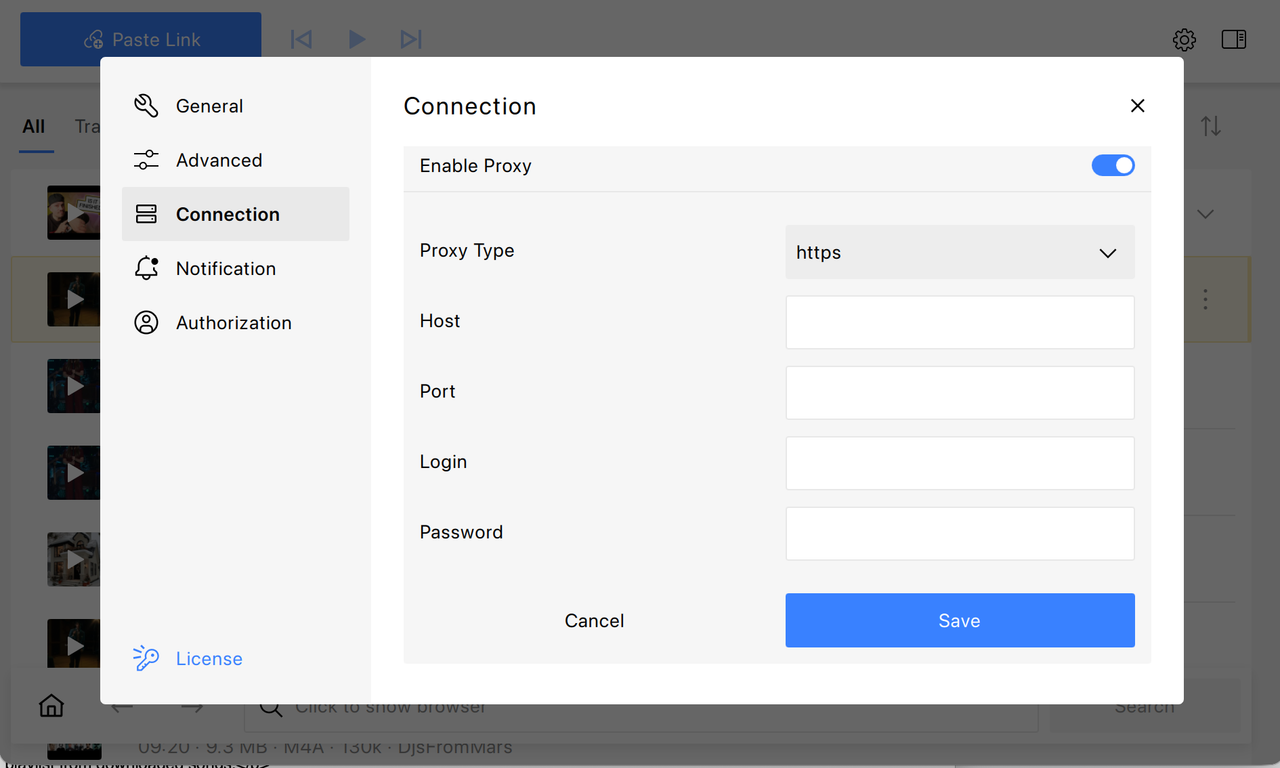
Download the track once with a tool like 4K YouTube to MP3, which also includes a built-in proxy for reaching restricted content in the first place, so future listening doesn't depend on the block being lifted.
Can I make a karaoke version of a downloaded SoundCloud track?
Yes. 4K YouTube to MP3 includes AI tools that remove or isolate vocals from a downloaded track, which can be used to build karaoke or instrumental versions locally.
Can 4K YouTube to MP3 download SoundCloud playlists?
Yes. 4K YouTube to MP3 lets you save entire SoundCloud playlists as well as individual tracks for offline listening. Simply copy the playlist URL and paste it into the app.
Published Aug. 26, 2026
 SHARE ON TWITTER


Thanks for feedback
Your comments will appear here shortly. Please spread the word about us in social networks.