



If the green SaveFrom download button has vanished from your browser, or savefrom.net shows you a notice instead of a download link, you’re not imagining it. In 2026, SaveFrom lost its browser extension on both Chrome and Edge, and the website has been closed to users in the United States and the United Kingdom for years. We’ll explain exactly what happened and show you how to keep downloading videos with a desktop app that doesn’t depend on browser stores or ad-supported websites.
Quick Answer: SaveFrom stopped working for most users because the SaveFrom.net Helper extension was removed from the Chrome Web Store on March 12, 2026 (flagged as malware) and from the Edge Add-ons store on April 24, 2026. The savefrom.net website has also been unavailable in the US since April 2020 and in the UK since shortly after. The most reliable replacement is a desktop app such as 4K Video Downloader Plus: it’s free to start, contains no ads or malware, works in the US and UK, and downloads YouTube videos, playlists, channels in up to 8K as well as subtitles, private content, and much more (we’ll touch on this later in this piece).
What Is SaveFrom.net?
SaveFrom.net is a free web-based video downloader that has been online for about 17 years. The idea is simple: you just paste a video link from YouTube, Facebook, Instagram, VK, or another supported site into the box on the page, and SaveFrom generates download links in the available formats. However, many people know it through its famous shortcut rather than by name. Adding ss in front of youtube.com in a video’s address (for example, ssyoutube.com/watch?v=…) redirects you straight to SaveFrom's download page for that video.
For years, SaveFrom also offered a browser add-on called SaveFrom.net Helper. When you installed it, the tool added a Download button directly on video pages across more than 40 sites, including Facebook, VK, Vimeo, and SoundCloud, and let you save playlists and batches of MP3 files. It was this extension, rather than the website, that most regular users relied on, and it’s the part that has now disappeared.
Why SaveFrom Stopped Working in 2026
There isn’t a single cause; three separate changes hit SaveFrom users at once, and depending on your browser and country, one or all of them may apply to you.
1. The Extension Was Removed from Chrome & Edge
According to extension-tracking service Chrome-Stats, the SaveFrom.net Helper listing on the Chrome Web Store was removed on March 12, 2026, with the removal marked as due to malware. It had around 400,000 users at the time. The Microsoft Edge version, which had more than 1.4 million users, was removed from the Edge Add-ons store on April 24, 2026. That Edge build still ran on the outdated Manifest V2 platform and bundled a shopping-price component alongside the downloader.
2. Chrome Blocks Extensions Installed from Outside Its Store
When an extension disappears from the store, a common workaround is to install it manually from a .crx file. But that no longer works in Chrome, either. The browser now automatically disables most extensions installed from anywhere other than the Chrome Web Store when they update, and there’s no durable way to re-enable them in a standard profile. In practice, a manually installed SaveFrom Helper will stop working sooner or later.
3. The Website Has Been Closed in the US & UK Since 2020
In April 2020, SaveFrom told users it would stop providing its service in the United States as of April 28, 2020. The reason was pressure from US copyright holders that had made operating there “financially impractical”. It then withdrew from the United Kingdom for the same reason. If you’re in either country, savefrom.net and the ssyoutube shortcut simply won’t give you download links.
Why No Chrome Extension Can Replace It for YouTube
If you’re hoping to find another extension that does the same job on YouTube, you should know that the Chrome Web Store simply doesn’t allow it. Store policy names facilitating YouTube video downloads as a reason to reject or remove an extension, and Google has been removing YouTube downloader extensions since 2014. Legitimate tools stay in the store only by leaving YouTube out: the developers of Video DownloadHelper, for example, state plainly that their Chrome extension would be taken down if it supported YouTube. Any Chrome extension advertising YouTube downloads is either about to be removed or not doing what it claims.
Here’s where SaveFrom stands as of October 2026:
| SaveFrom product | Status (October 2026) |
|---|---|
| SaveFrom.net Helper for Chrome | Removed from the Chrome Web Store on March 12, 2026 (flagged as malware) |
| SaveFrom.net Helper for Edge | Removed from Edge Add-ons on April 24, 2026 |
| Manual (.crx) install in Chrome | Automatically disabled by Chrome on update |
| savefrom.net website in the US | Unavailable since April 28, 2020 |
| savefrom.net website in the UK | Unavailable since 2020 |
| savefrom.net website elsewhere | Online, ad-supported |
Is SaveFrom Even Safe?
The honest answer is that the website isn’t malware per se, but using it carries risks, and the extension is a different story.
What about the website? Norton Safe Web doesn’t classify savefrom.net as a malicious site, and simply visiting it doesn’t install anything on your computer. The problem is the advertising that pays for it. SaveFrom monetizes through aggressive formats, including pop-under ads and redirects, and the domain uses web push notifications to show ads. One careless click on the wrong “Download” button can take you to a page you never meant to open.
What about the extension? This is where the real concerns sit. Malwarebytes detects an adware family it calls Adware.SaveFrom, which displays ads originating from savefrom.net and is typically distributed as browser extensions. The Edge version of the Helper requested wide permissions, including access to all your tabs and to every website you visit, and security tracker Chrome-Stats rated it as very high risk impact. And Google’s own decision to remove the Chrome listing in March 2026 was recorded as a malware removal.
What about third-party copies? Now that the extension is gone from the official stores, “SaveFrom Helper download” pages on unofficial sites are the riskiest option of all. Extensions distributed this way may be modified to include malware, and nobody is reviewing them.
If you still have SaveFrom.net Helper installed, the safe move is to remove it: open chrome://extensions (or edge://extensions), find it, and click Remove.
Is 4K Video Downloader Plus Safe?
Yes. 4K Video Downloader Plus contains no malware, adware, spyware, and you don’t have to take our word for it. You can check the installer on VirusTotal, which scans files with dozens of antivirus engines. The app has been in development for more than ten years and is used by over 60 million people.
Since it’s a standalone desktop app rather than a browser extension, it doesn’t need permission to read your tabs or the websites you visit, it doesn’t inject anything into your browser or shows pop-ups or redirect ads. When it comes to ads, the only exception here is that the 4K Download team might sometimes show notifications, touting its own other apps, but this doesn’t happen often, and the ads are shown only to free users. The one rule that matters is to download the app only from the official website, 4kdownload.com, since copycat apps with similar names do exist. We’ve put together a detailed checklist on how to make sure you’re using the genuine 4K Download apps.
A SaveFrom Alternative That Works in the US & UK
For users in the United States and the United Kingdom, SaveFrom hasn’t been an option for six years. 4K Video Downloader Plus is installed from 4kdownload.com and works in both countries, as well as everywhere else SaveFrom is still online. It runs on Windows 11, macOS 12 or newer, and Ubuntu 22.04 or newer, and there’s a separate Android app for downloading on your phone.
If a particular video is blocked by your network, for example a school or office firewall, the app has a built-in proxy connection, so you don’t need a separate VPN.
How to Download YouTube Videos without SaveFrom
The process is almost identical to what you did on savefrom.net: copy a link and paste it. The difference is that the app does the work instead of an ad-supported web page.
Install 4K Video Downloader Plus. Download it for free from the official website and run the installer. No account or card details are needed.
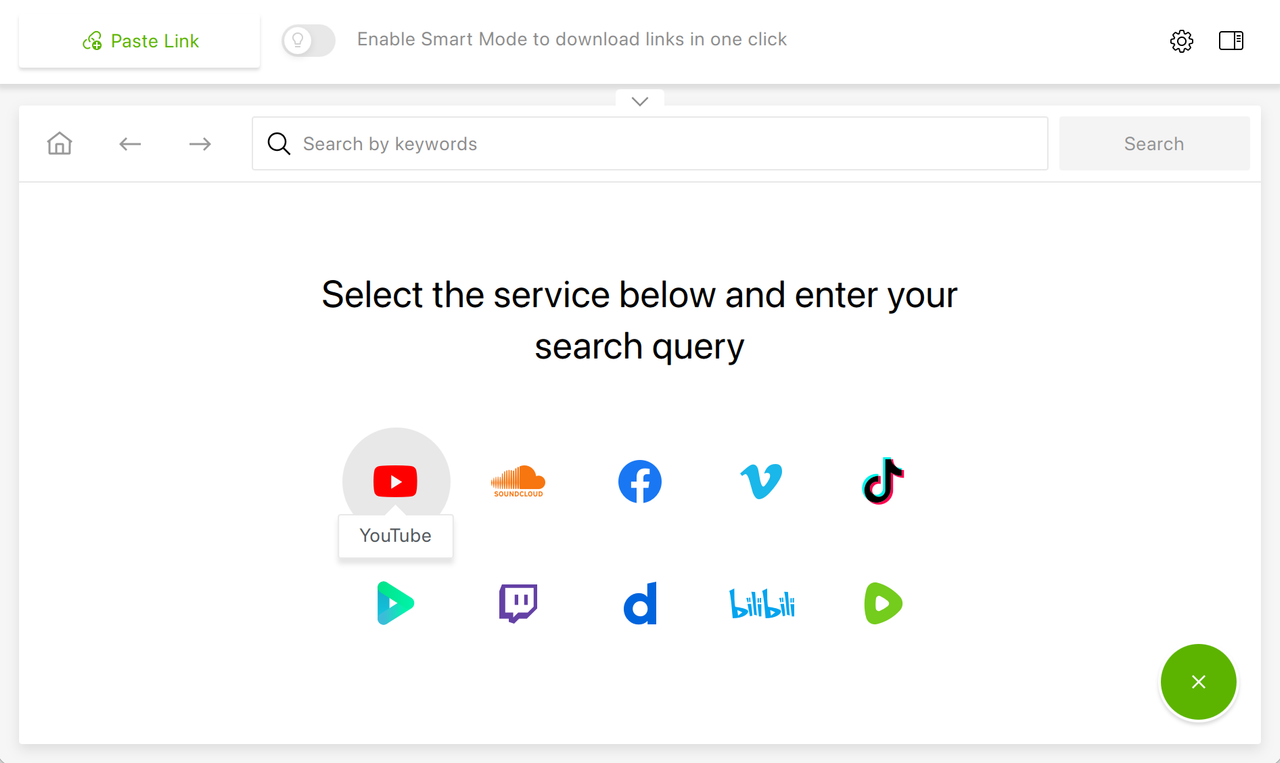
Copy the video link. Open the video on YouTube (or Vimeo, TikTok, Facebook, SoundCloud, and other supported sites) and copy the address from your browser’s address bar or the Share button. Alternatively, there’s an in-app browser which allows you to search and download videos and audio without leaving the app.
Paste the link into the app. Click Paste Link in 4K Video Downloader Plus. The app reads the link and shows you the available options.
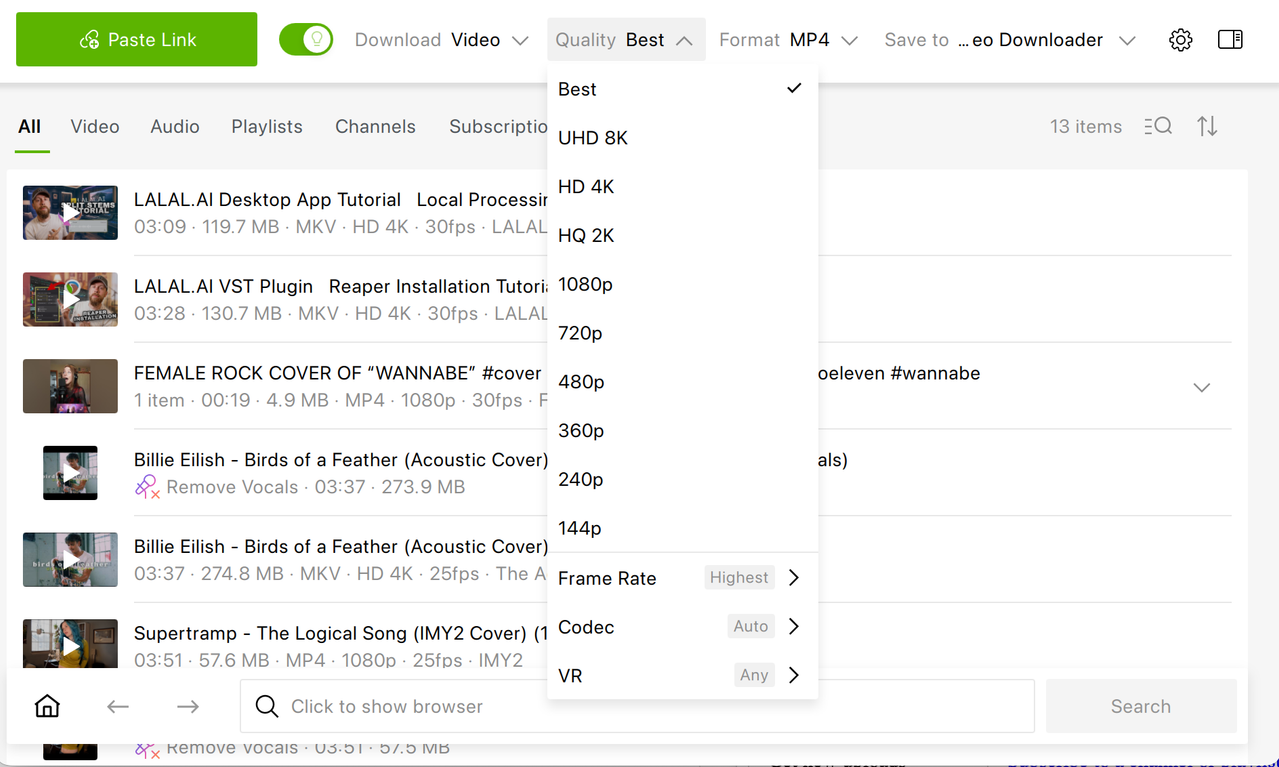
Choose the format and quality. Pick MP4 or MKV for video, or MP3, M4A, or OGG for audio, then select the resolution, from 720p up to 4K and 8K when the original supports it. You can also choose subtitle languages here. To save the download settings for later sessions, turn on Smart Mode and select the download settings.
Click Download. The file is saved straight to your computer, with no redirects and no pop-ups along the way.
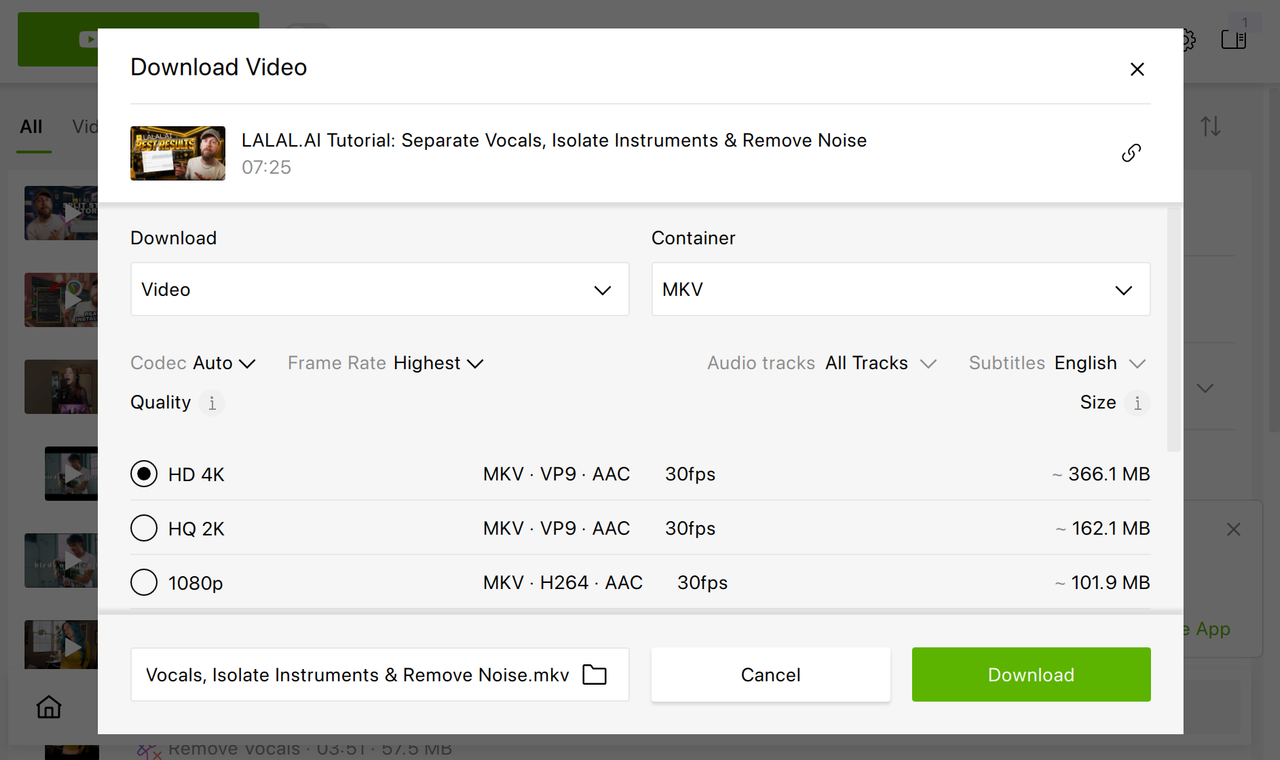
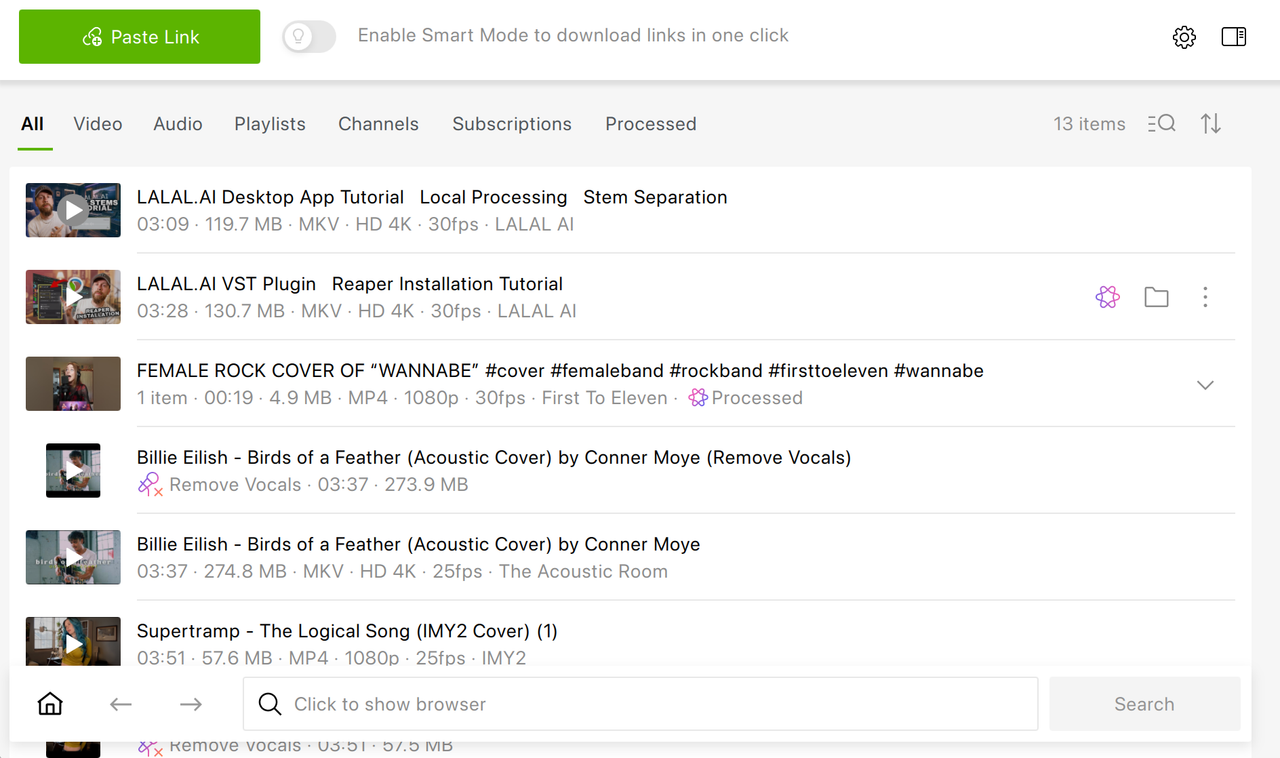
If you download often, turn on Smart Mode (the light-bulb icon on the toolbar). Set your preferred format, quality, frame rate, codec, subtitles language, folder, and even OS once, and every future download will follow those settings automatically, which makes it even faster than the old ss trick. For a more detailed walkthrough, see our guide on how to download YouTube videos.
What You Can Download Beyond a Single YouTube Video with 4K Video Downloader Plus
SaveFrom’s website was built around one link at a time. A desktop downloader handles bigger jobs that are awkward or impossible in a browser tab:
| What you want to do | How 4K Video Downloader Plus handles it |
|---|---|
| Save a video in the highest quality | Download in 720p and 1080p, 4K, and 8K |
| Download a whole playlist | Paste the playlist link and save every video in one click (guide) |
| Archive a YouTube channel | Download an entire channel at once (guide) |
| Get new uploads automatically | Subscribe to a channel or playlist and new videos download as soon as they’re published |
| Download subtitles | Save subtitles as SRT files in 80+ languages, for one video or a whole playlist (guide) |
| Save audio only | Extract MP3, M4A, or OGG from any supported video (guide) |
| Download dubbed audio tracks | Save multi-language audio tracks together with the video or as separate files |
| Download private videos you have access to | Sign in through the in-app browser and save private videos and playlists |
| Download from sites other than YouTube | Vimeo, TikTok, SoundCloud, Facebook, Bilibili, Dailymotion, Twitch recorded streams, and more |
The free Starter version is permanent; it has a download limit, though. Paid licenses remove the limits and unlock premium features such as private video downloads or YouTube channels subscriptions, starting at $15 a year, $25 for a lifetime Personal license, $45 for a lifetime Pro license. You can try every premium feature free for 7 days before committing.
Frequently Asked Questions
Why is SaveFrom not working?
The SaveFrom.net Helper extension was removed from the Chrome Web Store on March 12, 2026, flagged as malware, and from Edge Add-ons on April 24, 2026. Chrome also disables most extensions installed from outside its store, so a manual install won’t keep working. And the savefrom.net website has been unavailable in the US since April 28, 2020, and in the UK since shortly after.
Is there a Chrome extension that can download YouTube videos?
Not a reliable one. Chrome Web Store policy treats facilitating YouTube downloads as grounds for rejection or removal, and legitimate extensions such as Video DownloadHelper deliberately exclude YouTube. For YouTube, a desktop app is the dependable choice.
Is 4K Video Downloader Plus safe?
Yes. It contains no malware or spyware, and you can verify the installer on VirusTotal. As a standalone desktop app, it needs no browser permissions and shows no pop-up ads. Just make sure you download it from 4kdownload.com.
Is 4K Video Downloader Plus free?
The Starter version is free forever with a download limit and requires no card. Paid plans remove the limits, and new users can try all premium features free for 7 days.
Can I still install the SaveFrom extension manually?
It isn’t recommended. Chrome automatically disables most extensions installed from outside the Chrome Web Store when they update, and unofficial .crx download sites may serve modified copies containing malware.
Published Oct. 5, 2026
 SHARE ON TWITTER


Thanks for feedback
Your comments will appear here shortly. Please spread the word about us in social networks.