



A YouTube downloader is a desktop app, command-line tool, or website that saves YouTube videos as standard files (MP4, MKV, MP3, M4A, OGG) on your computer. YouTube Premium downloads stay inside the YouTube app, while a downloader gives you files that play in any media player, offline, in the quality you choose.
Best Free YouTube Downloaders in 2026: Comparison Table
“Free” means different things for each tool, so the table starts with what you get without paying. Information checked in October 2026.
| Tool | Price | Free plan limits | Watermark | Max quality | Playlists & channels | Platforms |
|---|---|---|---|---|---|---|
| Free to use | ||||||
| 4K Video Downloader Plus | Free Starter plan; Lite $15/year; Personal $25 or Pro $45, one-time | Free forever, with limited features and download caps | No | 8K | Yes (capped on Starter) | Windows, macOS, Ubuntu |
| yt-dlp | Free, open source | None | No | 8K, HDR | Yes | Windows, macOS, Linux (command line) |
| Paid, with a trial or restricted free version | ||||||
| SnapDownloader | Paid subscription or lifetime license | No free plan; 48-hour full-featured trial | — | 8K | Yes | Windows, macOS |
| Freemake Video Downloader | $0.95 one-week trial; $39.95/month; $59.95 lifetime | Video length is limited | Yes, on the free version | Full HD (paid plans) | — | Windows only |
Prices are in USD as listed on each developer's website in October 2026 and may change. A dash means the developer doesn’t state this.
4K Video Downloader Plus: Best Free Option for Most Users
Best for anyone who wants a point-and-click desktop app for videos, playlists, and channels, because it handles everything from a single link to an entire channel without any setup.
| Free plan limits | Starter is free forever, with limited features and download caps |
|---|---|
| Price | Lite $15/year (1 device); Personal $25 one-time (3 devices); Pro $45 one-time (3 devices) |
| Platforms | Windows 11, macOS 12 or newer, Ubuntu 22.04 64-bit or newer (GNOME) |
| Max quality | 8K, where the video is available in 8K |
| Latest version | 26.3.5, released September 29, 2026 |
4K Video Downloader Plus is the flagship app from 4K Download. You paste a link, pick a format and quality, and the app saves the file with video and audio already merged. The same workflow works for a single video, a playlist, a channel, or YouTube search results, and a built-in browser lets you find videos without leaving the app.
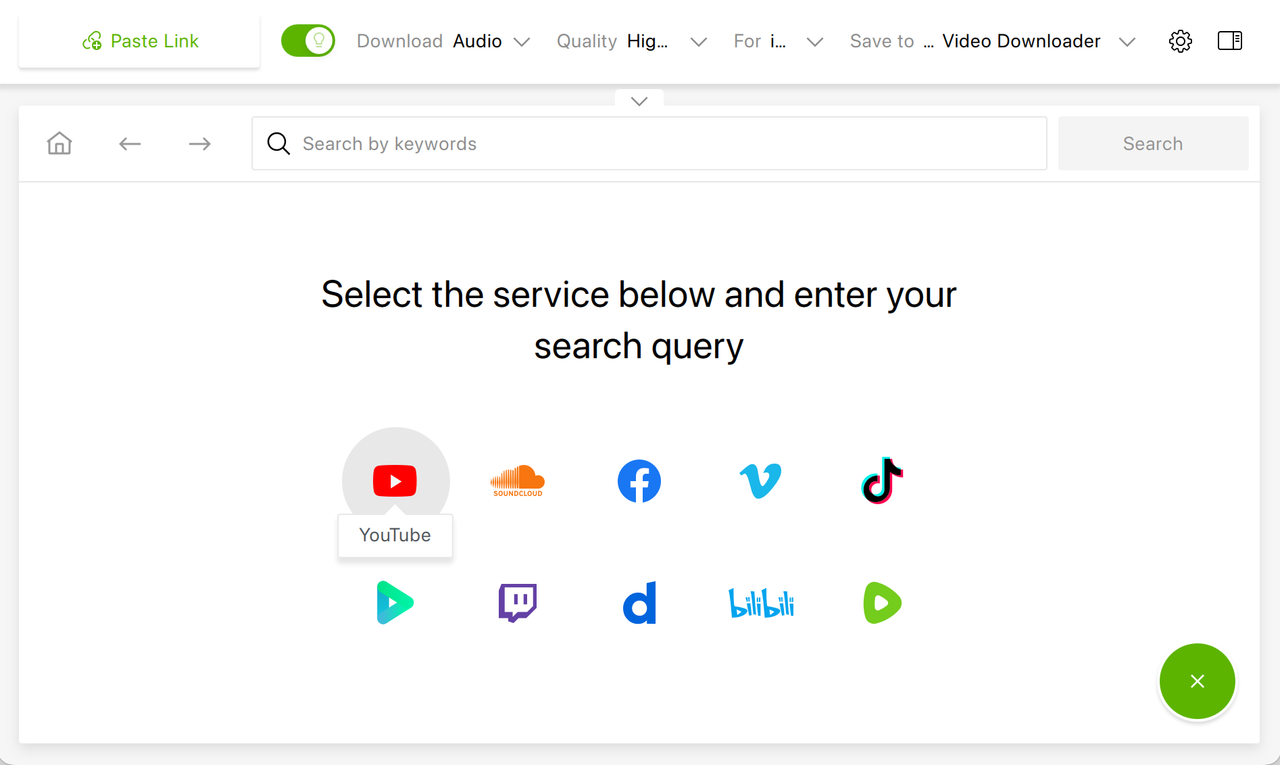
4K Video Downloader Plus offers a permanent free plan with no trial period and no credit card entry. The app supports downloads up to 8K UHD resolution, subtitle downloading in SRT format, audio extraction to MP3, M4A, or OGG, and content download in batches (channels, playlists, videos from search results, and auto-subscription to the content you love).
What 4K Video Downloader Plus Does:
- Downloads individual videos, full playlists, and entire YouTube channels
- Supports 720p, 1080p, 4K UHD, and 8K UHD where available
- Extracts audio at user-adjustable bitrates to MP3, M4A, or OGG
- Saves subtitles in SRT format in a separate file and embedded in a video
- Runs on Windows 11+, macOS 12+, and Ubuntu 22.04 64-bit (GNOME) or newer
- Smart Mode quality and format presets
- Supports YouTube, TikTok, Twitch, Facebook, Vimeo, SoundCloud, Dailymotion, Rumble, YouTube Gaming, Bilibili, and other sites
- Downloads YouTube audio in HQ
- Downloads YouTube audio tracks in various languages
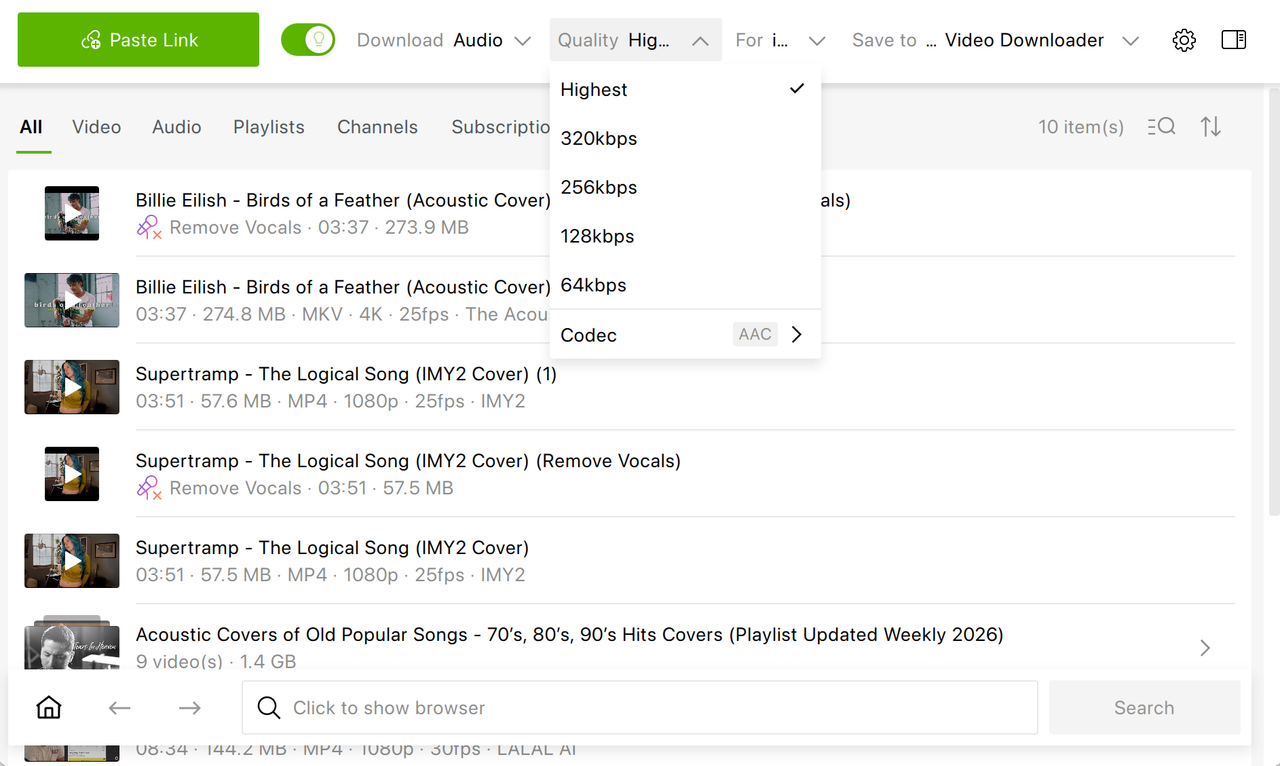
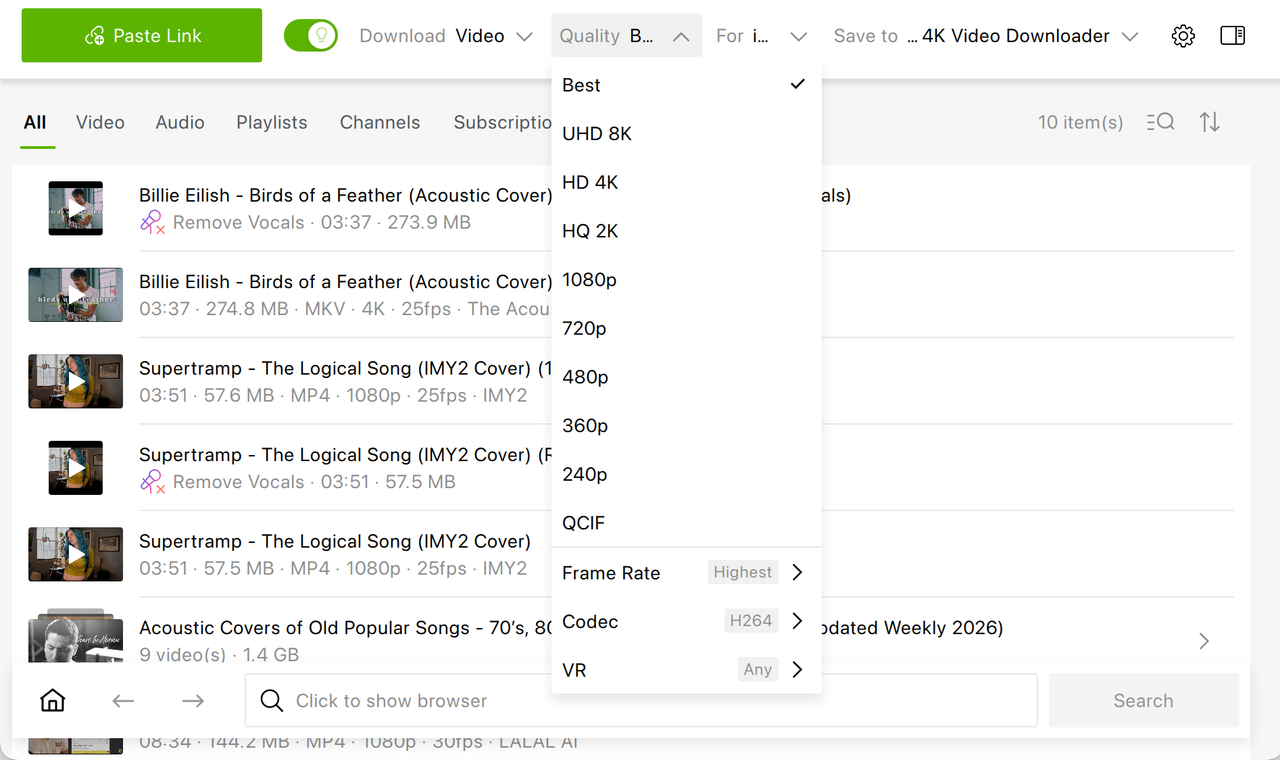
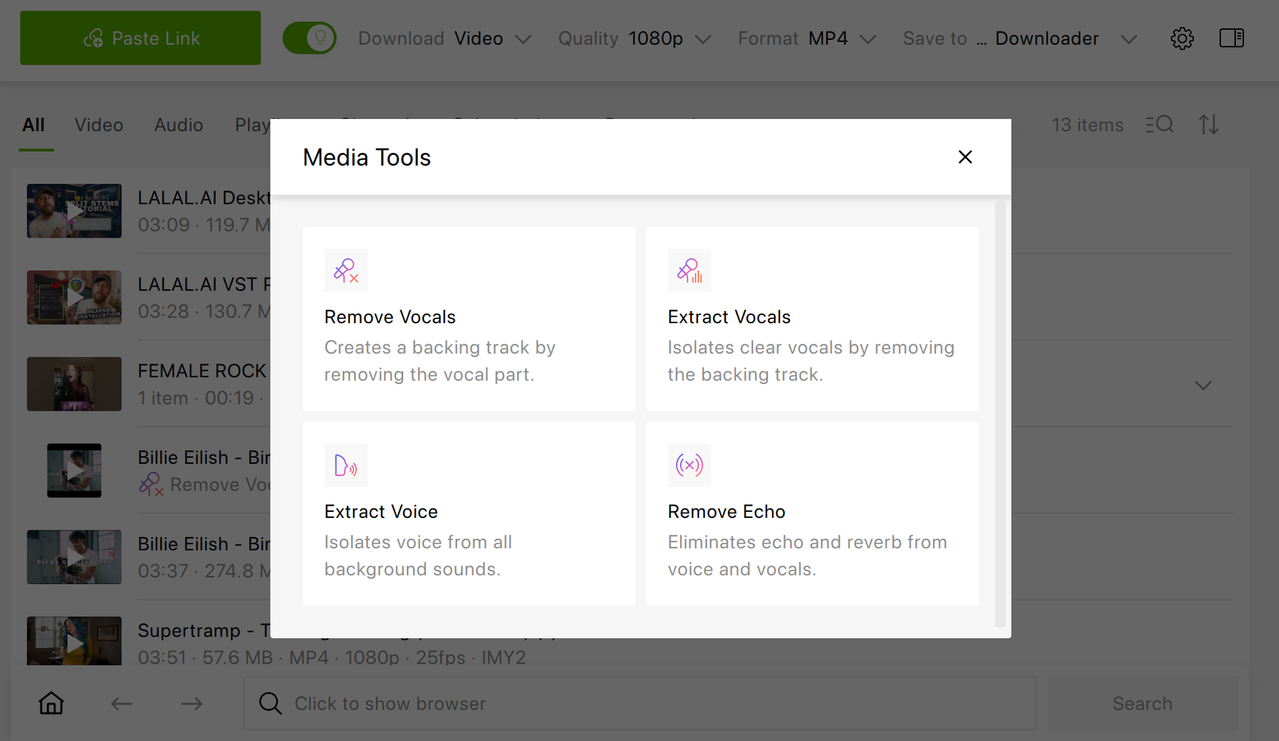
As of 2026, 4K Video Downloader Plus added audio processing tools which let users create karaoke tracks right in the app, remove background noise and echo from videos. Improved resilience to YouTube's changing structure and control over subscription update frequency to reduce rate-limiting risk were also added in the recent major release.
Free vs. paid. Every paid plan removes the download caps and adds private YouTube content download (with access permission) and up to three simultaneous downloads. Pro raises that to seven and adds the features below. Lite renews yearly; Personal and Pro are one-time purchases, and all paid plans come with a 14-day money-back guarantee.
Pro-Only Features:
- Audio processing tools that remove background noise, echo, or music, and isolate vocals or speech, for example to make a karaoke track
- Multi-language audio download for videos with dubbed audio tracks
- In-app YouTube subscriptions that download new uploads from a channel automatically
- High-quality audio, where the site offers it; for YouTube, this requires in-app sign-in and a YouTube Premium subscription
How to Download a YouTube Video with 4K Video Downloader Plus
-
1
Install 4K Video Downloader Plus. Download it from 4kdownload.com. The Starter plan is free forever; no credit card or account is required. Runs on Windows 11, macOS 12 or newer, and Ubuntu 22.04 64-bit or newer (GNOME).
-
2
Copy the video link. Open the video on YouTube and copy the URL from the address bar.
-
3
Click Paste Link. The app reads the link and shows the available formats and qualities.
-
4
Choose format and quality. Pick 720p, 1080p, 4K, or 8K, where available, or choose MP3, M4A, or OGG for audio only. For a playlist or channel, paste its URL instead and select the videos you want.
-
5
Click Download. The file is saved to your computer as MP4 or MKV, with video and audio already merged.
yt-dlp: Best Free Option for Power Users
Best for people comfortable with the terminal, because it’s free, open source, and has no download caps or ads.
| Free plan limits | None |
|---|---|
| Price | Free, open source |
| Platforms | Windows, macOS, Linux |
| Max quality | 8K and HDR, where available |
| Ads | None |
| Latest release | August 19, 2026 |
yt-dlp is a command-line downloader and a fork of youtube-dl, which is now largely inactive. You run it with a URL and options, and it downloads in any quality YouTube offers. It’s also one of the most configurable tools in this list: format selection, output templates, and post-processing can all be scripted.
What yt-dlp Does:
- Downloads in any available quality, including 8K and HDR, with no daily cap
- Handles playlists, channels, and lists of URLs in a single command
- Extracts audio to MP3 and other formats via FFmpeg
- Can embed metadata, thumbnails, and subtitles with the right options
- Integrates with SponsorBlock to mark or remove sponsor segments
- Updates itself with
yt-dlp -U
There’s no graphical interface in the core project. Third-party front-ends such as Stacher wrap yt-dlp in a window, but you still depend on two separate projects staying in sync. For a side-by-side look at features and setup, see our yt-dlp vs. 4K Video Downloader Plus comparison.
SnapDownloader: Paid Alternative with a Free Trial
Best for people who are ready to pay for a desktop downloader and want to try every feature first, because the trial unlocks the full app for 48 hours.
| Free plan limits | No free plan; 48-hour full-featured trial on Windows and macOS |
|---|---|
| Price | Monthly $7.99; Annual $29.99/year; Personal $39.99 one-time (1 device); Family Edition $69.99 one-time (3 devices) |
| Platforms | Windows 8 or newer, macOS 11 or newer |
| Max quality | 8K |
| Ads | None |
SnapDownloader is a paid desktop app that supports more than 900 websites, including YouTube, TikTok, Instagram, Vimeo, and X. It's included here because it often appears in "free downloader" searches, but after the trial it requires a license. Lifetime licenses include updates within the current major version only; subscribers get major upgrades for free.
What SnapDownloader does:
- Downloads videos in up to 8K from 900+ websites
- Downloads YouTube playlists and channels in bulk
- Trims videos with a built-in cutter
- Schedules downloads for later
- Supports an in-app proxy for region-restricted videos
Freemake Video Downloader: Windows Freemium Tool
Best for Windows users who only need short clips and don't mind a watermark, because the free version restricts video length, brands every download, and leaves Full HD to paid plans.
| Free plan limits | Video length is limited; downloads carry a Freemake watermark |
|---|---|
| Price | One-week trial $0.95; subscription $39.95/month; lifetime license $59.95 |
| Platforms | Windows only |
| Max quality | Full HD, listed as a paid feature |
Freemake Video Downloader is a long-running Windows app with a simple paste-and-download interface. Its free version is best treated as a demo: the length limit and watermark make it impractical for full-length videos, and there is no macOS or Linux version. Removing the Freemake logo starts with a $0.95 one-week trial; Full HD support and the rest of the feature set require a $39.95 monthly subscription or a $59.95 lifetime license.
How to Choose the Right YouTube Downloader
You Want an App That Just Works
Use 4K Video Downloader Plus on the free Starter plan. Paste a URL, choose the quality, and click Download. No terminal and no extra components to install.
You’re Comfortable with the Command Line
Use yt-dlp. It’s free, has no caps or ads, and gives you the most control over formats and automation. Expect to install FFmpeg and a JavaScript runtime, and to update it regularly when YouTube changes.
You Want yt-dlp’s Power without the Terminal
A front-end like Stacher puts a window on top of yt-dlp. 4K Video Downloader Plus is a single app instead: built-in browser, Smart Mode presets, and, on Pro, in-app channel subscriptions and audio processing tools, with no separate components to maintain.
You’re Archiving Whole Channels or Large Playlists
Use 4K Video Downloader Plus on a paid plan for unlimited, ad-free downloads. Pro adds in-app subscriptions, so new uploads download automatically.
You Download from Many Sites, Not Just YouTube
JDownloader 2 is a free download manager with a link grabber for many hosts, though it's more complex to set up. See our JDownloader 2 vs. 4K Video Downloader Plus comparison.
You’re Ready to Pay Almost Right Away
SnapDownloader lets you test the full app for 48 hours. 4K Video Downloader Plus lets you use the free Starter plan for as long as you like before buying, and paid plans come with a 14-day money-back guarantee.
What About Online Downloaders?
Browser-based downloaders need no install, but they typically rely on heavy ads and redirects, cap quality, can’t save playlists, and can vanish overnight after legal action. If the site you used has stopped working, see what to use when SaveFrom isn’t working.
Best YouTube Downloader for Specific Needs
Best for Mac
4K Video Downloader Plus runs on macOS 12 or newer, with native builds for Apple Silicon and Intel. yt-dlp also runs on macOS and can be installed with Homebrew. Considering Downie, a paid Mac-only app? Compare it in 4K Video Downloader Plus vs. Downie.
Best for Linux
4K Video Downloader Plus runs on Ubuntu 22.04 64-bit or newer with GNOME, with .deb and portable packages. yt-dlp runs on any Linux distribution. SnapDownloader and Freemake have no Linux version.
Best with No Ads
yt-dlp is free and has no ads. 4K Video Downloader Plus is also ad-free
Best for Playlists and Channels
Paste a playlist or channel URL into 4K Video Downloader Plus and choose which videos to save. Starter caps the number of items; paid plans are unlimited. Check our guides for more information: download a YouTube playlist and download a YouTube channel.
Best for Subtitles Download
4K Video Downloader Plus saves subtitles as SRT files or embeds them in the video, in any language the video offers (80+ languages are supported by the app). See how to download YouTube subtitles and our roundup of the best YouTube subtitle downloaders.
Best for MP3 Download
4K Video Downloader Plus extracts audio to MP3, M4A, or OGG, including whole playlists. For audio-only workflows, 4K YouTube to MP3 is a dedicated app. Check our guides for more information: convert YouTube to MP3 and download a playlist as MP3.
Best for 4K and 8K quality
Both 4K Video Downloader Plus and yt-dlp save the highest resolution YouTube offers. To understand what the quality labels mean, read YouTube video quality explained.
Is It Legal to Download YouTube Videos?
It depends on what you download and what you do with it. YouTube’s Terms of Service don’t allow downloading content unless YouTube expressly authorizes it, as with Premium’s in-app downloads, or you have permission from YouTube and the rights holders. Copyright law is a separate question and varies by country.
The generally safe zone is your own uploads, videos the creator has given you permission to use, and content under Creative Commons or in the public domain. Re-uploading, selling, or otherwise redistributing someone else’s video without permission is not. This section is general information, not legal advice.
Frequently Asked Questions
Is 4K Video Downloader Plus actually free?
Yes. The Starter plan is free forever: there’s no trial period and no credit card is required. Some features are limited on Starter. Paid plans remove the download limits and Pro adds extra features.
What is the difference between Lite, Personal, and Pro?
Lite is a $15 annual subscription for one device. Personal is a $25 one-time lifetime license for up to three devices. Both remove download limits and allow three simultaneous downloads. Pro is a $45 one-time lifetime license that adds up to seven simultaneous downloads, in-app YouTube subscriptions, multi-language audio download, audio processing tools, and commercial use.
Can yt-dlp download 4K and 8K videos for free?
Yes. yt-dlp is free and open source, with no download caps and no ads, and it downloads 4K, 8K, and HDR where YouTube offers them. It needs FFmpeg to merge video and audio streams, and since version 2025.11.12 it also needs an external JavaScript runtime such as Deno for full YouTube support.
Which free YouTube downloader works on Mac?
4K Video Downloader Plus runs on macOS 12 or newer, with separate builds for Apple Silicon and Intel Macs. yt-dlp also runs on macOS and can be installed with Homebrew. SnapDownloader supports macOS but is paid after a 48-hour trial.
Are online YouTube downloaders safe?
It depends on the site. Many online downloaders are funded by aggressive ads and redirects, cap quality, skip playlists, and can disappear overnight after legal action. A desktop app downloaded from its developer's official website is usually the more predictable option.
Published May 25, 2026
 SHARE ON TWITTER


Thanks for feedback
Your comments will appear here shortly. Please spread the word about us in social networks.